4-11
Chapter 4 Entering Patient Information
Deleting the Unnecessary Patient Information
Unnecessary patient information can be deleted from the SD card.
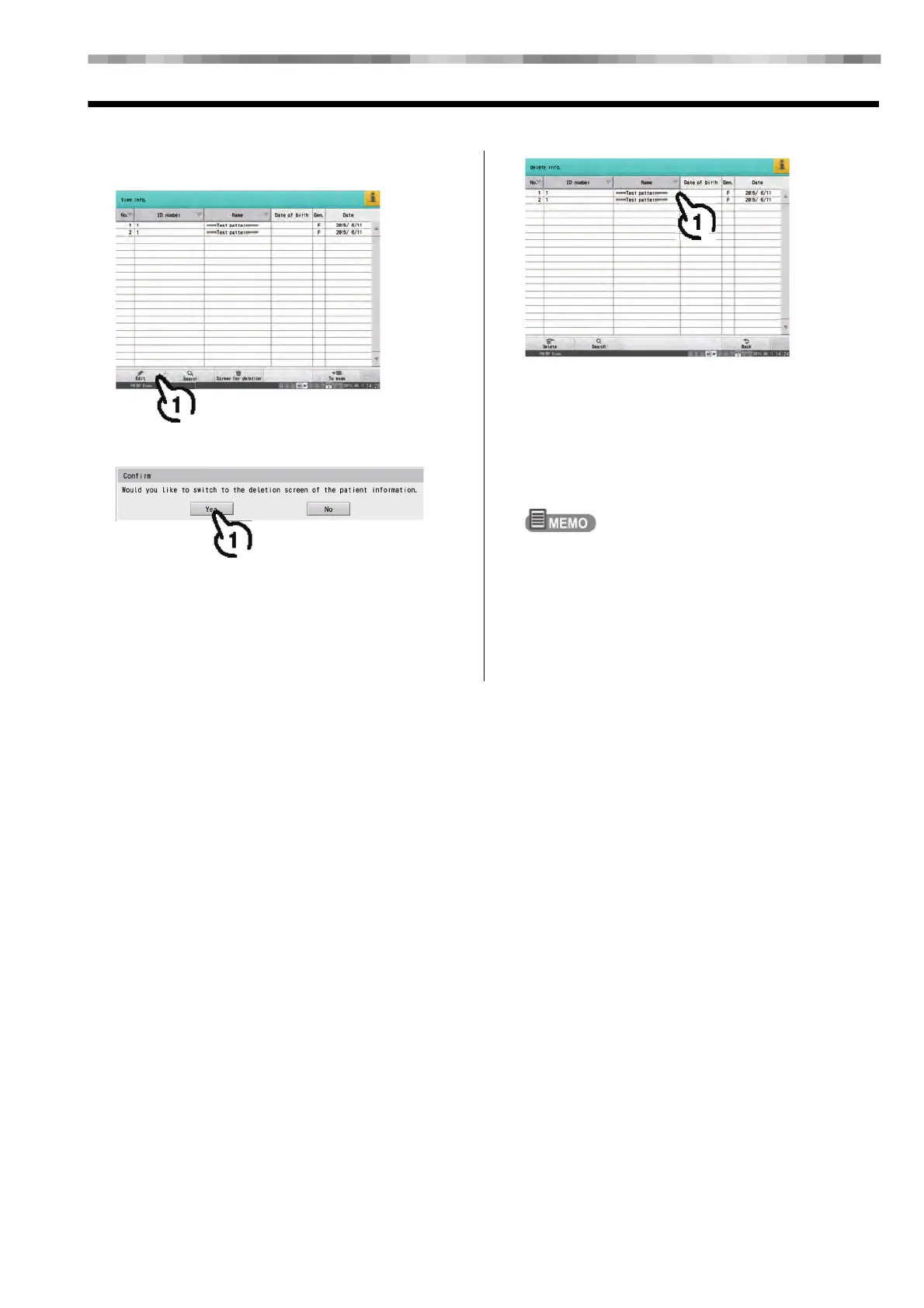
1 Touch [Edit].
On a confirmation window, touch [Yes].
2 Touch the patient information to be
deleted.
The selected patient information is highlighted.
1) Select the patient to be deleted, and touch
[Delete].
A confirmation window will be displayed.
2) Touch [Execute].
The specified patient information is deleted from the
SD card.
More than one patient information can be selected for
deletion.
3) Touch [Back] to return to the patient
information list.



 To Next Page