2-15
Chapter 2 Installation
Basic Operations
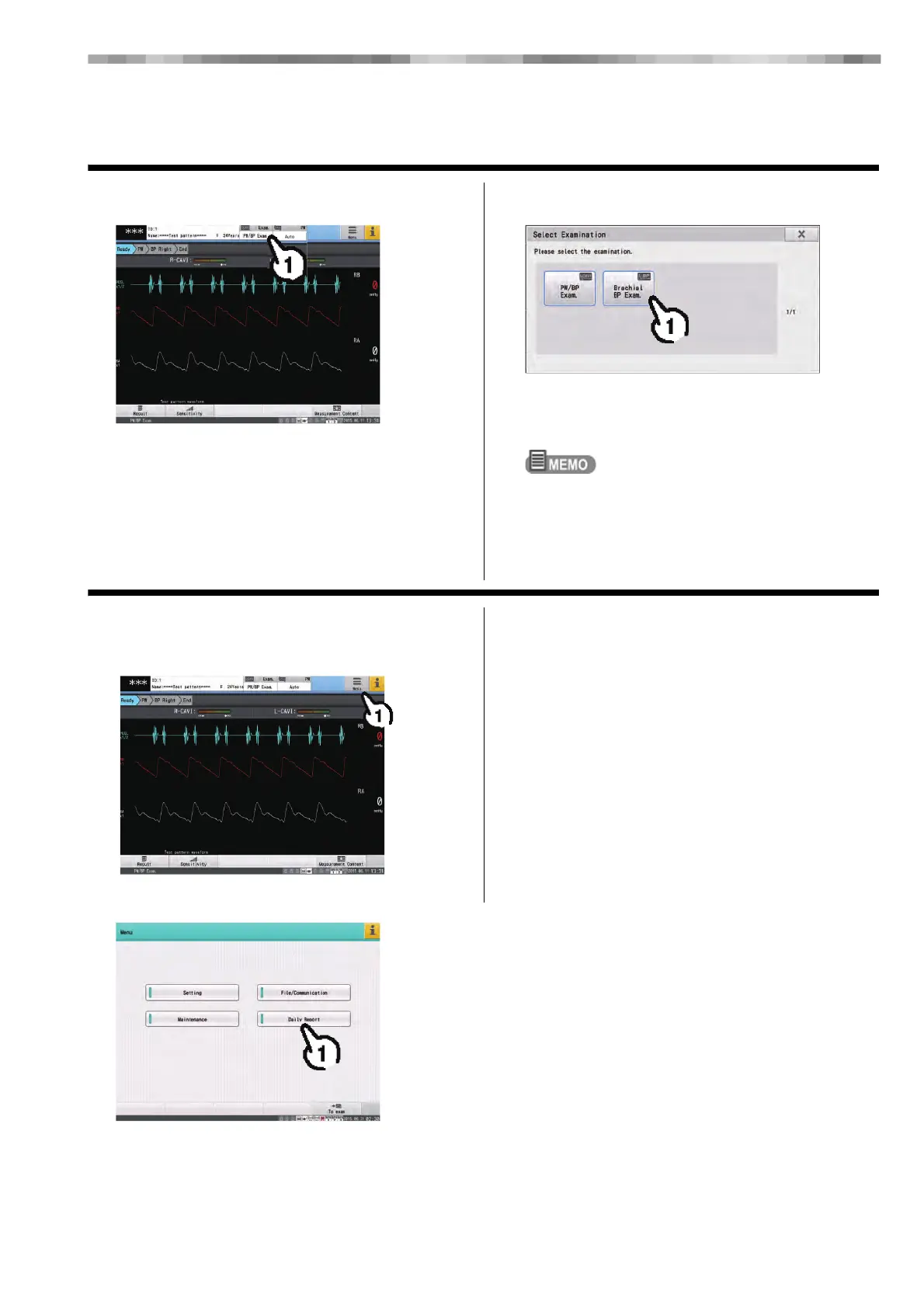
Changing the Examination Type
1 Touch [Examination]. 2 Touch the desired examination.
Touch [V] to display the next page.
Touch [x] to close the "Select Examination" window
without switching the examination.
Types of examination icons
Blue border: Blood Pressure and Pulse Wave
Green border: Series examination
Displaying the Menu
1 Touch the [Menu] button on the touch
panel.
2 Touch the desired item.
Touch [To exam] or press [HOME] on the display unit.
The screen returns to the examination display.



 To Next Page