Need help?
Do you have a question about the Fukuda VaSera VS-2000 Series and is the answer not in the manual?
Introduction to the VaSera VS-2000 Series operation manual and essential safety guidelines for product use.
Details CAUTIONary notes, legal restrictions (physician's order), and copyright information.
Explains the manual's purpose and identifies the VS-2000 as the covered device.
Defines DANGER, WARNING, CAUTION, and NOTE notations used for safety.
Explains the meaning of various safety symbols used in the manual.
Highlights the importance of warning labels attached to the device for safe operation.
Lists and explains symbols commonly found on the device interface.
Details compliance with ANSI/AAMI ES 60601-1 and classification of protection.
Outlines necessary preventive maintenance and inspection schedules.
Details DANGER warnings related to flammable gases and environments.
Provides WARNINGs for using the device near MRI or during defibrillation.
CAUTIONs that the device is not designed for direct cardiac application.
WARNINGs for using the device with high-frequency surgical equipment.
WARNINGs regarding the use of specified accessories and cables.
General warnings on device and accessory handling, including power connection and modification.
WARNINGs on connecting unauthorized devices and proper disposal procedures.
CAUTIONs for power cable connection and potential risks from leakage current.
CAUTIONs for safe operation, covering impact, water, LCD, and patient contact.
Precautions for SD/USB insertion, touch panel use, and cleaning with ethanol.
Guidelines for using the specified battery pack and stand for safe operation.
CAUTIONs regarding installation environment (temperature, humidity, chemicals, impact).
Steps to verify during operation for patient safety and error handling.
Precautions for handling cables, SD card, USB memory, and media saving.
CAUTIONs for PCG microphone use, including noise and impact.
CAUTIONs for safe operation under electromagnetic interference (EMC).
CAUTIONs regarding the interpretation of printed results and clinical diagnosis.
General guidance on EMC compliance for the VS-2000 device.
Details compliance with RF emissions standards (CISPR 11).
Details compliance levels for ESD, transients, surges, voltage variations, and magnetic fields.
Details compliance levels for conducted RF and radiated RF immunity.
Lists error messages related to measurements and battery status with countermeasures.
Details errors related to communication, SD card, USB, BP zero, and measurement timeouts.
Covers errors related to connection, data deletion, SD/USB format, and input height/length.
Lists errors for BP measurement, data selection, and DMS communication timeouts.
Details errors for DMS settings, safety operations, analysis range, battery voltage, and valve errors.
Describes the intended use of the VS-2000, including PCG and BPU-100 capabilities.
Highlights main features like CAVI, Four-Limb BP, and BP Balance.
Explains ABI, TBI, CAVI measurement without ECG, and other functions like Color Printing.
Details the product configuration of the VS-2000 with optional items.
Lists accessories included with the VS-2000, such as power cable and NIBP cuffs.
Details optional packages like BPU-100 and limb/toe BP measurement kits.
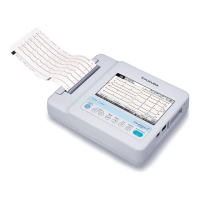
Identifies and describes the parts of the main unit (front, rear, bottom views).
Explains functions of control keys, power indicator, vents, and various ports.
Details the front and rear views of the display unit and its control keys.
Explains the layout and elements of the examination screen.
Provides a guide to understanding the icons displayed on the screen for device status.
Precautions for selecting an appropriate installation location, avoiding interference and noise.
Instructions for optional battery installation, charging, and usage precautions.
Details the steps for charging the device's battery.
Guidance on operating the device using battery power and checking battery status.
Step-by-step instructions for installing the main unit and display on the optional stand.
Instructions for connecting power cables, hoses, cuffs, and PCG microphone.
Procedure for connecting cuffs for 2-channel and 4-channel examinations.
Instructions on how to connect the PCG microphone to the device.
Guidance on installing optional devices like BPU-100 NIBP/Pulse Wave Units.
Detailed steps for powering the device on and off, including initial boot-up.
Procedure for setting the device's date and time, including UTC synchronization.
How to change the type of examination being performed.
Steps to access and navigate the device's menu system.
Instructions for network configuration, including wired and wireless LAN setup.
Detailed steps for configuring wired LAN network settings on the device.
Guidance on connecting and configuring external network printers.
Instructions for saving reports as PDF files to media or shared folders.
Guides on attaching brachial and ankle cuffs, including size and color coding.
Details on attaching cuffs for 4-channel examinations, including color coding.
Instructions on using limb cushions for improved waveform stability.
Procedure for attaching the PCG microphone using adhesive tape.
Steps for attaching toe cuffs, including size and color information.
Details patient data fields and available input methods (manual, DMS, SD card).
Step-by-step guide for entering ID, birth date, gender, name, height, and weight.
Instructions for inputting abdominal circumference, medicine, symptoms, and comments.
Procedure for entering blood pressure values and selecting department codes.
Steps to load patient data from the Data Management System using Master ID.
Guidance on registering and loading patient information using an SD card.
Methods for searching patient data by ID, name, or examination date.
Procedure for deleting patient information from the SD card.
Steps to load patient information from saved examination data on media.
Important precautions for patient care and basic safety during examinations.
Ensuring appropriate examination environment and patient condition.
Explanation of the main screen layout and its components.
Description of function buttons available before, during, and after examinations.
Procedure for performing standard 2-channel CAVI and ABI measurements.
Procedure for performing 4 or 6-channel CAVI, ABI, and TBI measurements.
Information on waveform length, real-time CAVI check, and auto extension.
Explains the CAVI indicator, measurement data, and result display interpretation.
Details on viewing summary, wave, BP, and trend results.
How to change measurement items, sites, and manually set blood pressure.
Adjusting sensitivity manually and entering blood vessel length.
Points to check for accurate measurements, including waveform quality.
Procedure for manually capturing and measuring waveforms for CAVI analysis.
Streamlined procedure for measuring CAVI only, reducing examination time.
Overview of different report types available for printing.
Details the information included in the standard report.
Explains the patient-specific report and trend graphs for monitoring health.
Safety precautions specific to simple mode and patient care.
Details the measurements and step-by-step procedure for simple mode.
Guided walkthrough for performing a simple mode examination.
Explains how to view results and interpret data in simple mode.
Guide to interpreting color reports generated in simple mode.
Procedure for previewing examination reports before printing.
Procedure for editing patient information after an examination.
Manual adjustment of boundaries for accurate CAVI calculation.
Using the function to compare past and current waveforms.
Steps to recalculate ABI/TBI by changing measurement sites.
How to register and perform a series of up to three examinations.
Important precautions for patients and safety during brachial BP measurements.
Checking the examination environment and patient readiness for brachial BP measurement.
Overview of the home display screen relevant to brachial BP measurements.
Explanation of function buttons used during brachial BP examinations.
Detailed steps for performing brachial blood pressure measurements (manual/auto).
Guidance on understanding and interpreting brachial BP measurement results.
How to interpret different sections of the Brachial BP report.
Procedure for previewing brachial BP reports before printing.
Automatically entering BP measurement results into patient records.
Highlights graphic simulation and pulse amplitude graph display features.
Overview of file transfer functions and supported media (SD, USB, DMS).
CAUTIONs for handling and using SD cards and USB memory devices.
Information on organizing files using folders and inserting SD cards.
Details the function buttons for file list, trash box, and folder management.
Steps for formatting SD cards and USB memory devices before use.
Methods for saving data: auto save, manual simple, and file utility operations.
Procedure for reading and reviewing examination data from media.
How to search data using ID, name, date, or folder number.
Instructions for selecting data and printing reports.
Changing media, printing data lists, and clearing selections.
Procedure for deleting data from the list and restoring it from the trash box.
Editing existing data and copying data between different media.
Steps for naming folders on SD cards and USB memory devices.
Procedure for selecting a different folder for saving data.
Printing and managing the communication history with DMS and media.
Specifying conditions to select communication history items for printing.
Details the information included in daily reports, like date, time, and patient data.
Explains function buttons for saving, printing, and navigating daily reports.
Procedure for recording daily reports by date or all records.
Lists categories of settings available for equipment, patient info, file, and communication.
How to configure and change the device's examination methods and parameters.
Configures general settings like examination mode, terminal number, and auto power-off.
Adjusts volumes and tones for various buzzer alerts and key sounds.
Configures print options, paper size, output targets, and language settings.
Configures how patient information is entered, referenced, and displayed.
Settings for ID number format, auto-increment, and backup options for patient data.
Configuration for entering and displaying physical measurements and department info.
Settings for inputting medicine, symptoms, comments, and BP measurement parameters.
Configuration for entering and managing doctor and technician names.
Configures settings for saving data to media and loading files.
Configures device communication settings, including LAN and DMS connections.
Settings for connecting and configuring printers and network parameters.
Configuration for pulse wave and BP examination parameters.
Detailed settings for pulse wave analysis, including PCG, wave sensitivity, and CAVI check.
Settings related to BP re-inflation, measurement pauses, and ABI/TBI judgment.
Configures printing items, paper speed, and automatic print copies.
Settings for brachial BP anonymous mode, buzzers, auto save, and thresholds.
How to register new examinations, change order, and delete/copy existing ones.
Procedures for saving settings to SD card and initializing common settings.
Guidelines for daily visual and accessory checks to ensure device functionality.
Annual inspections for device components, operation, and maintenance tests.
Details performance tests for blood pressure and PCG filter characteristics.
Procedures and allowable values for electrical safety testing.
Information on replacement periods for consumable parts like batteries and cuffs.
Instructions for cleaning and disinfecting the device, display, and accessories.
Guidance on replacing the built-in battery and clock battery.
Describes system error messages and appropriate actions to take.
Technical specifications for display, PCG, NIBP, power, and dimensions.
Details on CAVI calculation, stiffness parameters, and Bramwell-Hill equation.
Explains vascular length calculation, Oscillometric Method, ABI, and TBI.
Formulas and explanations for BMI, UT, %MAP, AI, and Blood Pressure Balance.
Details messages and criteria for interpreting test results like ABI and TBI.
Comprehensive list of optional accessories available for the VS-2000.
Lists peripheral devices like Ethernet hubs and printers compatible with the system.
Guidance on combining medical and non-medical devices safely.
Checklists for daily and periodic inspections of the device.
 General
| Model | VS-2000 Series |
|---|---|
| Printer | Built-in thermal printer |
| Power Supply | AC 100-240V, 50/60 Hz |
| Measurement Items | Blood Pressure, Heart Rate |
| Measurement Method | Oscillometric method (Blood Pressure) |
| Measurement Range | Blood Pressure: 0-300 mmHg |
| Accuracy | Blood Pressure: ±3 mmHg |
| Cuff Size (Arm) | S: 17 - 22 cm, M: 22 - 32 cm, L: 32 - 42 cm |
| Display | LCD touch screen |
| Dimensions | Approx. 400(W) x 300(D) x 150(H) mm |
| Operating Environment Humidity | 30% - 85% RH (non-condensing) |
| Storage Environment Humidity | 10-90% RH (non-condensing) |
| Connectivity | USB |
| Operating Environment Temperature | 10°C - 40°C |


 To Next Page