4-5
Chapter 4 Entering Patient Information
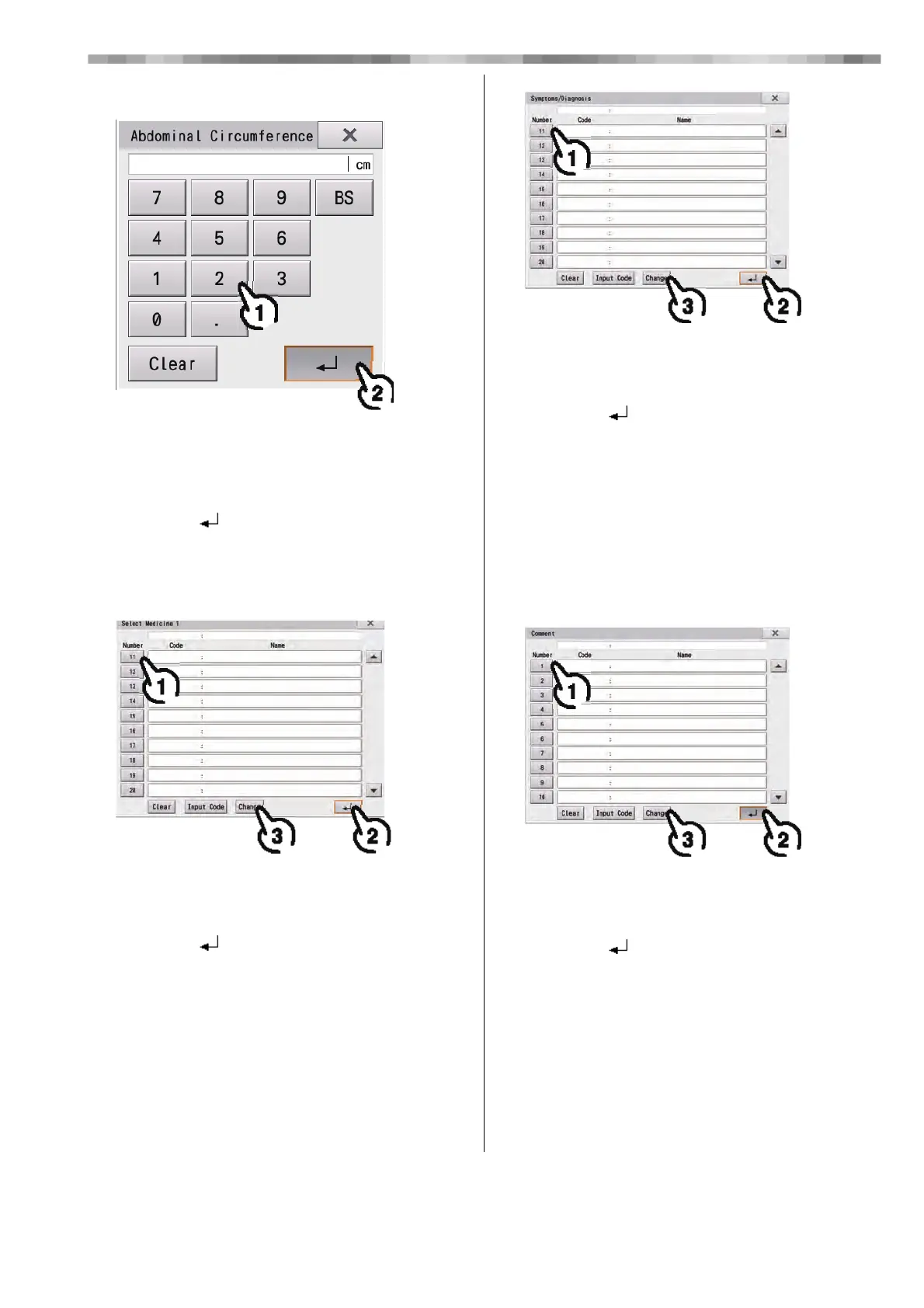
9 Enter the abdominal circumference.
1) Touch the number buttons to enter the
patient's abdominal circumference.
• [x]: Closes the "Abdominal Circumference"
window.
2) Touch [ ].
• The entered abdominal circumference is reflected
in the "Patient Information" window.
10
Enter Med.1 and 2.
1) Touch the applicable medicine.
• [Clear]: All entered numbers are cleared.
• [x]: Closes the window.
2) Touch [ ].
• The selected medicine is reflected in the "Patient
Information" window.
3) The code and medicine name can be
changed by touching the applicable
medicine and then touching [Change].
(The medicines with codes 1 to 10 cannot be
changed.)
11Enter the symptoms.
1) Touch the applicable symptom.
• [Clear]: All entered numbers are cleared.
• [x]: Closes the window.
2) Touch [ ].
• The selected symptoms are reflected in the "Patient
Information" window.
3) The code and symptom name can be
changed by touching the applicable
symptom and then touching [Change].
(The symptoms with codes 1 to 10 cannot be
changed.)
12
Enter a comment.
1) Touch the applicable comment.
• [Clear]: All entered numbers are cleared.
• [x]: Closes the window.
2) Touch [ ].
• The selected comment is reflected in the "Patient
Information" window.
3) The code and comment can be changed by
touching the applicable comment and then
touching [Change].



 To Next Page