4-4
Chapter 4 Entering Patient Information
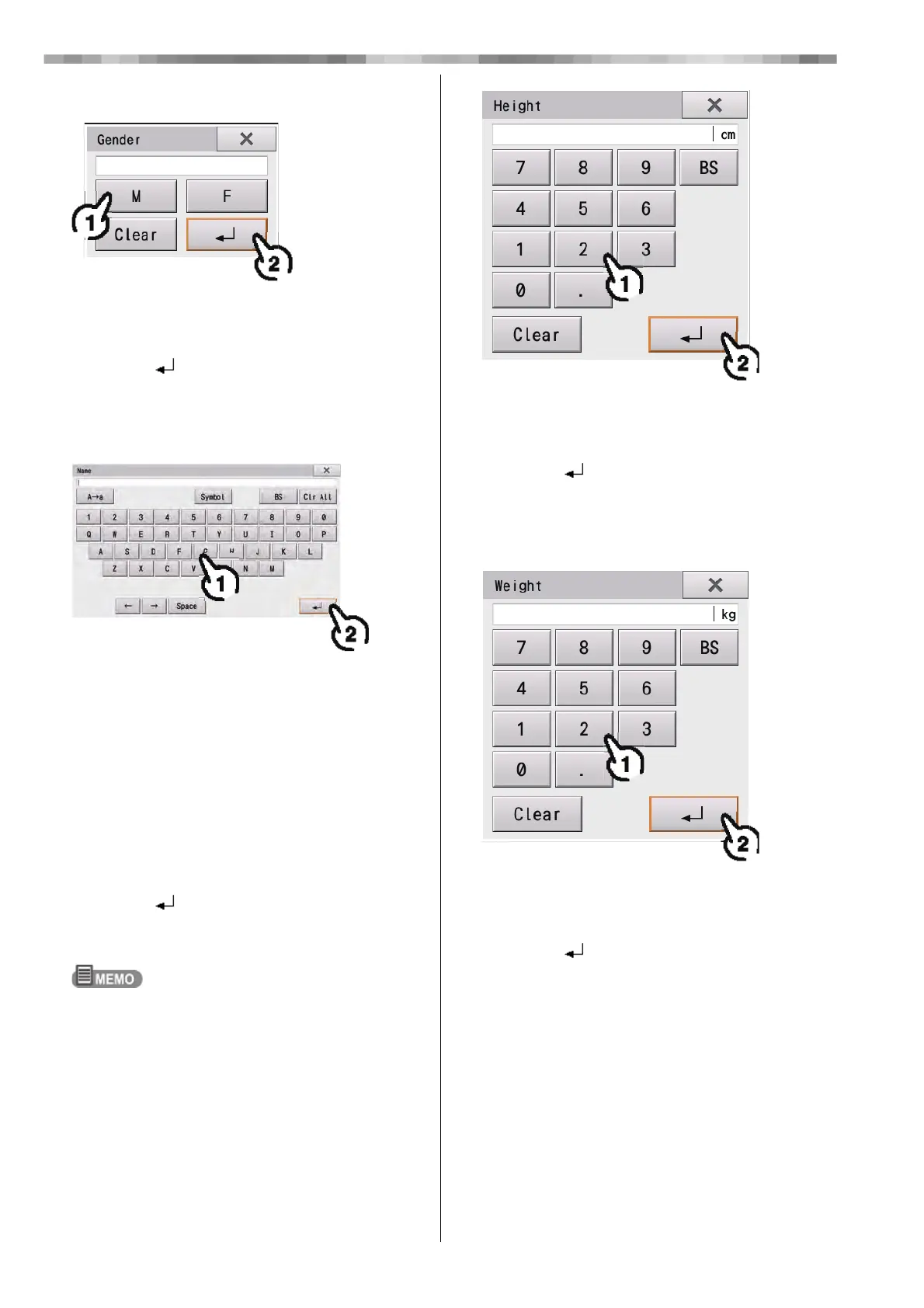
5 Select the patient's gender.
1) Touch "Male" or "Female".
• [Clear]: The entered gender is cleared.
• [x]: Closes the "Gender" window.
2) Touch [ ].
• The entered gender is reflected in the "Patient
Information" window.
6 Enter the name of the patient.
1) Enter the name of the patient.
•[A→a] [a→A]: Switches between capital and
lower case English letters.
• [Symbol]: Switches to symbols.
• [BS]: The character to the left of the cursor is
cleared.
• [Clr All]: All entered characters are cleared.
•[←]: Moves the cursor to the left.
•[→]: Moves the cursor to the right.
• [Space]: Makes a space.
• [x]: Closes the "Name" window.
2) Touch [ ].
• The entered name is reflected in the "Patient
Information" window.
If Clear All IDs is not set to "Yes", "Test pattern"
remains in the Name field if a test pattern is measured
immediately beforehand. In this case, enter the correct
name or clear the name.
7 Enter the height.
1) Touch the number buttons to enter the
patient's height.
• [x]: Closes the "Height" window.
2) Touch [ ].
• The entered height is reflected in the "Patient
Information" window.
8 Enter the weight.
1) Touch the number buttons to enter the
patient's weight.
• [x]: Closes the "Weight" window.
2) Touch [ ].
• The entered weight is reflected in the "Patient
Information" window.



 To Next Page