1-14
Chapter 1 Preface
Information Window
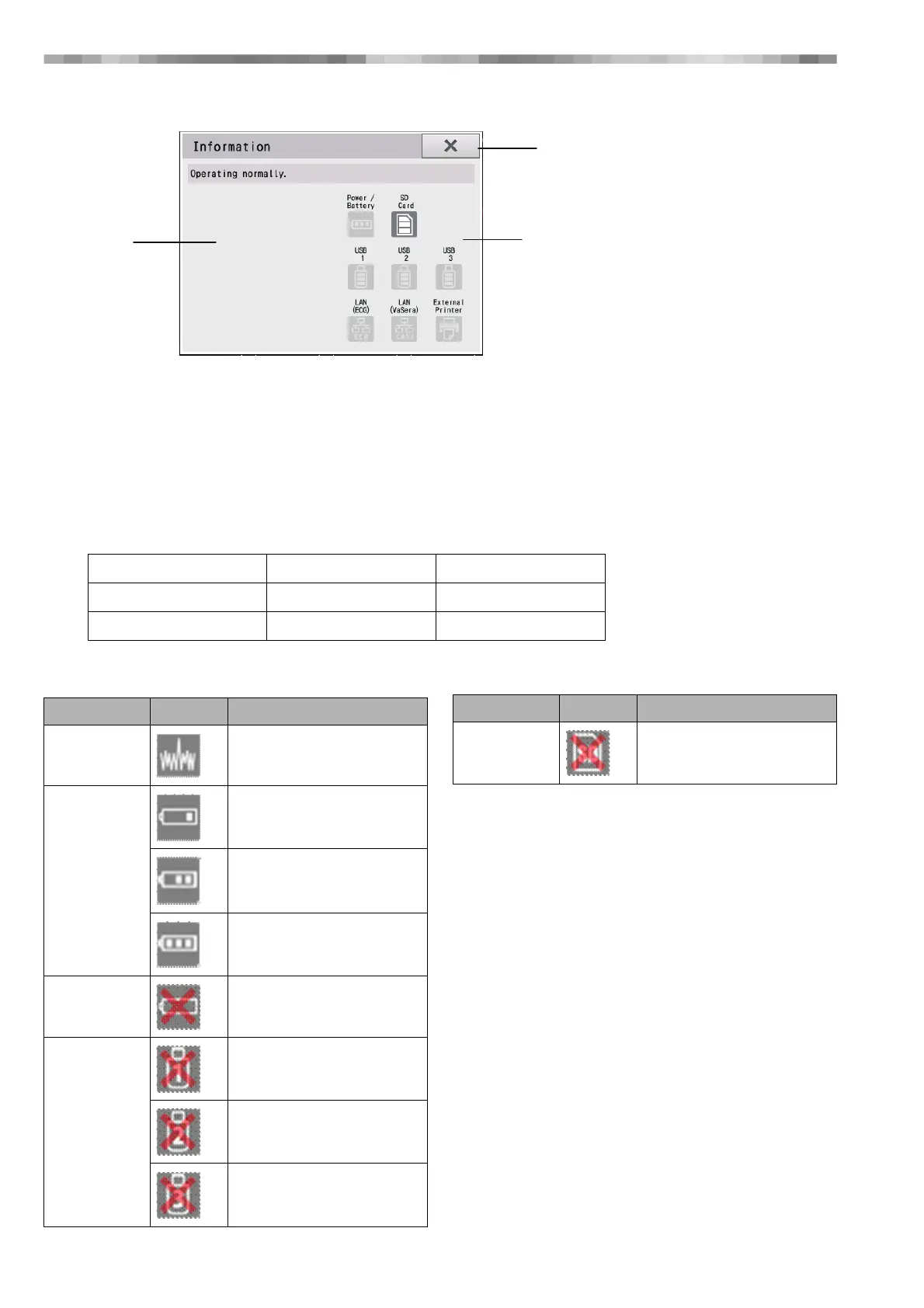
The following window is displayed when the Information button is touched.
1) Alert Display Area
An image indicating the type of error is displayed when the following two types of errors occur.
•Device errors
•Examination errors
2) Previous Display
This button closes the Information window.
3) Device Status Icons
The following information is displayed to indicate the device status.
● Icon List (Alert Display Area)
1) Alert Display Area
2) Previous Display
3) Device Status Icons
Power Supply/Battery SD Card
USB1 USB2 USB3
VaSera LAN External Printer
Item Icon Description
Noise Noise
Battery Battery 30-0%
Battery 60-30%
Battery 100-60%
Battery Battery error
USB USB1 connection error
USB2 connection error
USB3 connection error
SD Card SD card connection error
Item Icon Description



 To Next Page