4-2
Chapter 4 Entering Patient Information
It is possible to set whether to display entered information, whether to record the entered information even after the
power is turned OFF, the number of digits in ID numbers, the position of the hyphen (-) in ID numbers, prefix of ID, ID Auto
Increment and the unit of each item. Set these beforehand. (Refer to "Patient Information Settings" (P11-9).)
Items for "Dept.", "Med.", "Symp.", "Comment", "Doctor" and "Technician" can be registered in advance. (Refer to
"Patient Information Settings" (P11-9).)
It is possible to set whether to display the entry for Dept. after the entry for Name or after the entry for BP.
(Refer to "Patient Information Settings" (P11-9).)
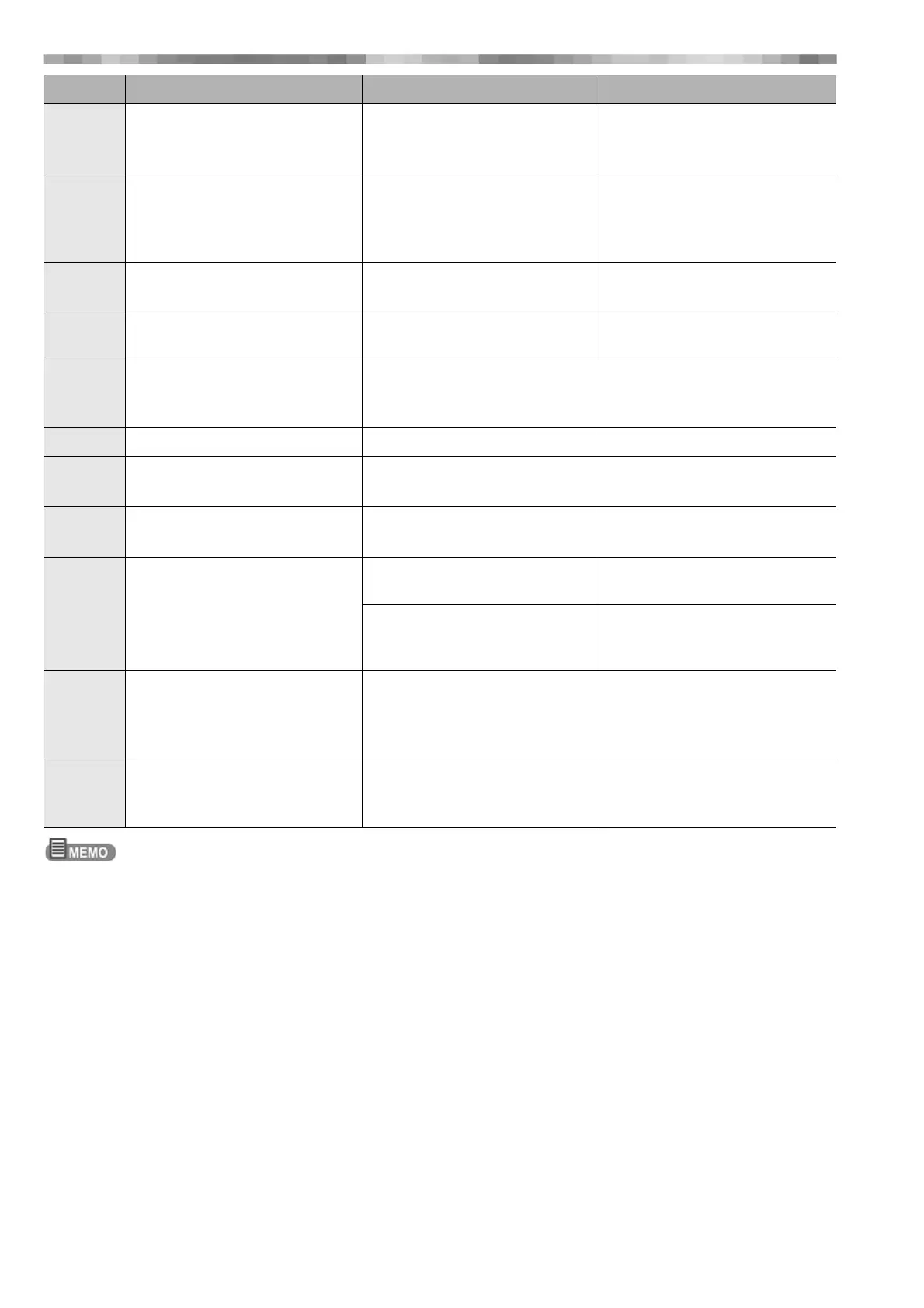
Abdominal
Circumfere
nce
Abdominal Circumference 3-digit integer + 1 decimal place Unit: cm, inch
Max. 300cm
Blood
Vessel
Length
Blood vessel length
(Displayed when the blood vessel
length input format is set to Section
or Segment in the settings.)
3-digit integer + 1 decimal place Unit: cm, inch
Max. 300cm
Med. Medicine code or medicine
information
Code: 2-4 digits
16 single-byte characters
Up to 20 items can be registered
Symp. Subjective symptoms Code: 2-4 digits
16 single-byte characters
Up to 20 items can be registered
Comment Comment Code: 2-4 digits
100 single-byte characters
Alphanumeric characters and
symbols can be entered.
Up to 20 items can be registered
BP Systolic/diastolic blood pressure 3 digits each Unit: mmHg, kPa
Body
position
The position being measured Supine, sitting or standing
Respiration
Rate
Respiration rate 3 digits
Inquiry Inquiry Hypertension, Hyperlipidemia,
Diabetic, Beta Blocker
Hypertension, Hyperlipidemia,
Diabetic, Beta Blocker: Y/N
Therapeutic exercise application Therapeutic exercise application/
Application with condition/
Contraindication/Unfilled: Y/N
Doctor The doctor in charge Code: 2-12 digits
Dr. Nm1-2 can be used
to enter a total of 2 items
24 single-byte characters
Alphanumeric characters and
symbols can be entered.
A total of up to 100 items can be
registered for Dr. Nm1 and 2.
Technician The name of the technician in charge Code: 2-12 digits
24 single-byte characters
Alphanumeric characters and
symbols can be entered.
Up to 100 items can be registered
Display Description Setting Range Note



 To Next Page