© The Fulton Companies 2012
OPERATION CAL-IOM-2012-1220 SECTION 3
3-8
SOLA Control Features
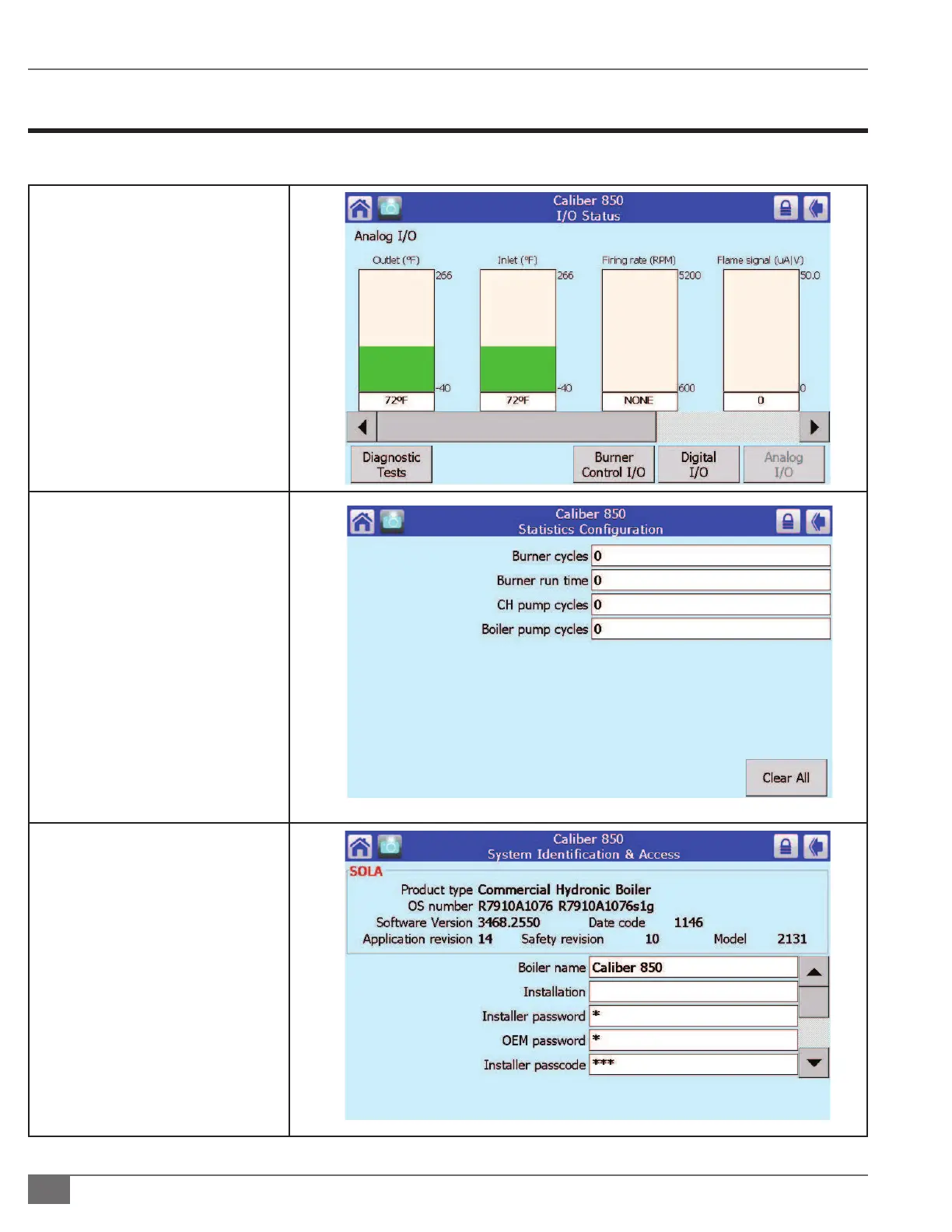
Refer to the Table below for additional SOLA Control screen displays.
¡ Viewing the Flame Signal
1. The ame signal can be viewed
from the main/home screen or
in main screen “details.
2. Tap “Details” in main screen
then scroll to right by pressing
the arrow until the “Flame
Detection” is displayed.
3. Tap the escape arrow in top
right hand corner to return to
main operating screen
¡ Cycle and Run Hours
Monitoring
Burner cycles, burner run time, and
pump cycles can be viewed from the
Statistics Con guration screen on the
Control.
¡ Boiler Naming







 To Next Page