22
EN
Basic Setup for DVB
Refer to “Audio Language” section in the “Function Setup”
table on page 58 and finish setting up all the necessary
settings. Refer to page 57 on how to navigate through the
setup menus.
Refer to “Subtitle Language” section in the “Function Setup”
table on page 58, and finish setting up all the necessary
settings. Refer to page 57 on how to navigate through the
setup menus.
With this function, you can have the unit search for the new
channels. If new channels are found, they will be stored in the
channel map automatically.
1 In stop mode, press [SETUP].
2 Go to “DVB Menu” A “Installation” A “Add
New Channels”, then press [ENTER\OK].
• The tuner will start searching for the new channels.
3 Press [RETURN\BACK] to exit.
To cancel the tuning in progress:
Press [RETURN\BACK].
• Once a channel is locked, pincode will be required to
perform the following functions:
- Performing “Auto Tuning”.
- Editing channel map.
- Making a timer recording of the locked channel.
- Tuning into the locked channel.
1 In stop mode, press [SETUP].
2 Go to “DVB Menu” A “Edit Channels”, then
press [ENTER\OK].
• Pincode entry field will appear. Enter the correct pincode
to proceed.
3 Select a channel you want to limit the access
using [s \ B], then press [Red].
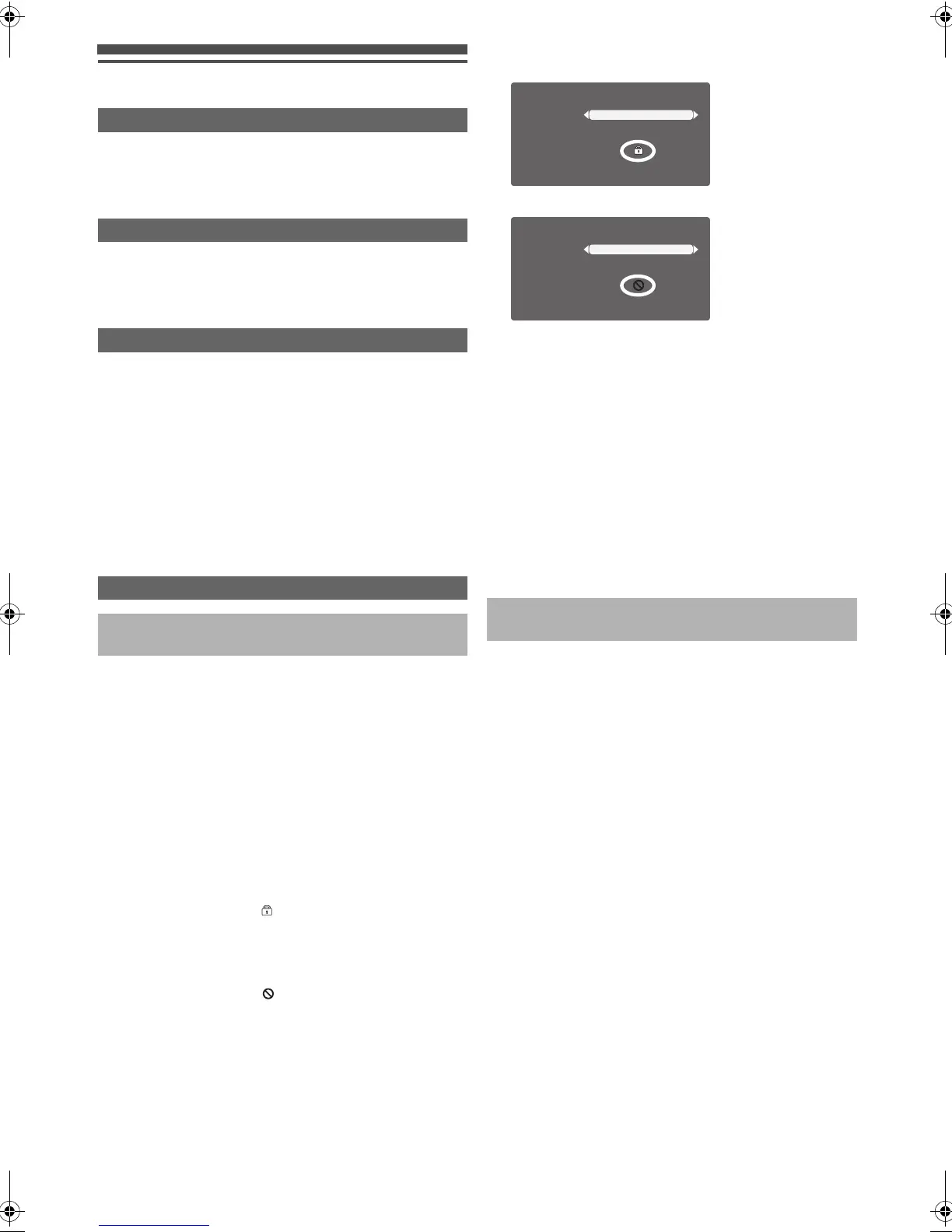
• Press [Red] once: “ ” will appear. The channel is
selected for “Channel Lock”. The locked channels will
stay in the channel map and can be selected, but
pincode entry is required to actually display the
programme.
• Press [Red] twice: “ ” will appear. The channel is
selected for access prohibition. Access prohibited
channels will not be even listed in the channel map, and
therefore, cannot be selected at all.
e.g.)
Channel 3 is selected for channel lock.
Channel 3 is selected for access prohibition.
• To deselect the channel, press [Red] again with the
channel selected.
4 Press [RETURN\BACK] to go back to the “DVB
Menu” screen.
5 Select “Parental Control”, then press
[ENTER\OK].
• Pincode entry field will appear. Enter the correct pincode
to proceed.
• “Parental Control” screen will appear.
6 Select “Channel Lock”, then press
[ENTER\OK].
7 Select “On”, then press [ENTER\OK].
8 Press [RETURN\BACK] to exit.
This feature limits the access to the DVB programmes which
exceed the parental level setting you set here.
To set the parental level, follow the steps below.
1 In stop mode, press [SETUP].
2 Go to “DVB Menu” A “Parental Control”, then
press [ENTER\OK].
• Pincode entry field will appear. Enter the correct pincode
to proceed.
• “Parental Control” screen will appear.
3 Select “Maturity Lock”, then press [ENTER\OK].
4 Select the desired level using [K \ L], then
press [ENTER\OK].
5 Press [RETURN\BACK] to exit.
Audio Language for DVB Programmes
Subtitle Language for DVB Programmes
Updating DVB Channels
Parental Control for DVB Programmes
Limiting the Access to the Particular
Channels (“Channel Lock”)
Limiting the Access of Particular Age Group
(“Maturity Lock”)
Favourite
Access
Skip
Channels
Edit Channels
3 ITV1
Favourite
Access
Skip
Channels
Edit Channels
3 ITV1
E4V21ED_EN.book Page 22 Friday, June 3, 2011 2:07 PM



 To Next Page