
 Need help?
Do you have a question about the Funkwerk TRT800 and is the answer not in the manual?
Explanation of warning and informational symbols used in the manual.
List of abbreviations used in the manual and their meanings.
Information on how to contact customer support and find resources.
Detailed list of the technical features and capabilities of the TRT800 transponder.
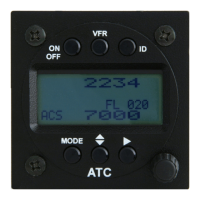
Overview and identification of the physical controls on the TRT800 transponder unit.
Procedure for switching the transponder ON and OFF.
Explanation of the information displayed on the transponder screen.
Information and procedures for setting and displaying the Flight Identification.
Guide to selecting different operating modes for the transponder.
Instructions for setting the transponder's Squawk code.
Details on setting and activating the VFR Squawk code.
Procedure for activating the Special Position Identification (SPI) feature.
Reference for displayed error codes and their meanings.
Important notes and considerations before proceeding with installation.
Required telecommunication data for aircraft radio station licensing.
List of items included in the transponder package and their part numbers.
Instructions for unpacking and checking the equipment for transport damage.
Guidelines and recommendations for physically mounting the transponder unit.
Details on connecting the transponder to other aircraft systems and power.
Specifics of the electrical connections and pin assignments for the transponder.
Information on mutual suppression wiring to prevent interference with other equipment.
Details on connecting and configuring the Ground Switch for operational modes.
How to control the background illumination of the transponder display.
Instructions for connecting the static air port tube.
Detailed information on wiring diagrams and conductor specifications.
Specifications for conductor cross-sections used in wiring.
Wiring details for the TRT800EM external memory module.
Wiring diagram for the TRT800EMSS external memory with RS232.
Guidance on selecting and installing the transponder antenna.
Criteria and recommendations for choosing the correct antenna.
Best practices and advice for antenna installation.
Instructions for correctly wiring the antenna to the transponder.
Procedure for verifying proper operation after installation.
Step-by-step guide for powering on and starting the transponder.
List of available accessories for the TRT800 transponder.
Technical drawings including dimensions and mounting advice.
Physical dimensions of the transponder unit.
Recommendations and guidelines for mounting the transponder.
General overview of the configurable settings available in the TRT800.
Information on how errors are logged and can be accessed.
Details on obtaining and configuring the ICAO 24-bit Aircraft Address.
Explanation of aircraft categories and their corresponding codes.
Guidance on setting the Flight Identification (FID) according to ICAO regulations.
Configuration options for the Ground-Switch feature.
Configuration of the aircraft's speed category for transponder replies.
Configuration of the RS232 interface for GPS receivers and ADS-B Out.
Step-by-step instructions for the transponder setup and configuration process.
Overview of the functions accessible via the counter value selection.
Detailed technical specifications of the TRT800 transponder.
Details on environmental conditions the transponder is designed to operate under.
 General
| Brand | Funkwerk |
|---|---|
| Model | TRT800 |
| Category | Marine Radio |
| Language | English |

 To Next Page