2. RADAR OPERATION
2-38
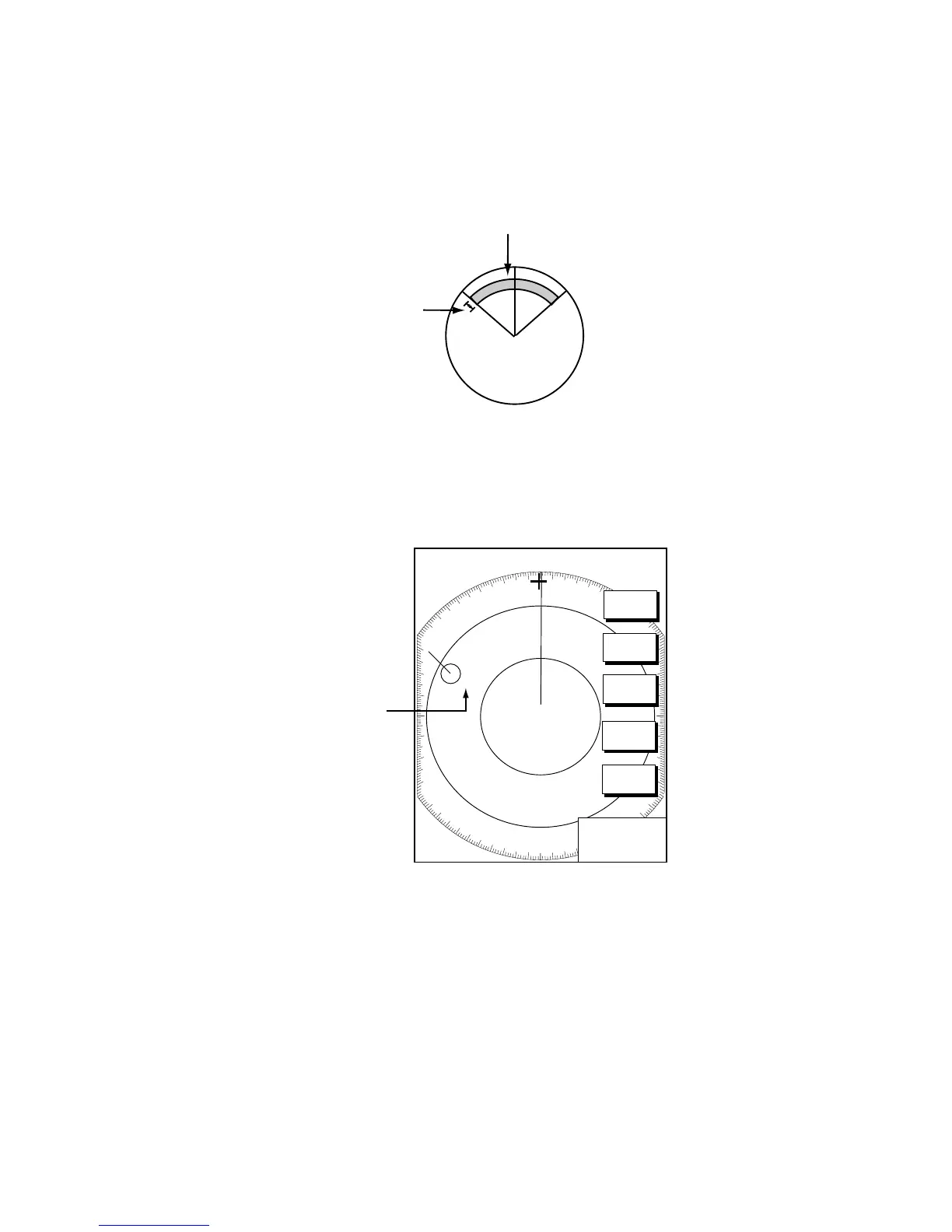
6. Press the [MENU] key to close the menu. An acquisition area of 2.0 to 2.5
miles in range and ±45º on either side of the heading line in bearing appears.
Note: Targets being tracked in automatic acquisition are continuously
tracked when switching to manual acquisition.
Automatic acquisition area
45° port
45° starboard
2.0 - 2.5 nm
Automatic acquisition area
2.26.3 Displaying target number (ARP, TTM)
Target number can be shown for ARP and TTM targets as below.
.250/ 319.9
°
T
.125nm
SP
H-UP
TARGET
TRAIL
TLL
OUTPUT
ACQ
TARGET
INFO
RETURN
ARP
Target
Number
01
+
359.9
°R
0.277nm
ARP target number
1. Press the [MENU] key.
2. Press the ARP SETUP soft key.
3. Select TARGET ID NUMBER.
4. Press the EDIT soft key.
5. Select ON or OFF as appropriate.
6. Press the ENTER soft key.
7. Press the [MENU] key to close the menu.











 To Next Page