1. MOUNTING
1-15
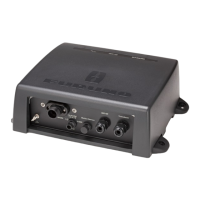
1.4 Processor Unit
Use four bolts or tapping screws (M6, local supplied) to install the processor unit.
Consider the length of cables shown below when choosing a mounting location.
• Between processor and display units: Max. 10 m
• Between processor and transceiver units: Max. 50 m
300 + 1
385 + 1
300 + 1
Processor unit
1.5 Control Unit
The control unit may be permanently mounted on a desktop, with or without the KB fixing
plate (supplied as accessories), which tilts the control unit at 10° degree. Also, the rubber
feet can be used when the unit is not permanently fixed.
1.5.1 Non-permanent mounting
Attach four rubber feet (supplied) at the bottom of the control unit, and then place the unit
on the selected location.
1.5.2 Permanent mounting
The control cable can be passed from the hole at the bottom of the control unit.
Installation with the KB fixing plate
1. Fix the KB fixing plate (supplied as accessories) to the bottom of the control unit with
two hex. bolts (supplied).
2. If necessary, make a hole of diameter 30 mm through the desktop to pass the control
cable from the bottom of the control unit.
3. Fasten the KB fixing plate with two tapping screws (Ø6.5, local supply).



 To Next Page
 Loading...