3/3
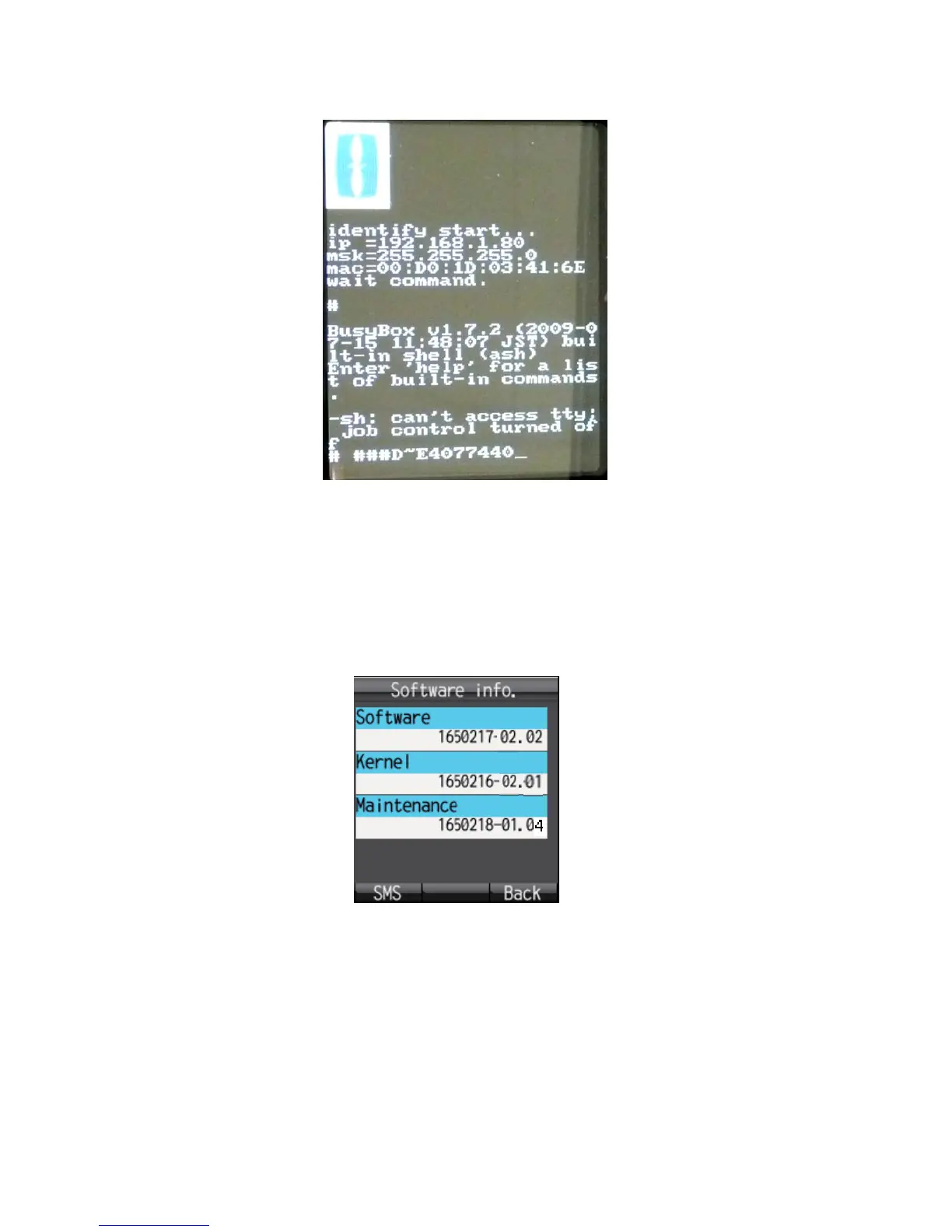
4. Release keys when the following display (Fig.3) appears on the handset.
Fig.3 Display on Handset in Maintenance mode
5. Execute “FelcomUpdate.jar” in the FelcomUpdate folder.
6. Select the Handset to update the handset.
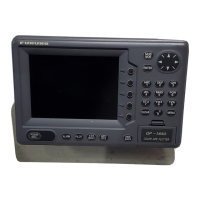
7. Read the handset software number: Info > Software. Fig.4 shows the current
software number of the handset.
Fig.4 Program numbers of Handset



 To Next Page