p.13
Using Your Drive on Mac
Easy Installation for Mac
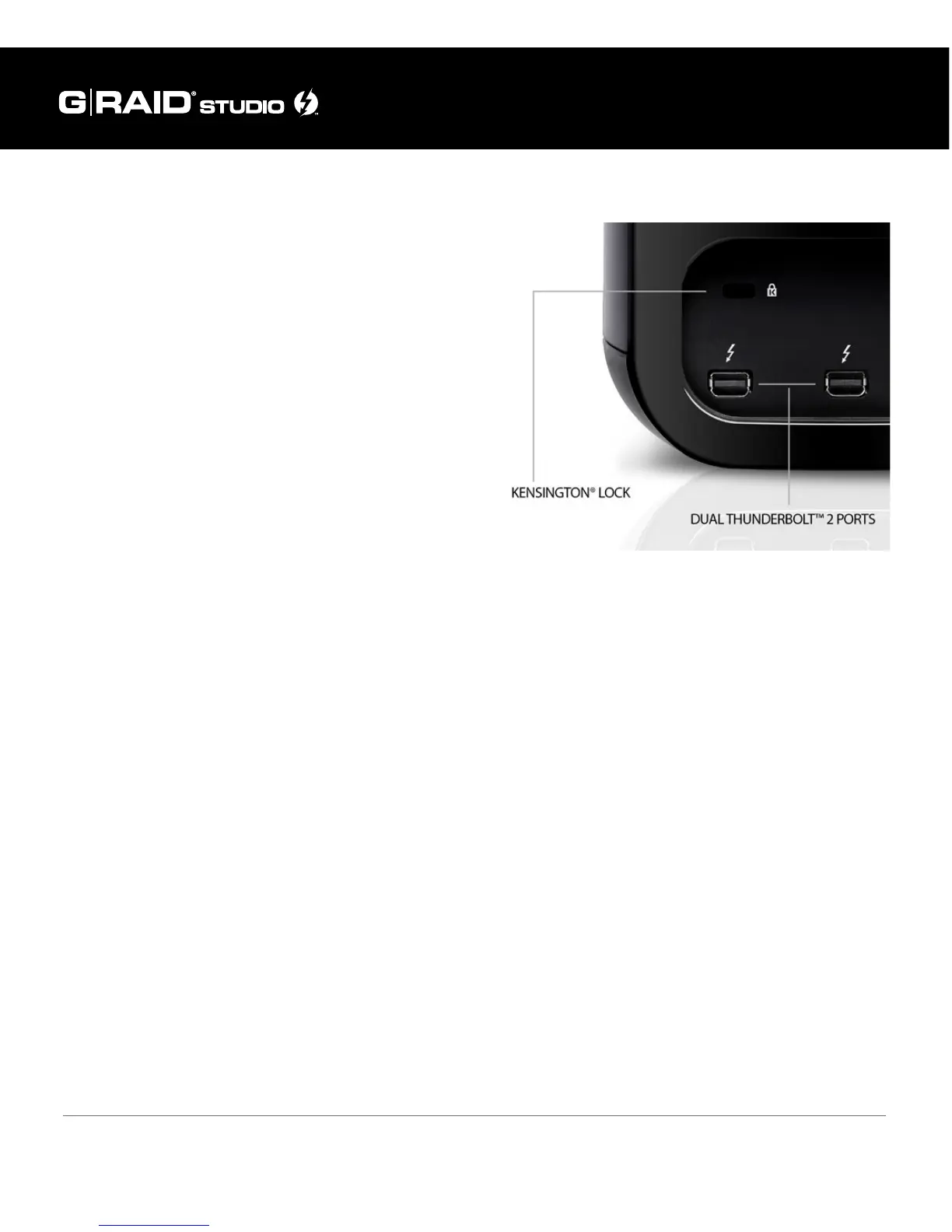
G-RAID Studio includes the Thunderbolt cable
to attach to your computer via one of the enclo-
sure’s two Thunderbolt 2 ports. Thunderbolt 2 is
backward compatible and easily connects to older
Thunderbolt-enabled MacBook, iMac, and select
PC systems.
Connect the power cord to your G-RAID Studio
and plug the other end into a surge protector or
wall outlet. Press and hold down the power but-
ton until the unit turns on. The drive will auto-
matically mount on the desktop if you are running
Mac OS 10.9 or above.
Important Note: If you connect your G-RAID Studio to a computer that only supports
previous-generation, 10 Gb/s Thunderbolt technology, then your G-RAID Studio will be
restricted to a maximum data transfer speed of 10 Gb/s. To understand how you can use
G-RAID Studio for daisy chaining more than one peripheral device, please refer to the
previous section Daisy Chaining with Thunderbolt Technology.















 To Next Page