p.14
Using Your Drive on Mac
Use with Time Machine
Your G-RAID Studio can be easily used as a backup drive via Time Machine when con-
nected to a Mac. Time Machine is an application that ships with your Mac and provides
automatic le backup. The following steps will quickly set up G-RAID Studio with Time
Machine.
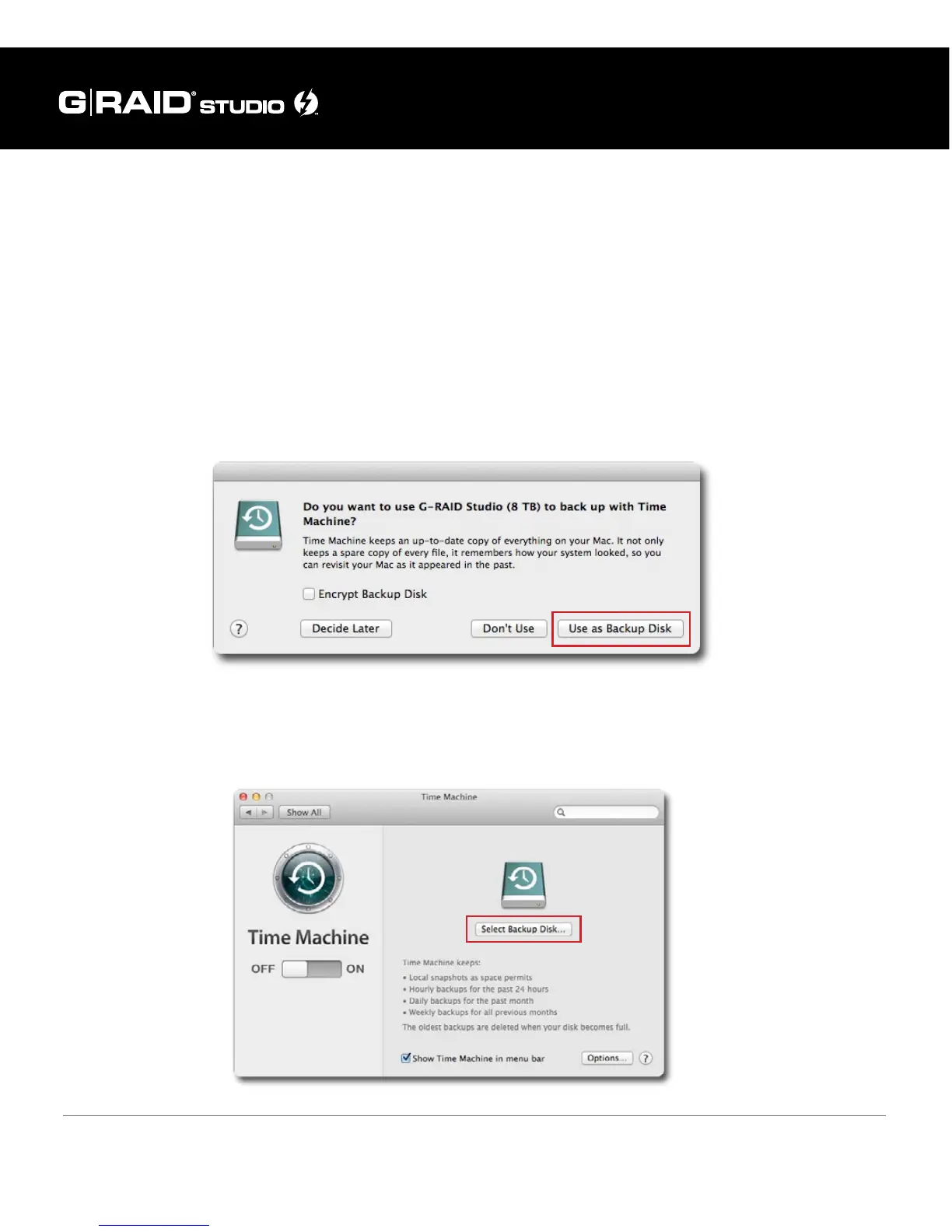
When you attach your G-RAID Studio for the rst time, the Time Machine dialog box
should automatically appear. Click the Use as Backup Disk button.
If the Time Machine dialog box does not launch, go to Apple Menu > System Preferences.
Click on the Time Machine icon. The Time Machine Preference panel will open. Click the
Select Backup Disk button.















 To Next Page