p.44
Using Your Drive on Windows
Cross Platform Use
You can set up G-RAID Studio for use on both Windows and Mac systems by format-
ting the drive as exFAT. To do this, use the Disk Utility application and format the drive
to exFAT.
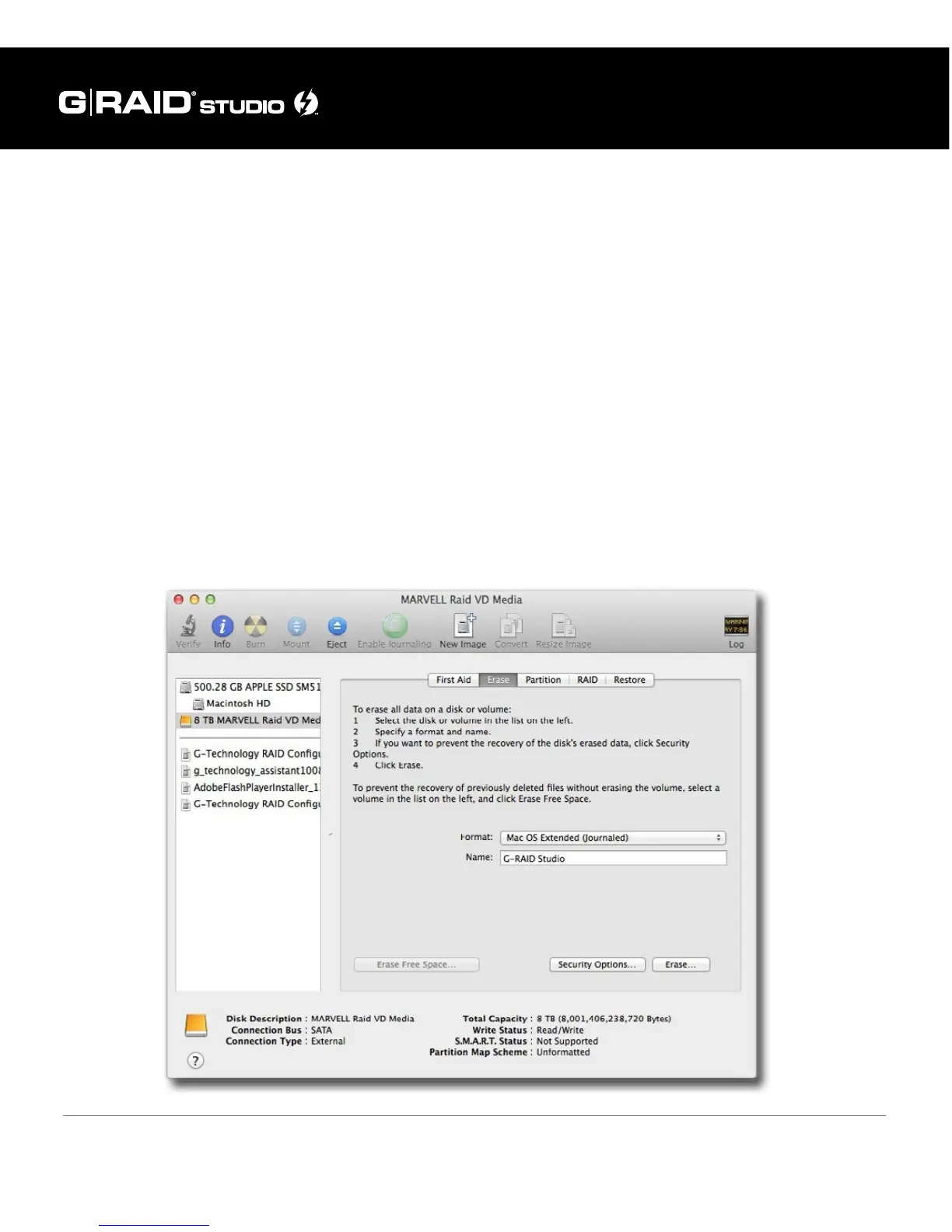
1. First, open the Disk Utility program. This application is located on your hard drive
under Applications/Utilities/Disk Utility. The window below will appear. Your G-RAID
Studio will be displayed in the left-hand column.
2. Select the G-RAID Studio by clicking its drive icon in the left-side column. Informa-
tion about the drive will be displayed at the bottom of the window.
3. Select the Erase tab to view the formatting options.















 To Next Page