p.9
About Your G-RAID
Overview of the Drive
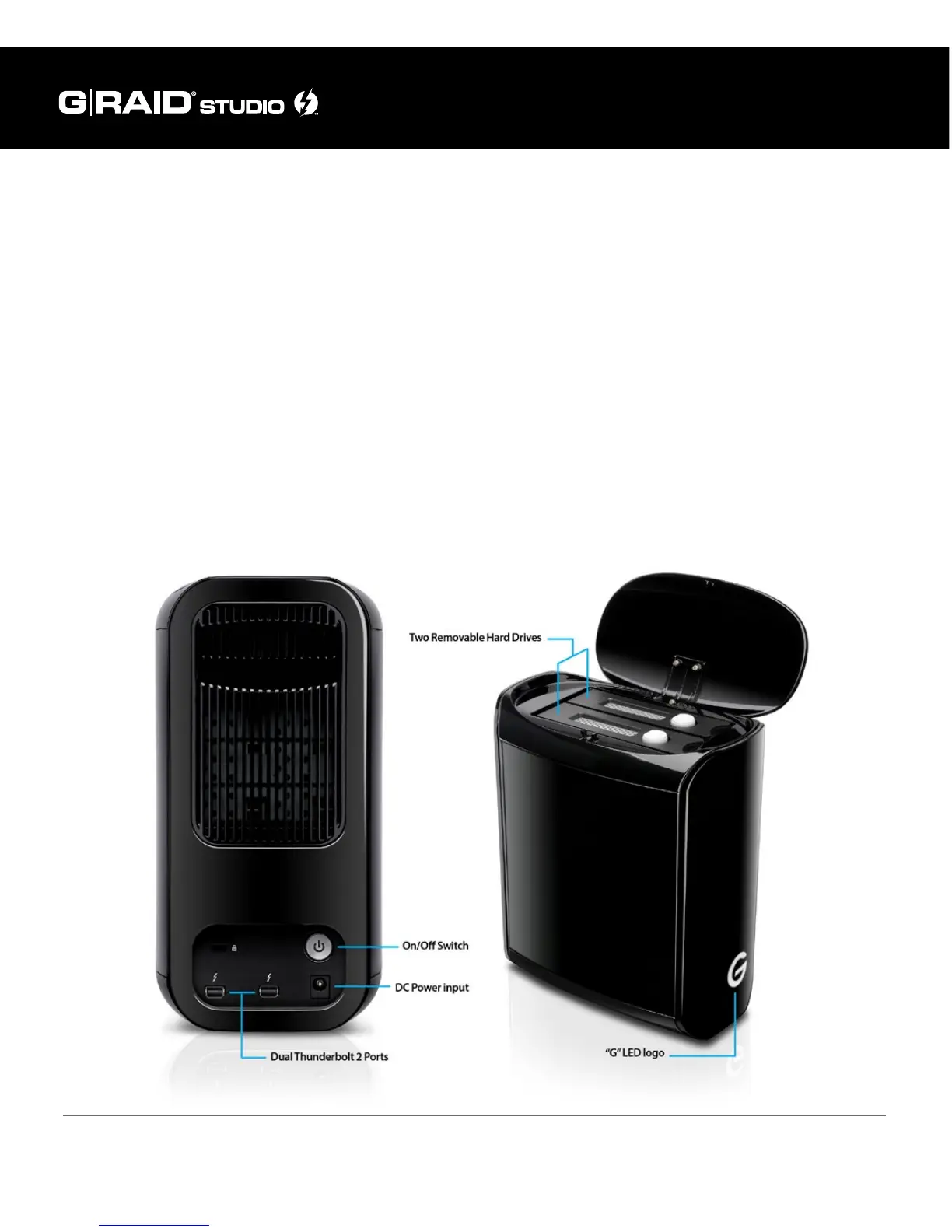
The following diagrams show the helpful features of your G-RAID Studio.
The compact and quiet G-RAID Studio features two removable HGST 7200 RPM
SATA III hard drives. G-RAID Studio showcases a sleek, high-quality, black enclosure
with integrated cooling and smart fan technology, two Thunderbolt 2 ports, a DC
power input, and a soft-touch on/o switch on the rear panel. The “G” logo acts as
an LED-lit power/error status indicator.
IMPORTANT: To change G-RAID Studio from its RAID 0 (Performance) factory
default setting to RAID 1 (Protected) or JBOD modes, please refer to this manual’s
Congure the RAID Mode section.















 To Next Page