6. Usage and Maintenance
6.4 Checking and Adding Fluids
6.4.1 Fuel Oil
The scale of the fuel gauge will decrease
gradually with the decrease of fuel oil during the
traveling process.
The low fuel indicator light will flash in yellow
and the instrument cluster will display warning
information when the fuel level is too low. Add fuel
as soon as possible.
Filling the Fuel
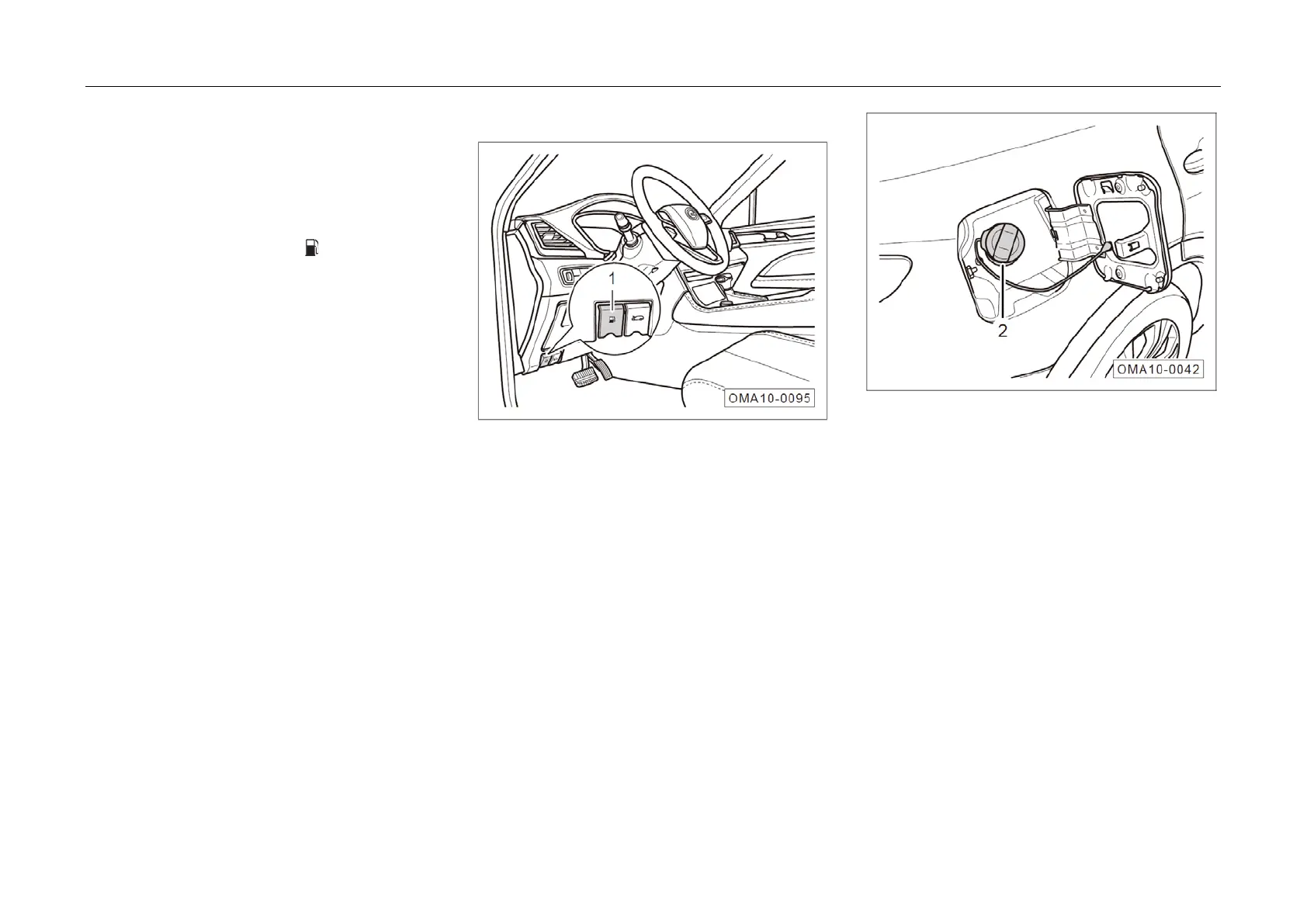
– Pull up the handle ① of fuel tank cap and the
fuel tank cap will bounce outward.
– F
ully open the fuel tank cap, slowly screw out
the filler cap ② anticlockwise, hold the filler
cap at the original position for a moment w
hen
f
ully screwing out to allow the fuel tank to
release the internal fuel vapor pressure, and
then take out the filler cap ②.
256



 To Next Page