GALaxy eHydro Elevator Controller Section 5 – LCD Interface
5-3
5.2.1.1 Elevator Status Screens:
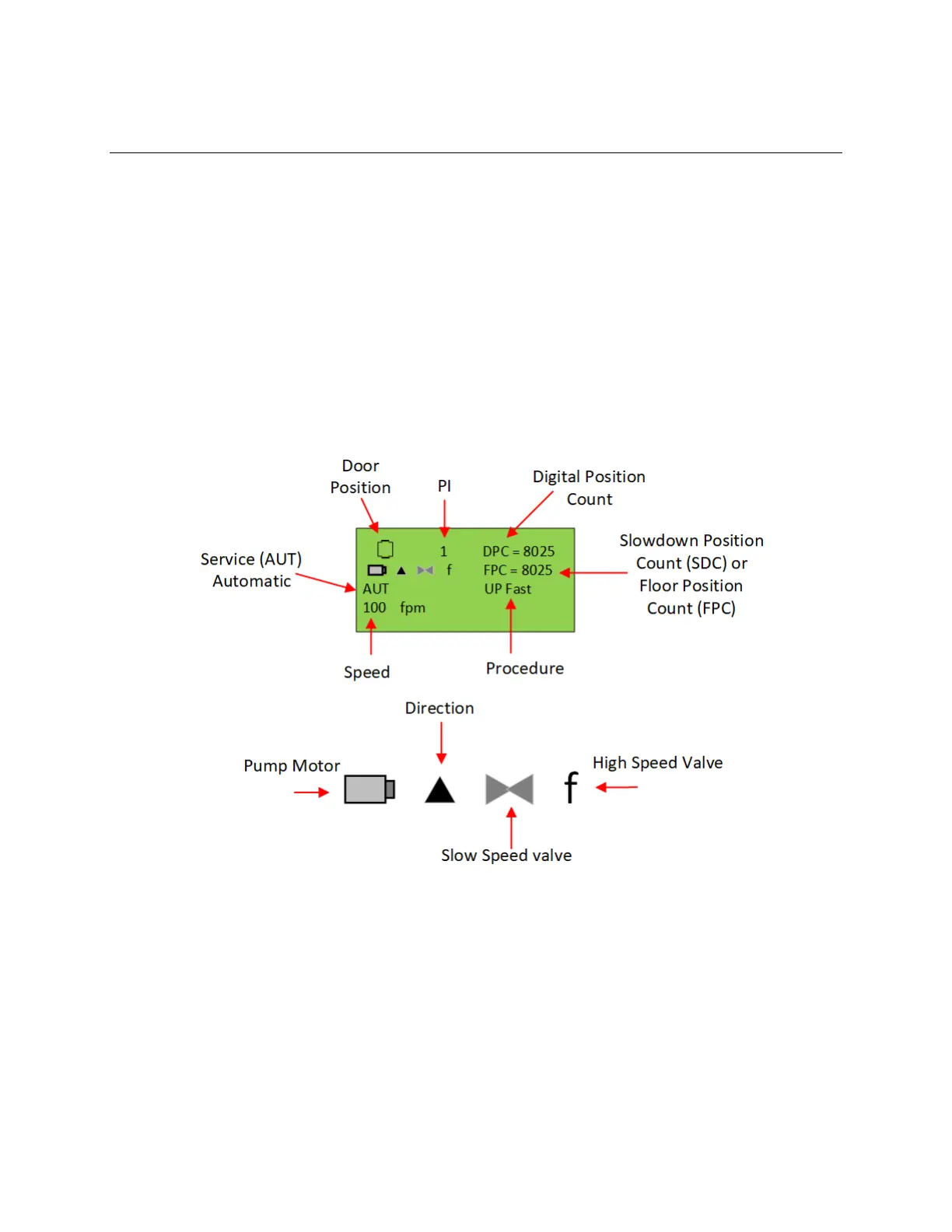
The Elevator Status Display is show immediately after a power up. Critical information for the controller
is displayed in several screens that are continuously updated. These screens show the car status,
control I/O’s and fault information. The Up and Down buttons allow the user to rotate to each status
screen. To get back to the initial status screen, press the Mode button. To exit the Elevator Status
Display and to view the Main menu, press the Mode button while in the initial status screen.
The following information is displayed on the status screens:
Figure 5-2:
Elevator Status Display


 To Next Page