Checking the I/Os of the controller:
This is used to verify the correct operation of the controller’s Inputs and Outputs.
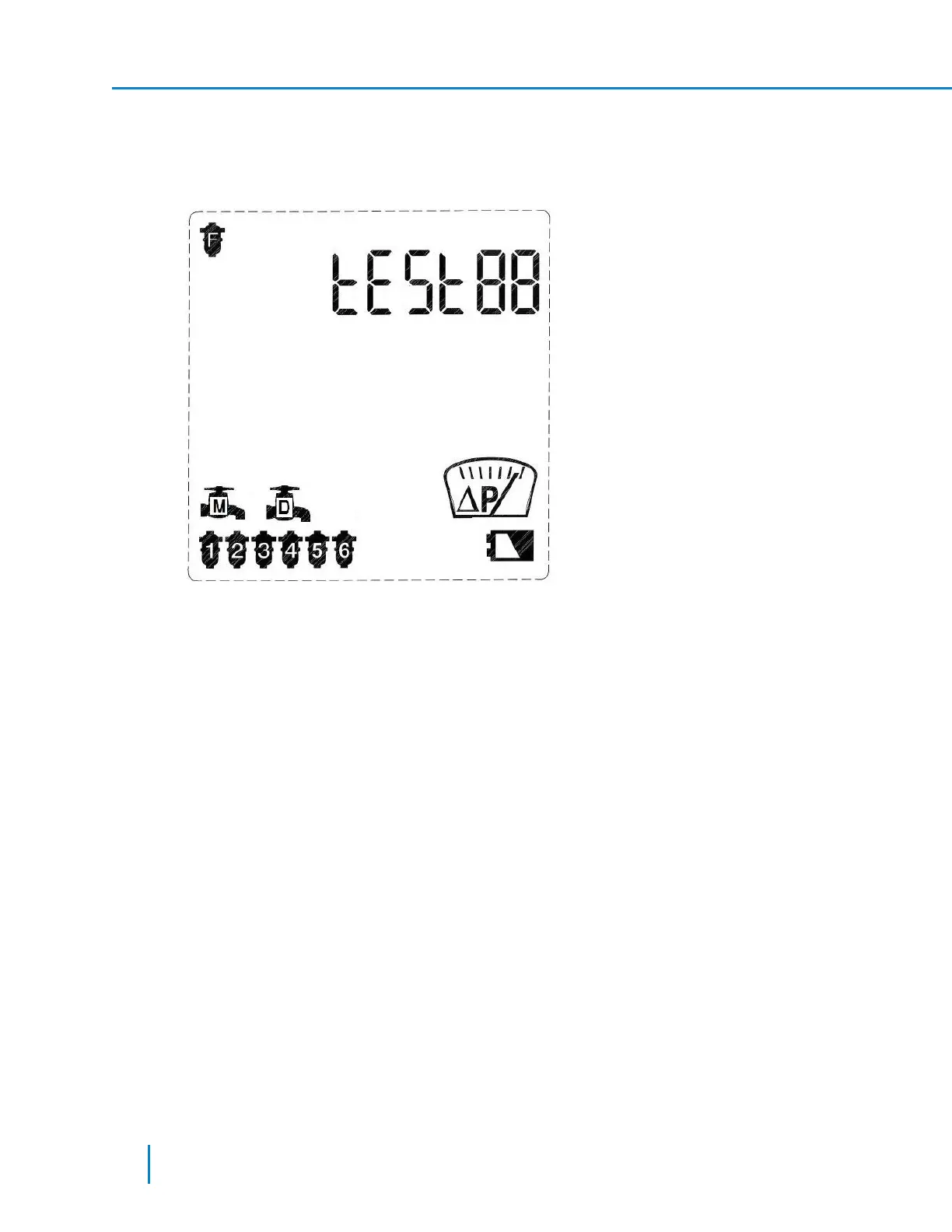
1. When in the first screen of the Technician Mode, press the Forward key until the following screen is
displayed.
2. Press the Arrow key to display the current controller configuration: Program I, 4 filters, main valve,
and delay valve.
3. Press the Arrow key to move between the solenoids icons.
4. When the solenoid icon is blinking, press the Plus key to switch its designated output to ON. Press
the Minus key to switch this output to OFF.
5. Move to the next solenoid and repeat the operation described above.
Operating the Main valve icon in this screen operates the Fault output also. The Delay valve icon
operates the end of cycle output also.
6. In an AC 6-solenoids controller, configured to operate Program III, the icon indicates the filter
motor operation.
7. Press the Forward or the Backward keys to move to the next or previous screen accordingly.
All outputs are switched off when exiting this screen.
32 AMCFlushing Controller User Guide
Setup and Operation



 To Next Page