15
PTZ
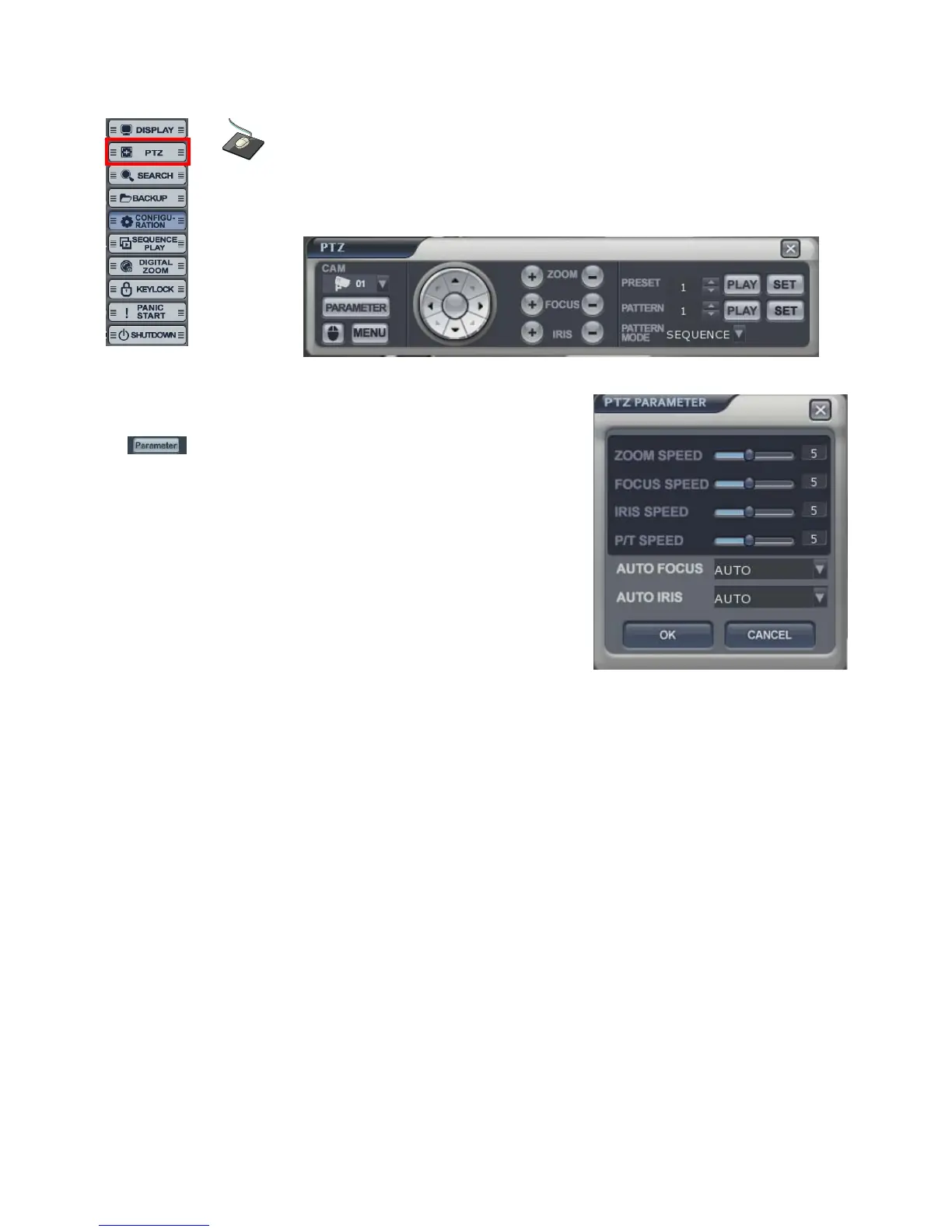
• PTZ controls appear like above.
1) Select the camera.
2) Control the camera direction.
3) Press this button. The operator can control the PTZ
detailed configuration with pop-up screen.
4) Control the Zoom, Focus, Iris.
5) Assign the Preset.
After moving the location, select the number
and press the [SET] button.
Camera will move as assigned location
when pressing the [PLAY] button after selecting the number”.
6) Assign the Pattern.
After selecting the number, click the [PLAY] button.
Pattern Mode
- SEQUENCE PATTERN
Set preset position. [Move to any position by direction keys and click the [SET] button.
Select [SEQUENCE] in “PATTERN MODE.”
To make starting position, click the [SET] button in “PATTERN”. ([SET] button is activated.)
Select preset Number in “PRESET” and click the [PLAY] button. (Have to select more than two preset)
ex) select preset No 1 and click the [PLAY] button. Next select preset No 2 and click the [PLAY]
button.
To make stop position, click the [SET] button in “PATTERN.” ([SET] button is not activated.)
To run, click the [PLAY] button in “PATTERN.”
-CRUISE PATTERN
Select [CRUISE] in “PATTERN MODE.”
To make start position, click the [SET] button in “PATTERN.” ([SET] button is activated.)
Click the direction key by manually.
To make stop position, click the [SET] button again in “PATTERN” ([SET] button is not activated.).
To run, click the [PLAY] button in “PATTERN.”
Click the right mouse button on the Live Display screen to
click the PTZ menu.



 To Next Page