24
BACKUP
Backup
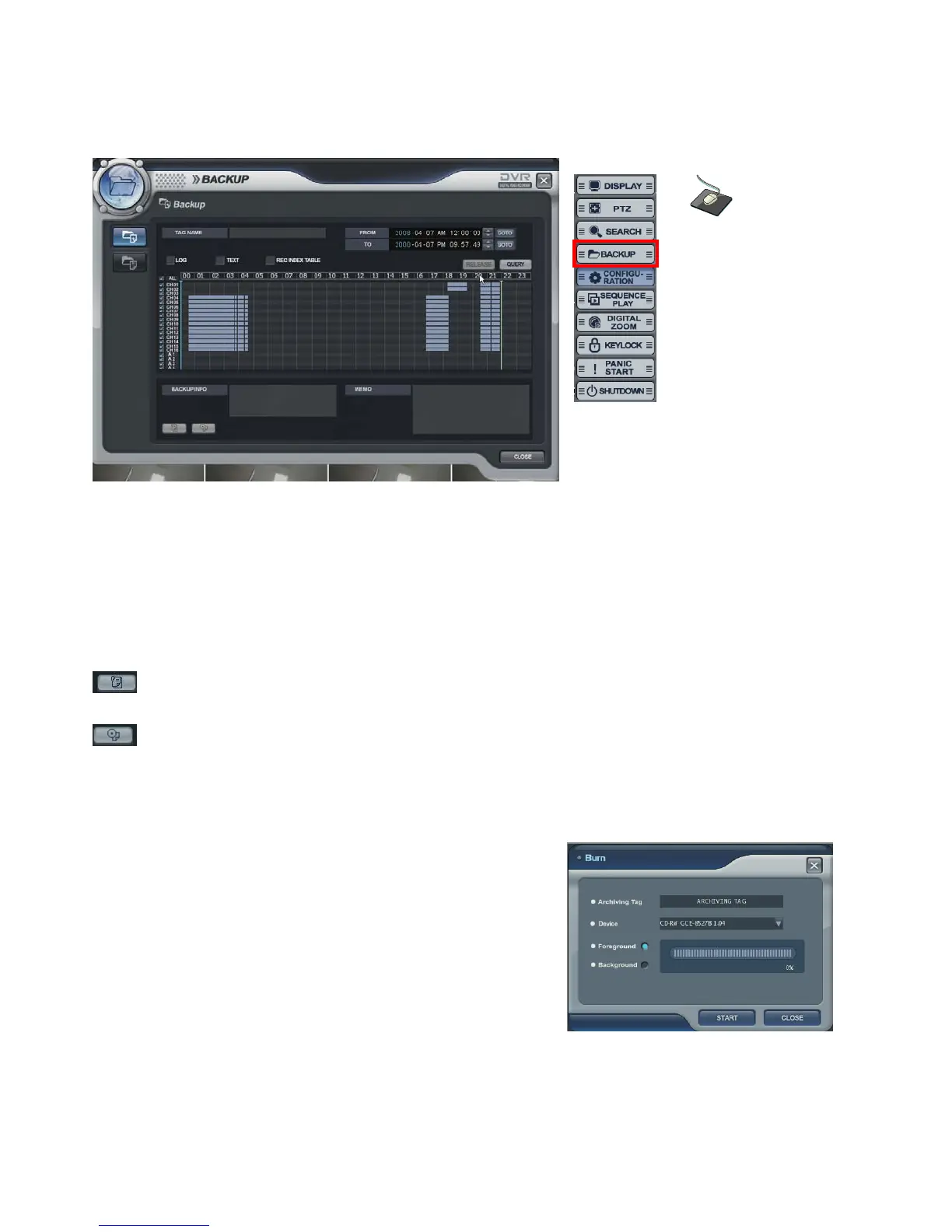
• Select the “BACKUP” icon and press the “BACKUP” button.
• Logon display shows and input the password. It shows the backup display.
• Input the “TAG NAME” and check if want to backup the “LOG, TEXT and REC INDEX TABLE” information.
• Select the Start time and End time with timer or timeline bar.
• Click the “QUERY” button. Then it shows data information at “BACKUP INFO”.
: Click the button to save the data after inputting the backup tag.
(The operator can see the saved data from backup Data Management.)
: Click the button for burning the data.
Then it shows “Burn” screen. Select the device (DVD, USB)
Foreground: During backup, the operator can not control the other
function.
Background: During backup, the operator can control the other
function.
Backup Data Management
Click the right mouse
button on the Live
Display screen and
Click the
BACKUP menu.



 To Next Page