84
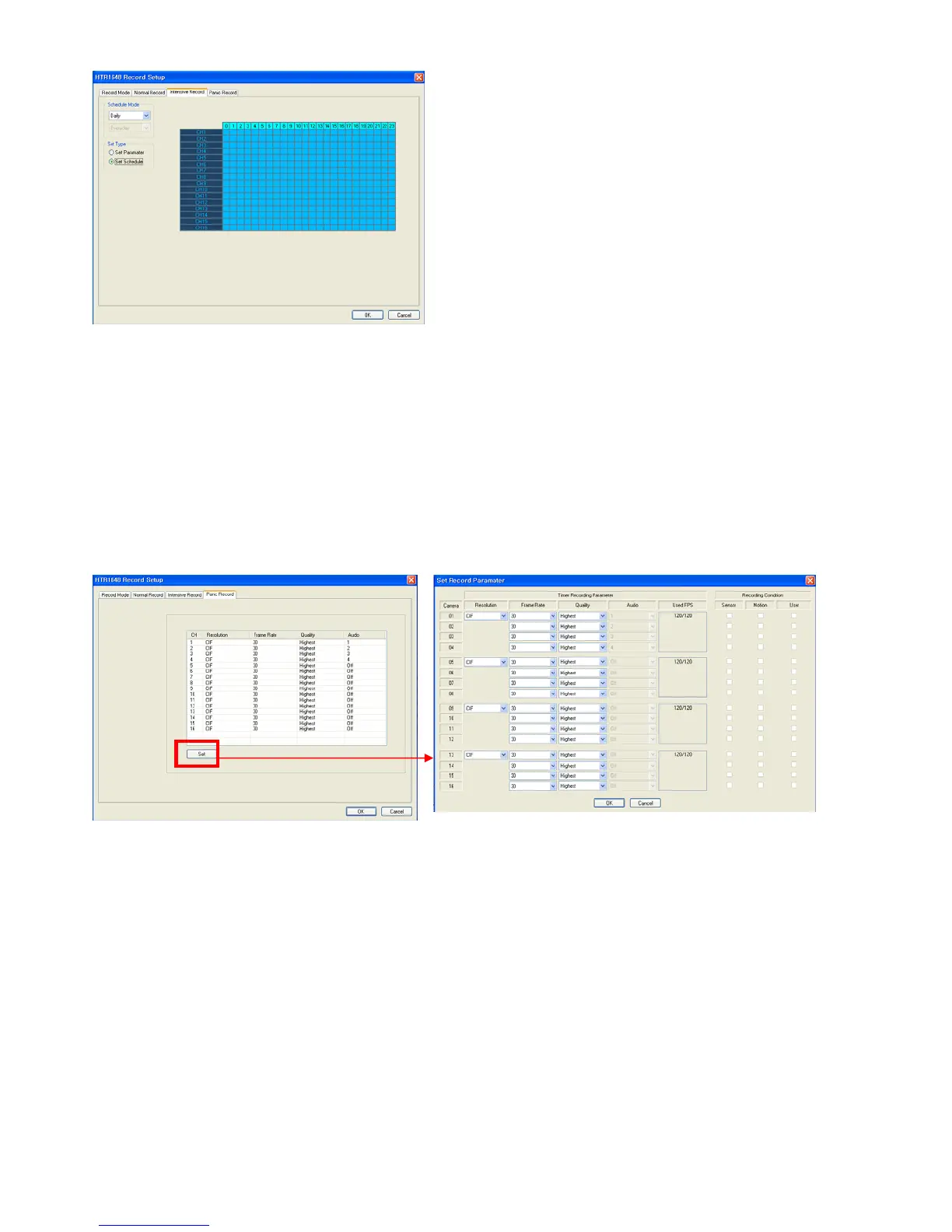
The operator can select the record on/ off each time and channel.
Drag the desired section for selection and click the mouse right button.
Then, recording option will appear. The operator can select the recording on/off each time and channel.
Panic Record
When the panic button is pressed or the panic alarm is detected, recording condition is changed as panic record
setup.
In case of recording setup, the operator should setup as 4 divided parts.
The default setup is CIF, 30FPS.
Setup method is same with normal record setup.
The operator can setup Max.CIF, 120FPS for each divided part.
- Select the Resolution.
- Select the Frame Rate
- Select the Quality. (Low, standard, high, highest)
- The operator can setup other divided part as same method.
- In case of Audio setup, it is assigned at Nr.1, 2, 3, 4 Channel basically. (It cannot be changed)



 To Next Page