83
- Parameter
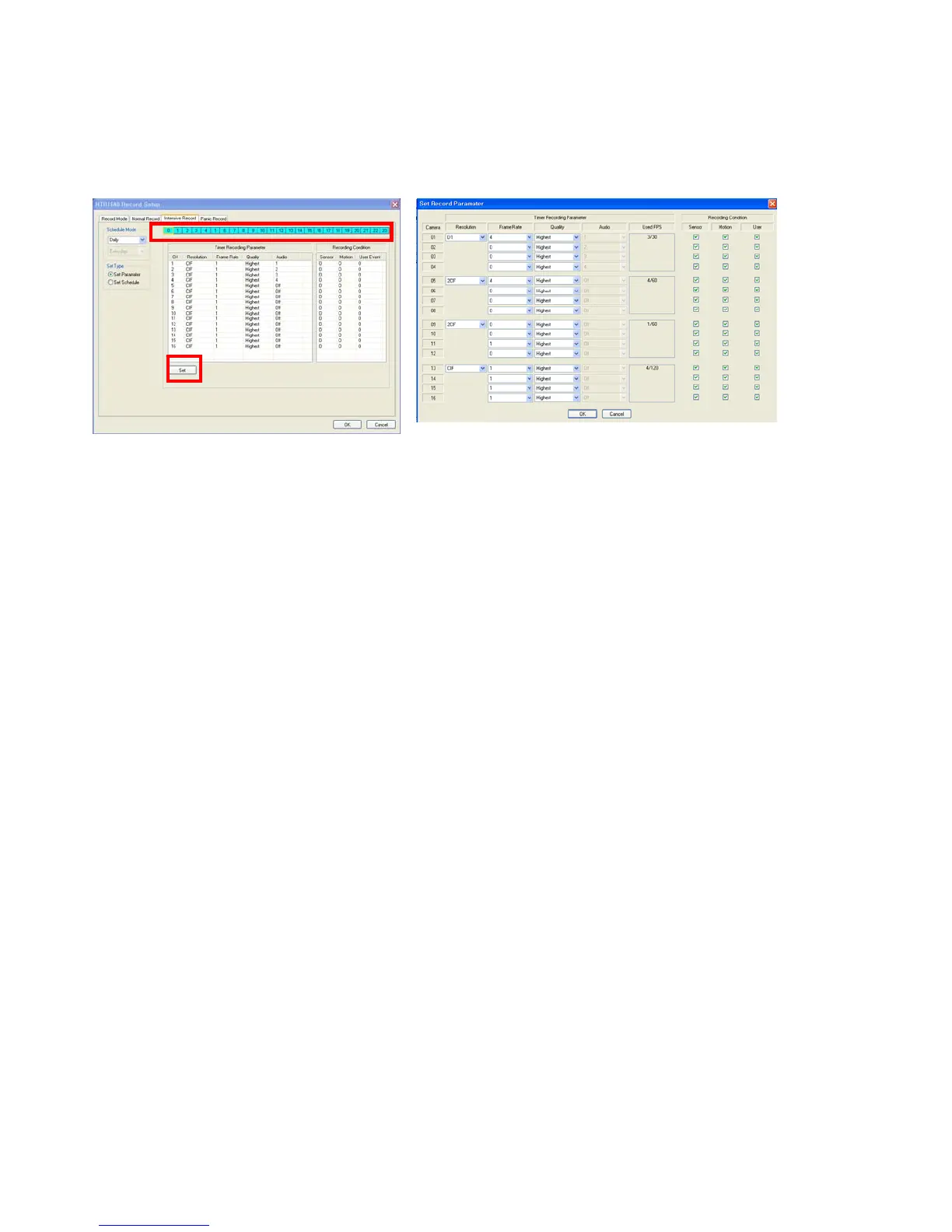
Drag the time that requires being setup by mouse. Incase the setup is different for each time; the color would be
indicated differently.
The setup is same with normal recording setup.
It record as setup under normal condition. But when the event arises on channel, the channel with event setup
would record as D1, 30 FPS automatically.
Incase the event happens at several channel at one time, it would share the max. recording rate appropriately.
In case of recording setup, the operator should setup as 4 divided parts.
The operator can setup Max.CIF, 120FPS for each divided part.
- Select the Resolution.
- Select the Frame Rate
- Select the Quality. (Low, standard, high, highest)
- The operator can setup other divided part by same method.
- In case of Audio setup, it is assigned at Nr.1,2,3,4 Channel basically.
(It cannot be changed)
Select the Intensive recording condition with Alarm, Motion and User defined event.
In case of weekly, it is almost the same setup as daily setup. It can setup each date.
- Schedule



 To Next Page