66
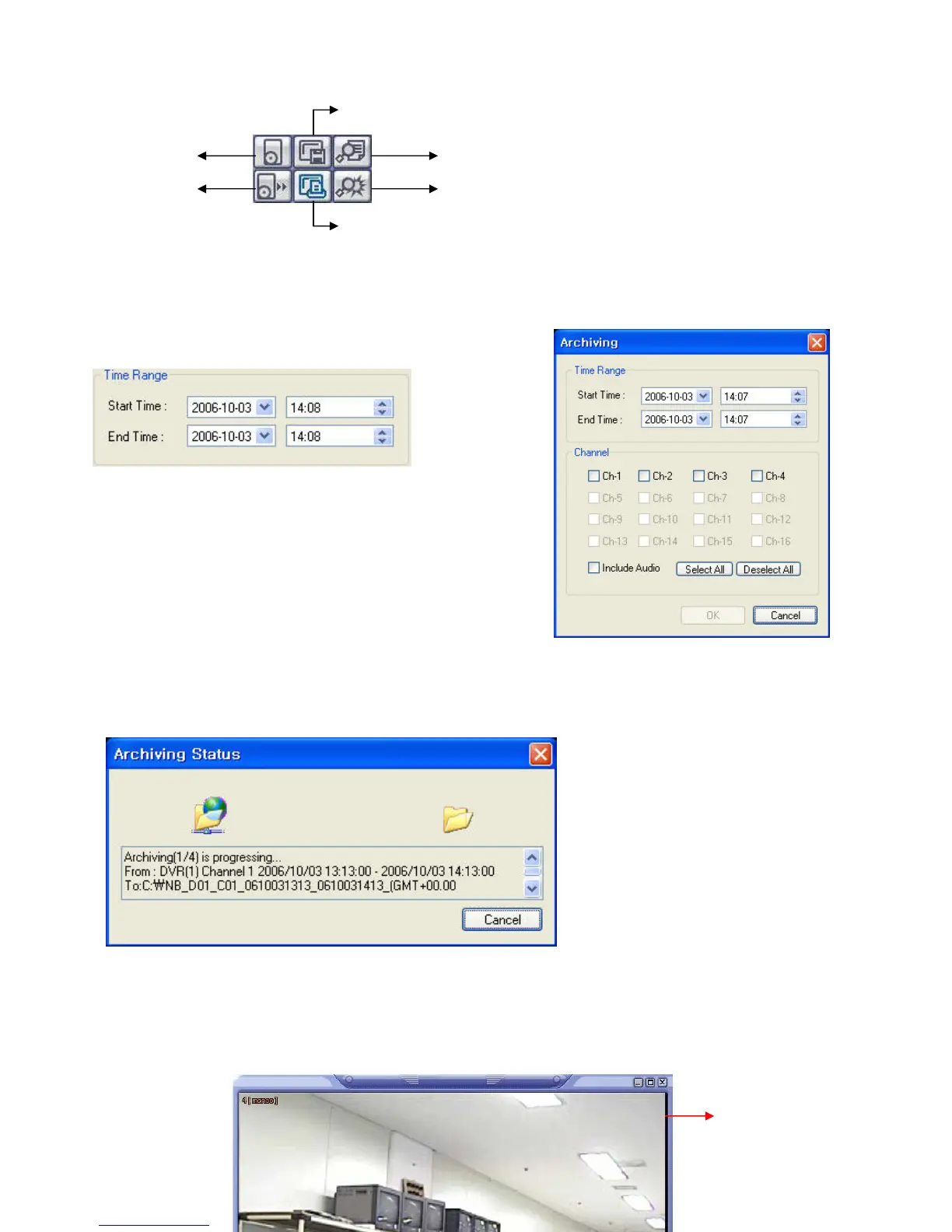
- Archive – Backup Image from Server to Remote PC.
• Time Range
- Enter the Starting and Ending Date/Time.
• Channel : Tick each channel to include in the Archive.
• Include Audio: Tick on/off to include Audio in Archive.
• Select All / Deselect All: Select/Deselect All Channels.
• Press OK to begin the Archiving process. As each AVI file is written to the PC, the system will display status.
• When the Archiving process has completed, the newly-created AVI files will be available for viewing.
- Backup Play (DVR Player) – Transfer to DVR Player
①Archive
②Backup
Play
⑤Log Viewer
⑥Event Viewer
③Save Image
④Print
①



 To Next Page