81
- Select the Daily/Weekly.
- Select the Parameter/Schedule
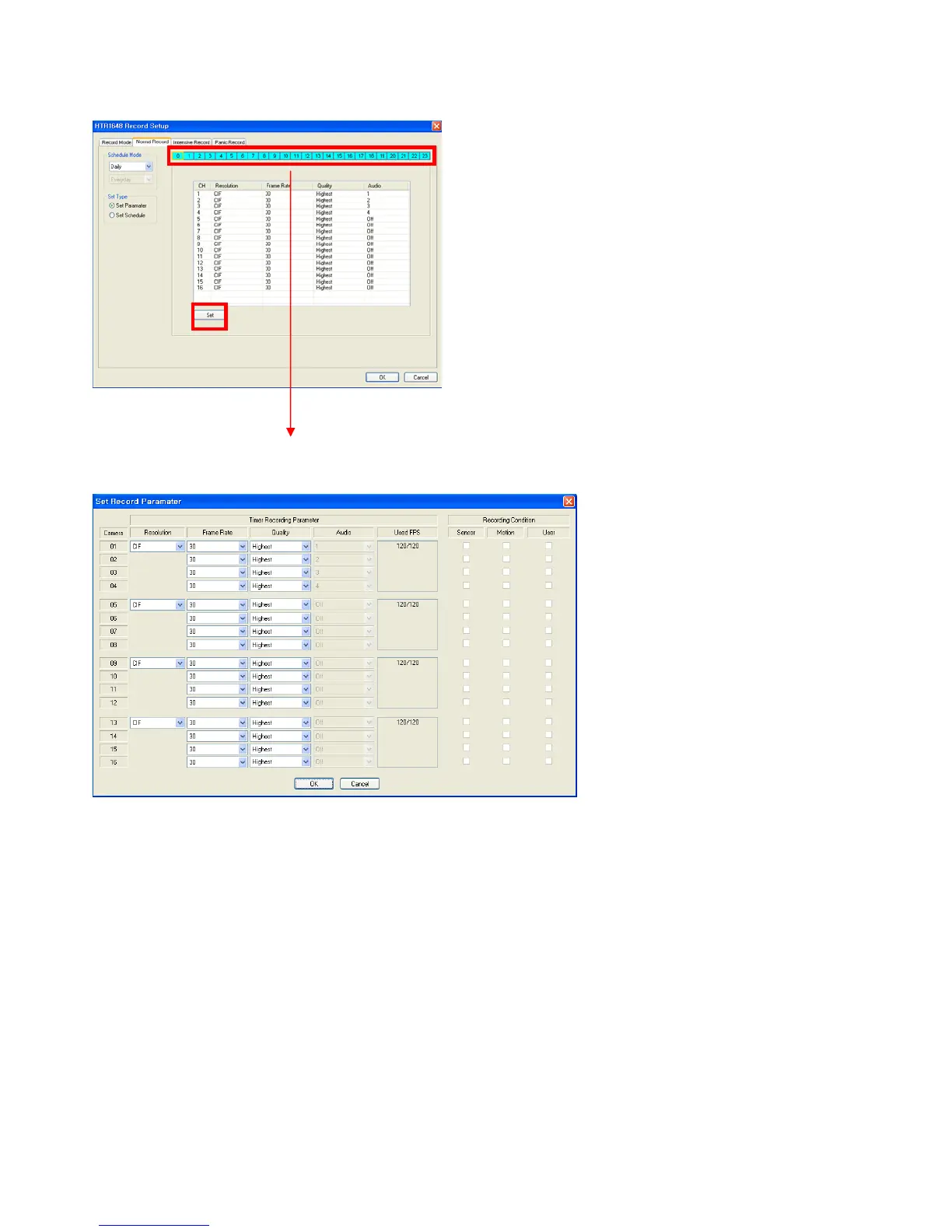
- Drag the time that requires being setup by mouse. Incase the setup is different for each time; the color would be
indicated differently.
- Click the “SET” button. Then it shows above screen.
In case of recording setup, the operator should setup as 4 divided parts.
The operator can setup Max.CIF, 120FPS for each divided part.
- Select the Resolution.
- Select the Frame Rate
- Select the Quality. (Low, standard, high, highest)
- The operator can setup other divided part as same method.
- In case of Audio setup, it is assigned at Nr.1, 2, 3, 4 Channel basically.
(It can not be changed)
In case of weekly, it is almost same with daily setup.
It can setup each date.
- Parameter



 To Next Page