13-9-653 Page 32
Controls checkout
After installation is complete, energize both the module and the compressor package. In the controller
adjustments, select "WATER COOLED" fan type. This operates the fan whenever the compressor
operates, and must be used with remote-cooled units as well as water cooled units. This ensures that the
oil piping does not accumulate a large quantity of hot oil before the fan starts. This setting also starts the
enclosure vent fan (if so equipped) whenever the compressor runs to cool the main drive motor. Check
rotation of both the compressor and the cooling fan during the jog motor test.
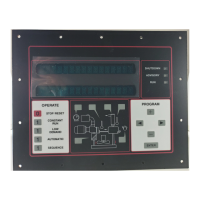
Start the compressor unit by pressing the [CONSTANT RUN] key. The compressor and cooling module
should both start. Run for approximately one minute. Stop the compressor by pressing [STOP/RESET].
The compressor and cooling module should both stop.
If the controller shuts down before a start is attempted and displays "FAN STRT CONTACT", check and
correct wiring to the auxiliary contact.
If the cooling module fan does not start, and the controller shuts down and displays "FAN STARTER",
check and correct the wiring to the starter coil.
If the cooling module fan does not start, check the fuses in the combination starter and ensure that the
disconnect switch is closed.
If the cooling module fan starts, but the controller then shuts down and displays "FAN STARTER", check
and correct the wiring to the auxiliary contact.
If the controller shuts down and displays "FAN OVERLOAD", check both the cooling fan and the package
fan (if applicable) motors for overload or misconnection.







 To Next Page