REFERENCE ONLY
3
Version 1.0
REFERENCE ONLY
Section 1 Determining Options Installed
Determine Options Installed
Note: This is with the G3000 powered up in normal mode.
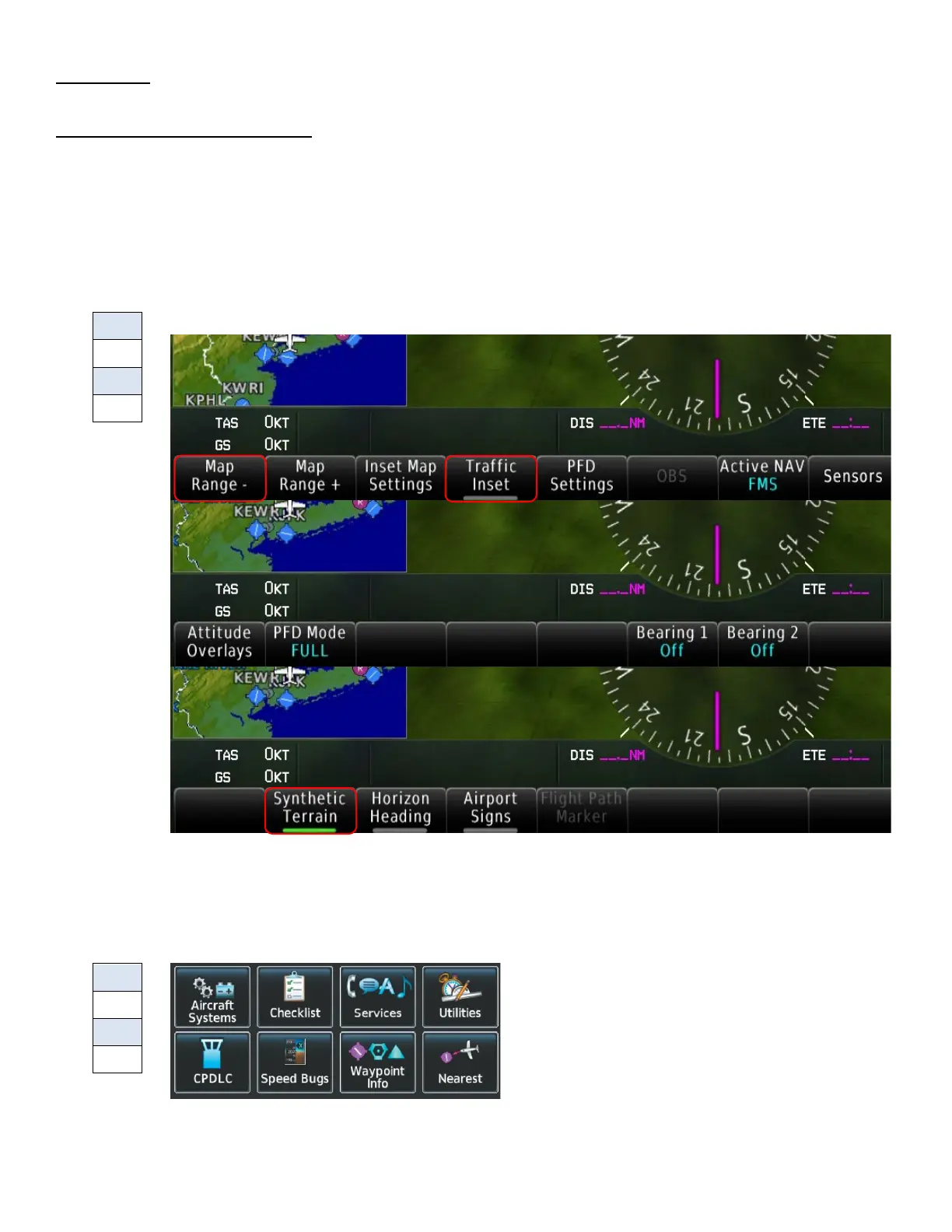
• Synthetic Vision
o On the PFD, select PFD Settings, then select Attitude Overlays. If Synthetic Terrain
button is displayed, mark YES.
• Checklist
o From the Home screen of either GTC 570, look for Checklist button to be
displayed. It may be grayed out, but if the button is present, mark YES.



 To Next Page