190-00870-02 Rev. A
Garmin G950 Pilot’s Guide for the Pilatus PC-6
261
FLIGHT MANAGEMENT
SYSTEM
OVERVIEW
FLIGHT
INSTRUMENTS
EIS
AUDIO PANEL
& CNS
FLIGHT
MANAGEMENT
HAZARD
AVOIDANCE
AFCS
ADDITIONAL
FEATURES
APPENDICES INDEX
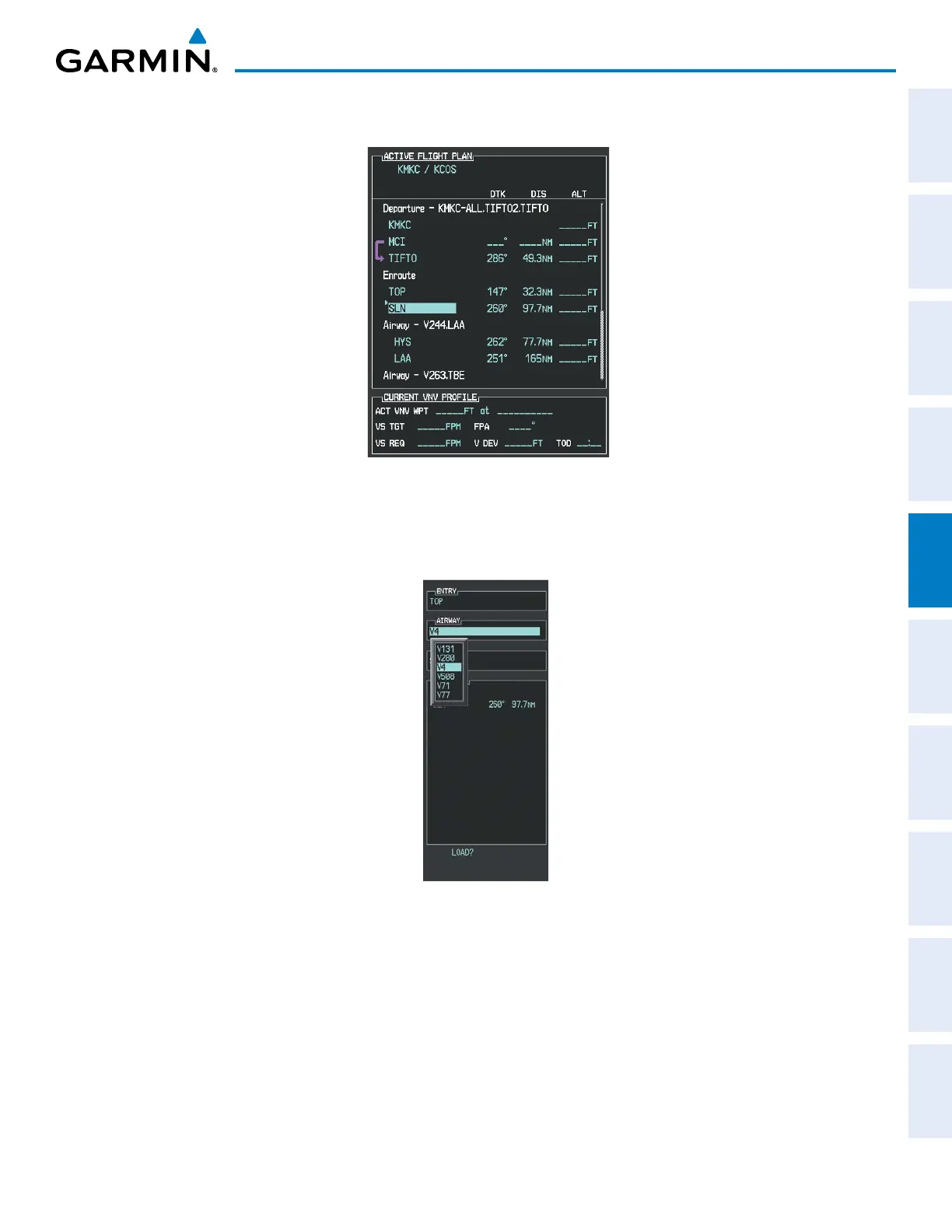
d) Press the ENT Key. TOP is inserted into the flight plan as in Figure 5-116.
Figure 5-116 TOP Inserted into the Flight Plan
e) With SLN still highlighted as in Figure 5-116, turn the small FMS Knob clockwise. The Waypoint Information
Page is displayed and the LD AIRWY Softkey is now available.
f) Press the LD AIRWY Softkey to display the list of available airways for TOP as seen in Figure 5-117.
Figure 5-117 List of Available Airways for TOP
g) Turn either FMS Knob to highlight V4 in the list as seen in Figure 5-117.



 To Next Page