Garmin G950 Pilot’s Guide for the Pilatus PC-6
190-00870-02 Rev. A268
FLIGHT MANAGEMENT
SYSTEM
OVERVIEW
FLIGHT
INSTRUMENTS
EIS
AUDIO PANEL
& CNS
FLIGHT
MANAGEMENT
HAZARD
AVOIDANCE
AFCS
ADDITIONAL
FEATURES
APPENDICESINDEX
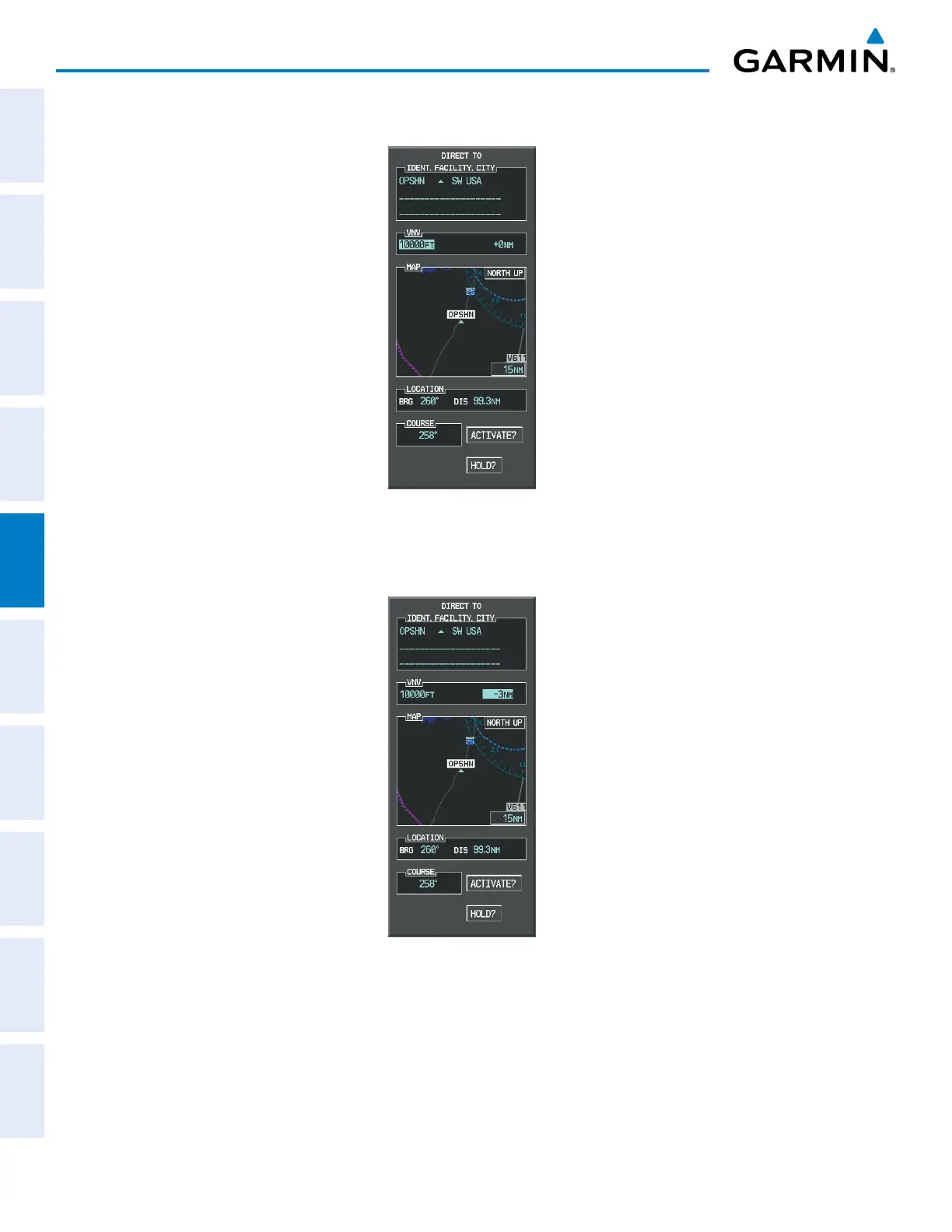
d) Turn the large FMS Knob to place the cursor in the VNV altitude field as shown in Figure 5-128.
Figure 5-128 Enter VNV Altitude
e) An altitude of 10,000 feet is entered as requested by ATC.
f) Press the ENT Key. The cursor is now displayed in the VNV offset field as shown in Figure 5-129.
Figure 5-129 Enter VNV Offset Distance
g) Enter the offset, or distance from the waypoint at which to reach the selected altitude. In this case, three miles
prior to OPSHN is entered. In other words, the G950 gives vertical guidance so the aircraft arrives at an altitude
of 10,000 feet three miles prior to OPSHN.



 To Next Page