190-00870-02 Rev. A
Garmin G950 Pilot’s Guide for the Pilatus PC-6
303
HAZARD AVOIDANCE
SYSTEM
OVERVIEW
FLIGHT
INSTRUMENTS
EIS
AUDIO PANEL
& CNS
FLIGHT
MANAGEMENT
HAZARD
AVOIDANCE
AFCS
ADDITIONAL
FEATURES
APPENDICES INDEX
Adjusting Gain:
WARNING: Changing the gain in weather mode causes precipitation intensity to be displayed as a color
not representative of the true intensity. Remember to return the gain setting to Calibrated for viewing the
actual intensity of precipitation.
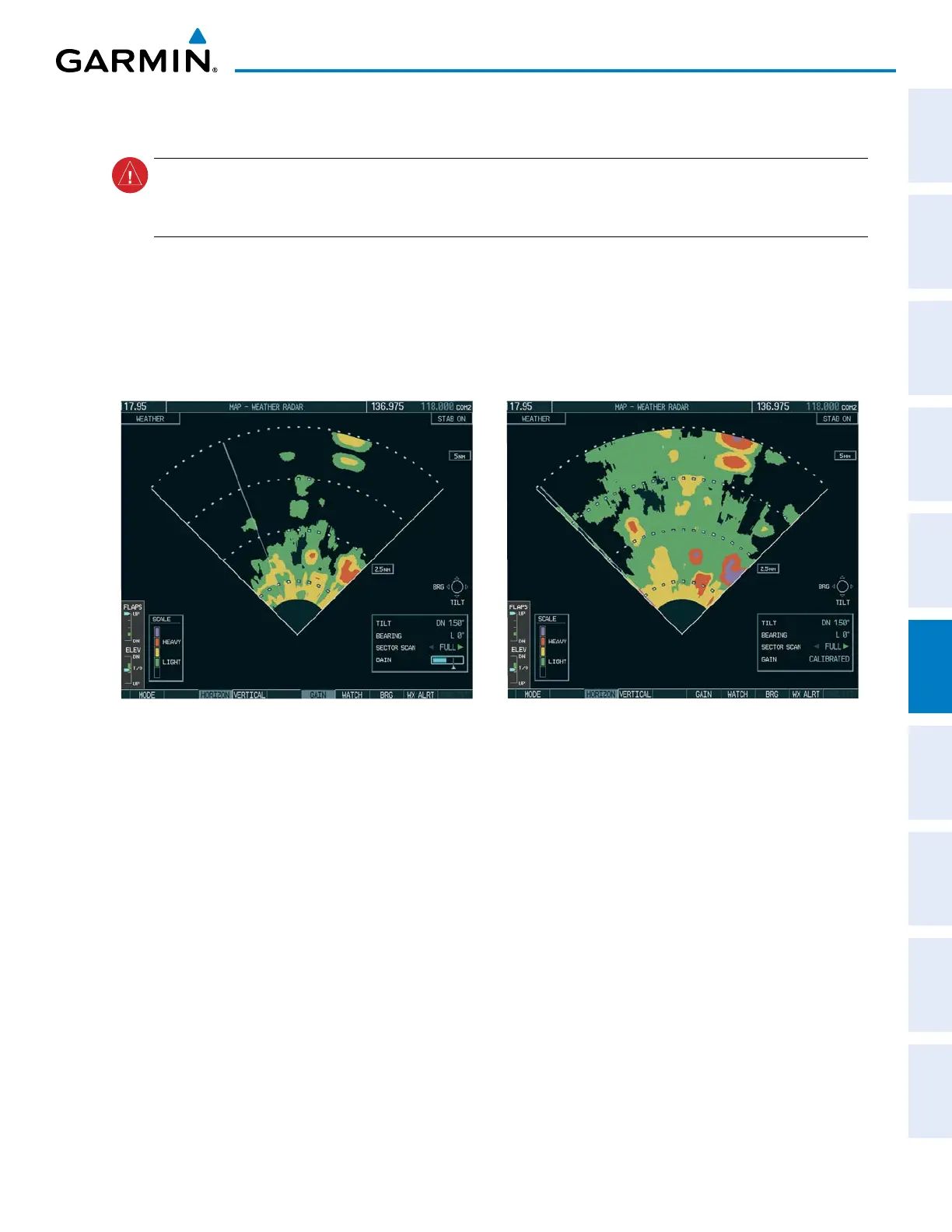
1) Press the GAIN Softkey to activate the cursor in the GAIN field.
2) Turn the small FMS Knob to adjust the gain for the desirable level. The gain setting is visible in the GAIN field
as a movable horizontal bar in a flashing box. The line pointer is a reference depicting the calibrated position.
3) Press the FMS Knob to remove the cursor.
4) Press the GAIN Softkey again to recalibrate the gain. CALIBRATED is displayed in the GAIN field.
Calibrated Gain
Manual Gain Set Below Calibrated
Figure 6-15 Gain Calibration
sector scan
1) While in horizontal scan mode, press the BRG Softkey to display the Bearing Line and place the cursor in the
BEARING field. If the Bearing Line is not displayed, press the MENU Key and turn the large
FMS Knob to select
Show Bearing Line.
2) Press the ENT Key.



 To Next Page