Garmin G950 Pilot’s Guide for the Pilatus PC-6
190-00870-02 Rev. A
302
HAZARD AVOIDANCE
SYSTEM
OVERVIEW
FLIGHT
INSTRUMENTS
EIS
AUDIO PANEL
& CNS
FLIGHT
MANAGEMENT
HAZARD
AVOIDANCE
AFCS
ADDITIONAL
FEATURES
APPENDICESINDEX
aDjusting antenna tilt angle:
In order to make an accurate interpretation of a storm cell, the radar beam should be pointed at the wet
part of the weather cell to record the proper rainfall intensity (color level). The ideal aiming point is just
below the freezing level of the storm. The best way to find this point is to use the Vertical Scan feature. The
antenna tilt angle can be centered on the strongest return area in the vertical scan to get a more accurate
view of the coverage and intensity of the target in the horizontal scan.
Adjusting antenna tilt on the Horizontal Scan display:
1) Press the
FMS Knob to activate the cursor in the TILT field.
2) Turn the small
FMS Knob to select the desired antenna tilt angle.
3) Press the FMS Knob to remove the cursor.
The Joystick can also be used to adjust tilt up and down.
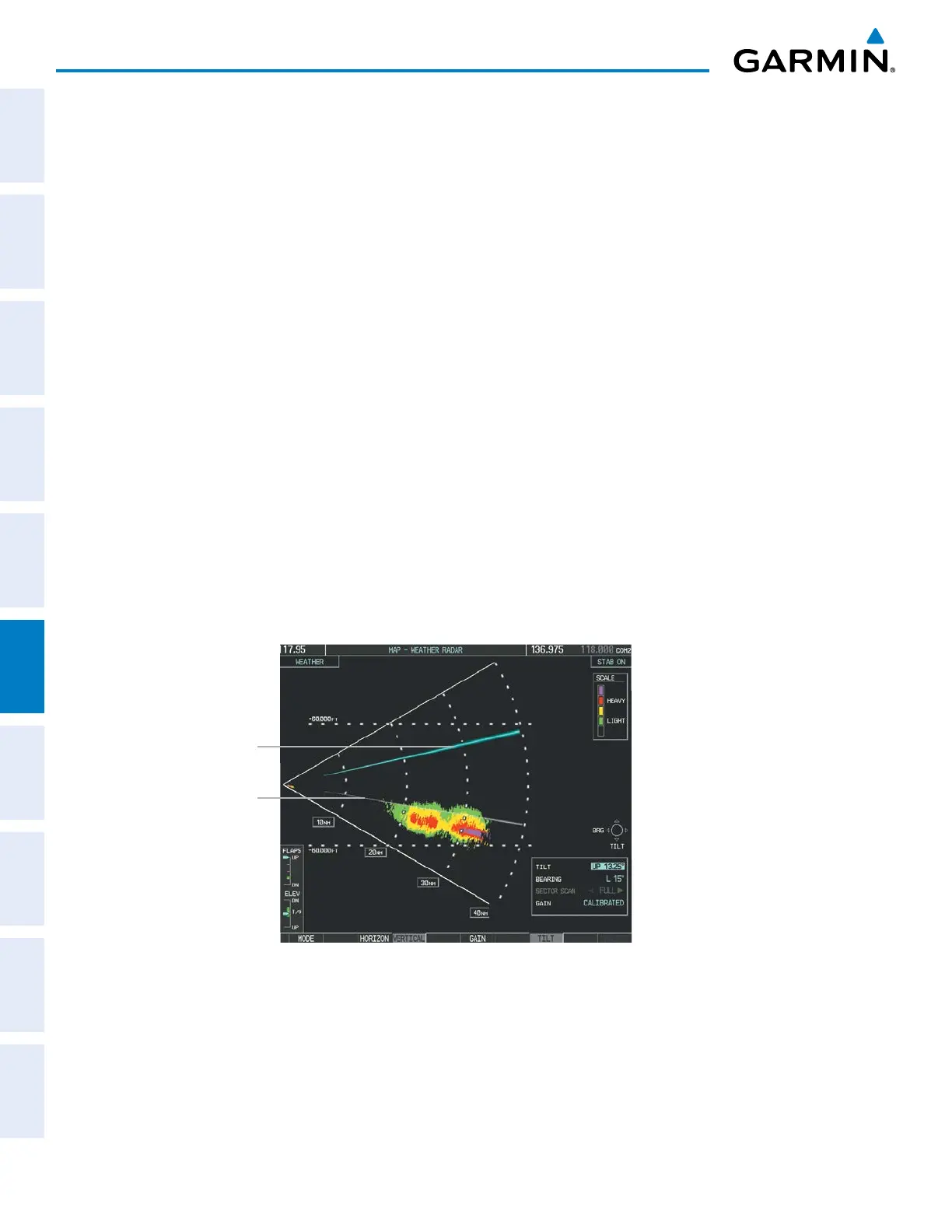
Adjusting antenna tilt on the Vertical Scan display:
1) Press the
TILT Softkey to activate the cursor in the TILT field and display the Tilt Line.
If the Tilt Line is not displayed, press the MENU Key and turn the large
FMS Knob to select Show Tilt Line. Press
the ENT Key.
2) Turn the small
FMS Knob to adjust the antenna tilt angle. The selected tilt angle is implemented when Horizontal
Scan is again selected.
The Joystick can also be used to adjust tilt.
Figure 6-14 Adjusting Tilt on Vertical Scan Display
Scan Line
Tilt Line



 To Next Page