Garmin G950 Pilot’s Guide for the Pilatus PC-6
190-00870-02 Rev A394
ADDITIONAL FEATURES
SYSTEM
OVERVIEW
FLIGHT
INSTRUMENTS
EIS
AUDIO PANEL
& CNS
FLIGHT
MANAGEMENT
HAZARD
AVOIDANCE
AFCS
ADDITIONAL
FEATURES
APPENDICESINDEX
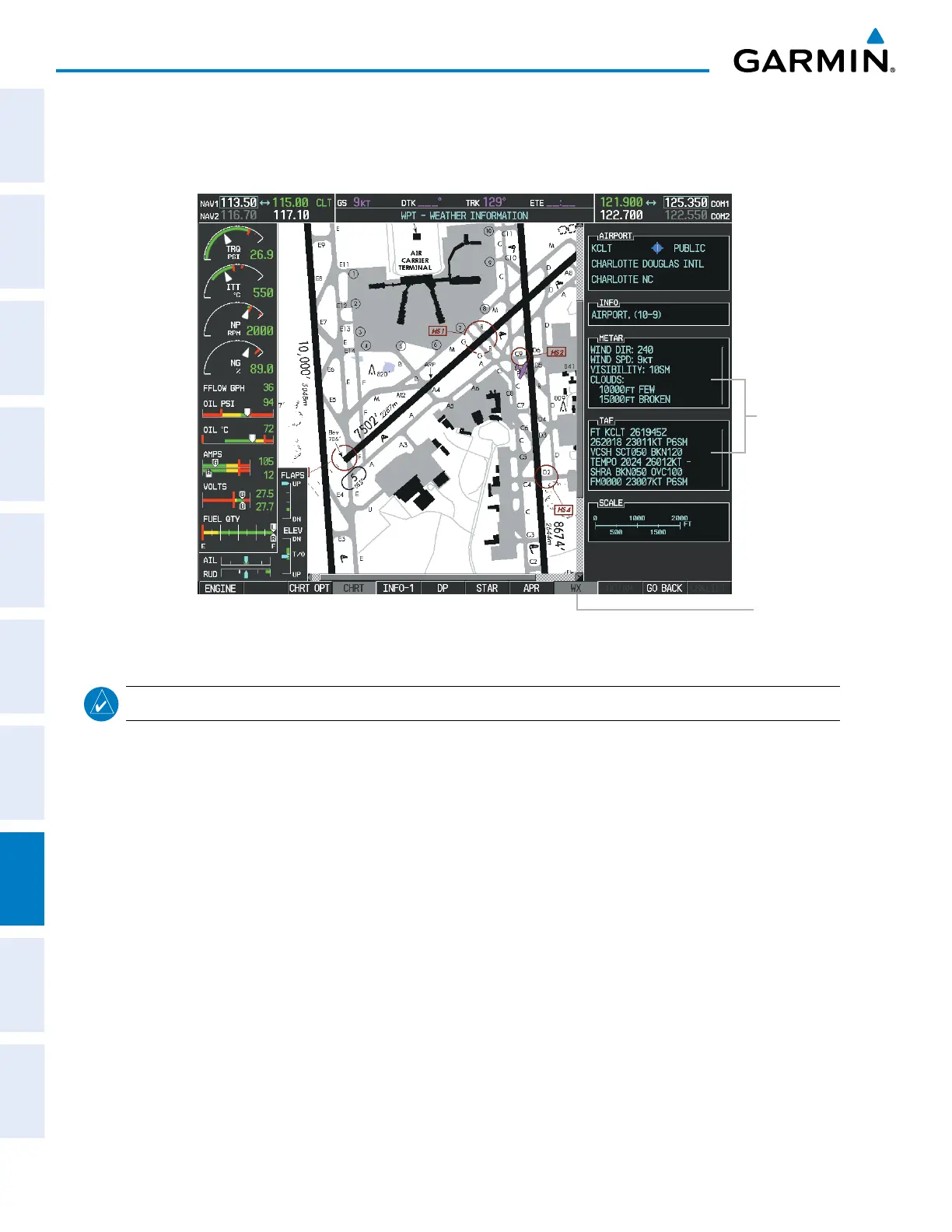
Pressing the WX Softkey shows the airport weather frequency information, and includes weather data such as
METAR and TAF from the XM Data Link Receiver, when available. Weather information is available only when
an XM Data Link Receiver is installed and the XM WX Satellite Weather subscription is current.
Figure 8-32 Weather Information Page
WX
Softkey
Selected
WX Info
When
Available
NOTE
: A subdued softkey label indicates the function is disabled.
Recent NOTAMS applicable to the current ChartView cycle are included in the ChartView database. Pressing
the NOTAM Softkey shows the local NOTAM information for selected airports, when available. When NOTAMS
are not available, the NOTAM Softkey label appears subdued and is disabled as shown in Figure 8-32. The
NOTAM Softkey may appear on the Airport Information Page and all of the chart page selections.



 To Next Page