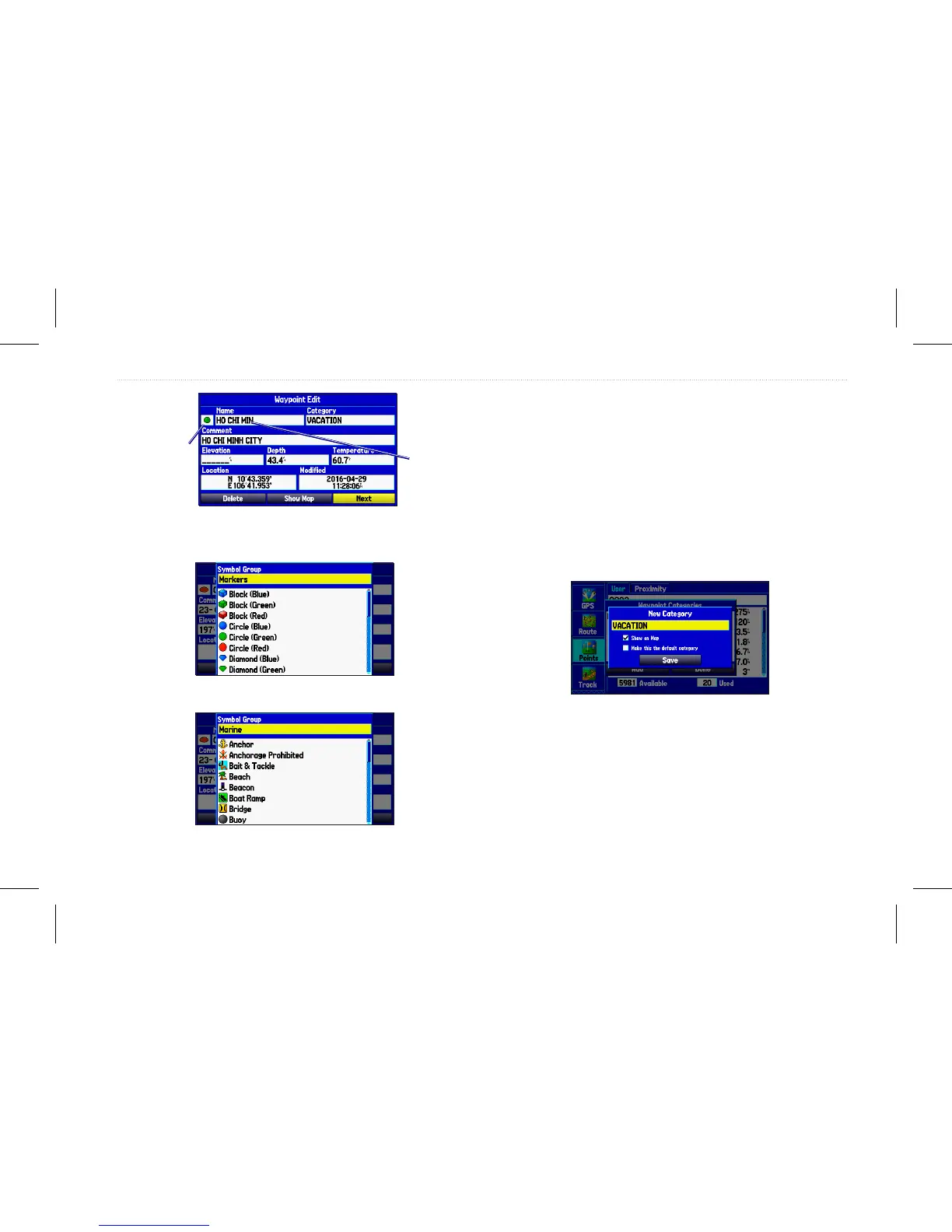
Waypoint page
Name eld
Symbol eld
You can select different icons by selecting the symbol group.
Organizing Waypoints into Categories
You can organize your waypoints into categories to help manage
your waypoints. For example, you can create a Vacation category
that stores all of the waypoints you want to use for your vacation.
You can create up to 15 categories.
To create a waypoint category:
1. From any waypoint page, or the Points tab, press Menu.
2. Select Edit Categories, and press Enter.
3. Highlight Add, and press Enter.
Adding a new category
4. Use the Rocker to enter a name for the category.
5. Highlight Save, and press Enter.
GPSMAP 580/585 Owner’s Manual 27
Operation Mode














 To Next Page