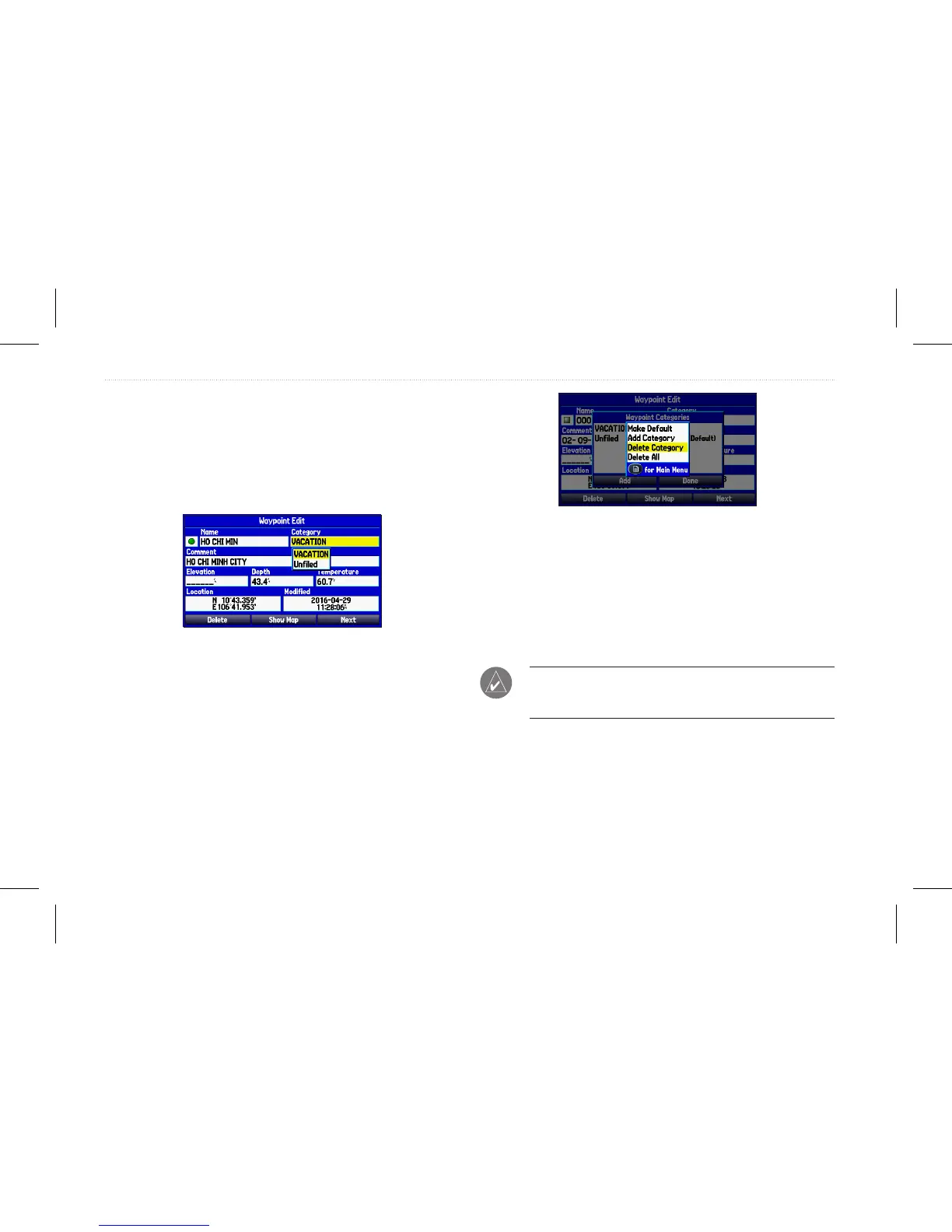
To assign a category to a waypoint:
1. Open the Waypoint Edit page.
2. Select the Category eld, and press Enter.
3. Select the category for which you want to assign the
waypoint, and press Enter.
Waypoint page
To delete a category:
1. Within the Waypoint Categories page, highlight the category
you want to delete, and press Menu.
2. Select Delete Category, and press Enter.
Waypoint Categories Options menu
3. Press Enter.
Deleting Waypoints
You can delete waypoints from the waypoint list on the Points tab
or from the Waypoint page. To delete a waypoint from the Waypoint
page, use the Rocker to highlight the on-screen Delete button, and
press Enter.
NOTE: When you delete a waypoint from the list, it cannot be
recovered from the unit. Garmin suggests backing up important
waypoints to a computer using Garmin Home Port software.
To delete a waypoint from the User Points tab:
1. From the Points tab, highlight the waypoint you want to
delete.
2. Press Menu.
3. Highlight Delete Waypoint, and press Enter. A conrmation
message appears.
28 GPSMAP 580/585 Owner’s Manual
Operation Mode














 To Next Page