GPSMAP 62/62s Owner’s Manual 5
Getting Started
EN
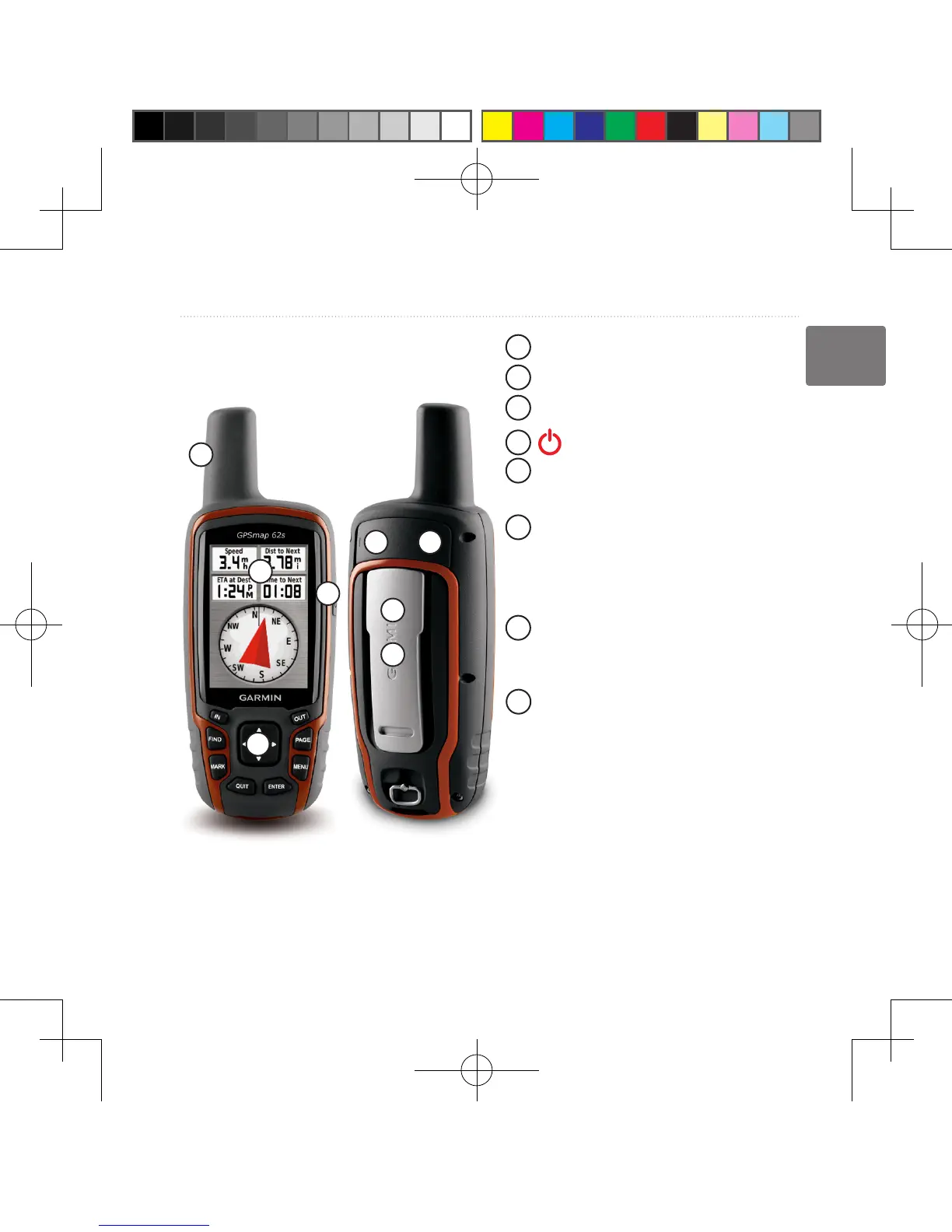
Device Overview
1
2
3
4
5
7
6
8
1
Internal antenna
2
Display
3
Buttons (page 7)
4
5
mini-USB port
(under weather cap)
6
MCX connector for GPS antenna
(under weather cap).
Available only on the GPSMAP
62s.
7
microSD
™
card slot (under
batteries). Available only on the
GPSMAP 62s.
8
Battery compartment
Battery Information
The device operates on two AA
batteries. Use alkaline, NiMH, or
lithium batteries. Use precharged
NiMH or lithium batteries for best
results (page 39).
190-01215-25_0A.indd 5 2011/3/22 下午 03:12:39













 To Next Page