6 GPSMAP 620 Owner’s Manual
Marine Mode: Getting Started
Navigating Directly to a Destination
1. From the Home screen, touch Charts > Navigation Chart.
2. On the Navigation chart, touch the place you would like to
navigate to.
Touch and to zoom in and out. Touch anywhere on
the chart and drag it to pan the map.
For more information on using charts, see page 8.
3. When the pointer icon is on the location you want to navigate
to, touch Navigate To > Go To.
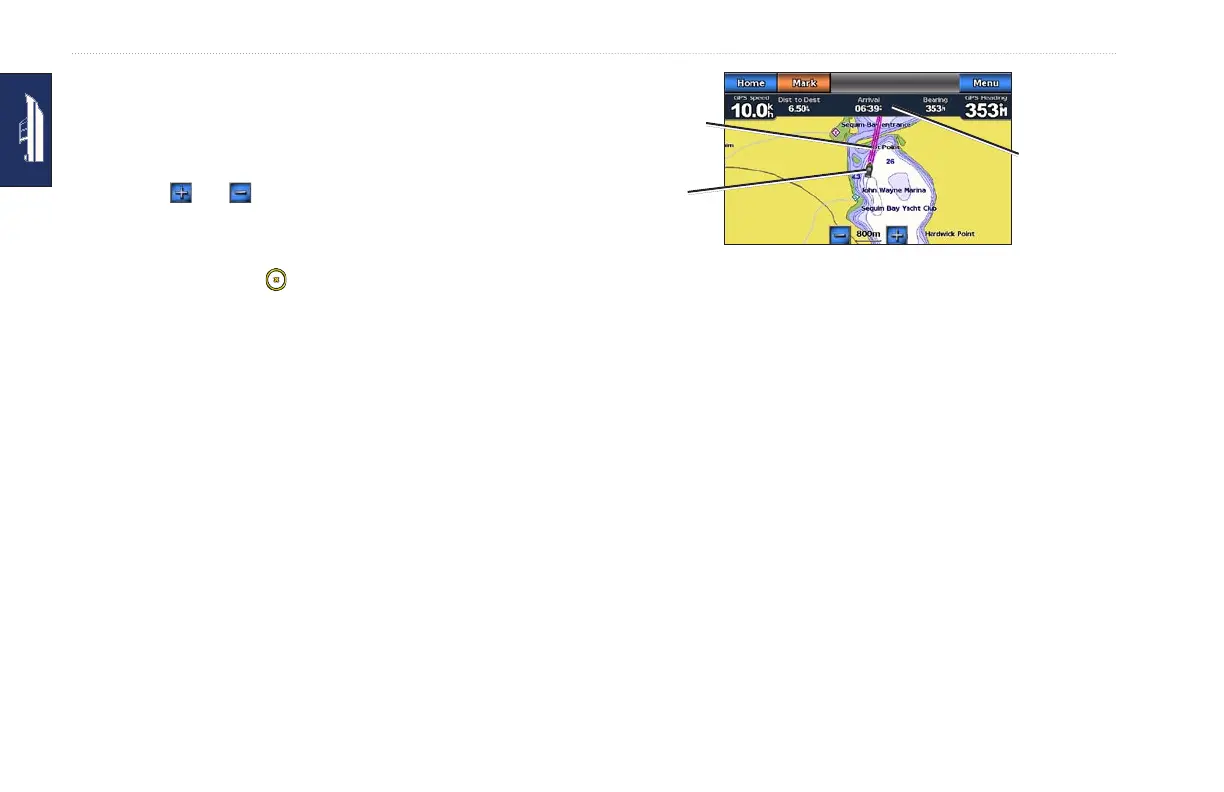
4. Follow the magenta line drawn between your current location
and your destination. Navigate with caution; avoid land masses
and obstacles while following the line to your destination.
Tips:
• In addition to navigating directly to your destination, you
can create a route or allow the device to create a route. For
advanced navigation options, see page 13.
• You can also use the Compass screen to actively navigate to
your destination by following a pointer on a compass.
See page 24 for more information.
•
•
Navigating Directly to a Destination
Navigation
information
Position and
heading
Direction to
destination
Saving Your Current Location
To save a location, such as your marina or a good shing spot,
mark it as a waypoint.
1. From the Home screen, touch Mark.
2. If you want to name the waypoint, touch Edit Waypoint >
Name. Use the on-screen keyboard to enter a name other than
the number assigned to the waypoint by default.














 To Next Page