GPSMAP 620 Owner’s Manual 49
Automotive Mode: Using the Map
Automotive Mode: Using the Map
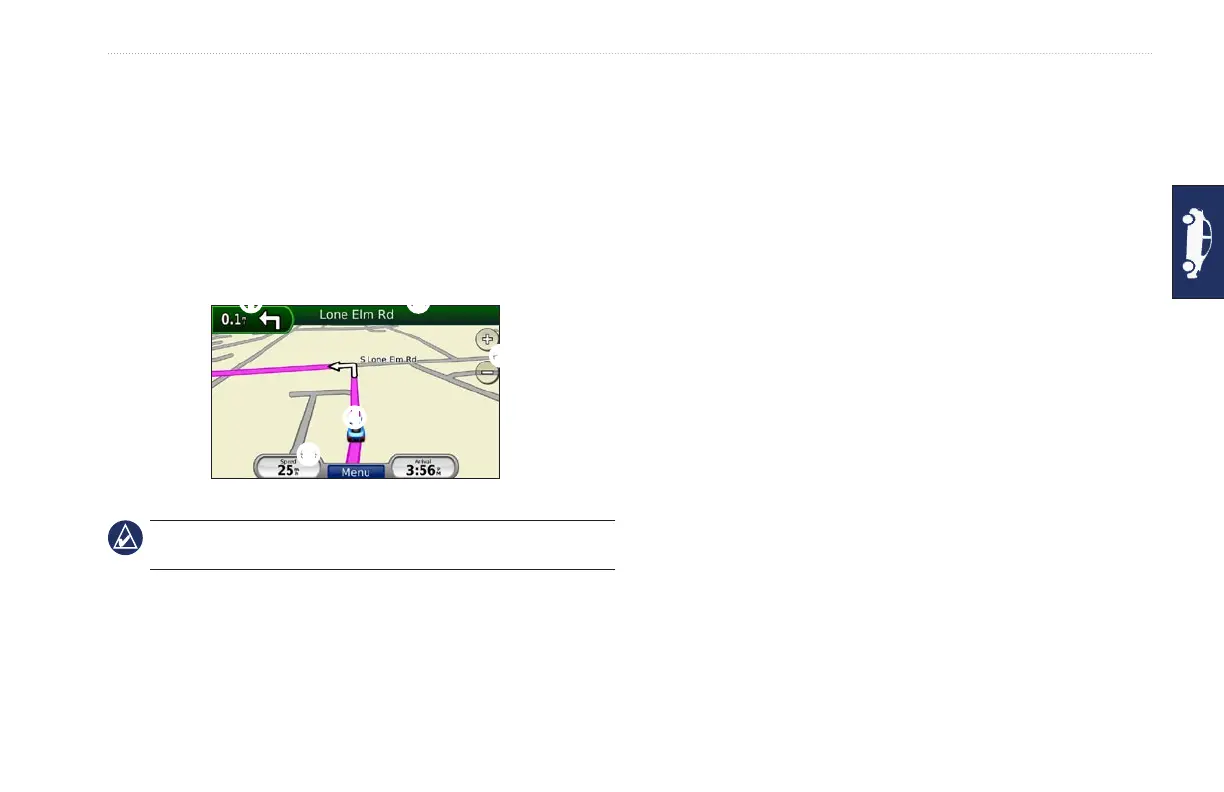
Your route is marked with a magenta line. As you travel, your
GPSMAP 620 guides you to your destination with voice prompts,
arrows on the map, and directions at the top of the map. A
checkered ag marks your destination. If you depart from the
original route, your GPSMAP 620 recalculates the route and
provides new directions.
➊
➋
➌
➍
➎
Automotive Mode: Map Page
TIP: A speed limit icon could appear as you travel on major
roadways. This icon displays the current speed limit of the roadway.
➊
Touch to view the next turn.
➋
Touch to view the turn list.
➌
Touch to zoom in and zoom out.
➍
Touch the vehicle icon to view the Where Am I? page.
➎
Touch to view the Trip Computer.
Next Turn
When you are navigating a route, the next turn shows the turn on
the map and the distance and time left before you reach the turn.
To view an upcoming turn on the map, touch the turn indicator on
the map, or touch any turn from the turn list.
Turn List
When you are navigating a route, the turn list displays turn-by-turn
instructions for your entire route and the distance between turns.
Touch the text bar on the top of the map to open the turn list. Touch
a turn on the list to view the instruction for that turn. Touch Show
Map to view the entire route on the browse map page.














 To Next Page