72 Chapter 3
Removing the Thermal Module
1. See “Removing the Mainboard” on page 69.
2. See “Removing the CRT Board” on page 71.
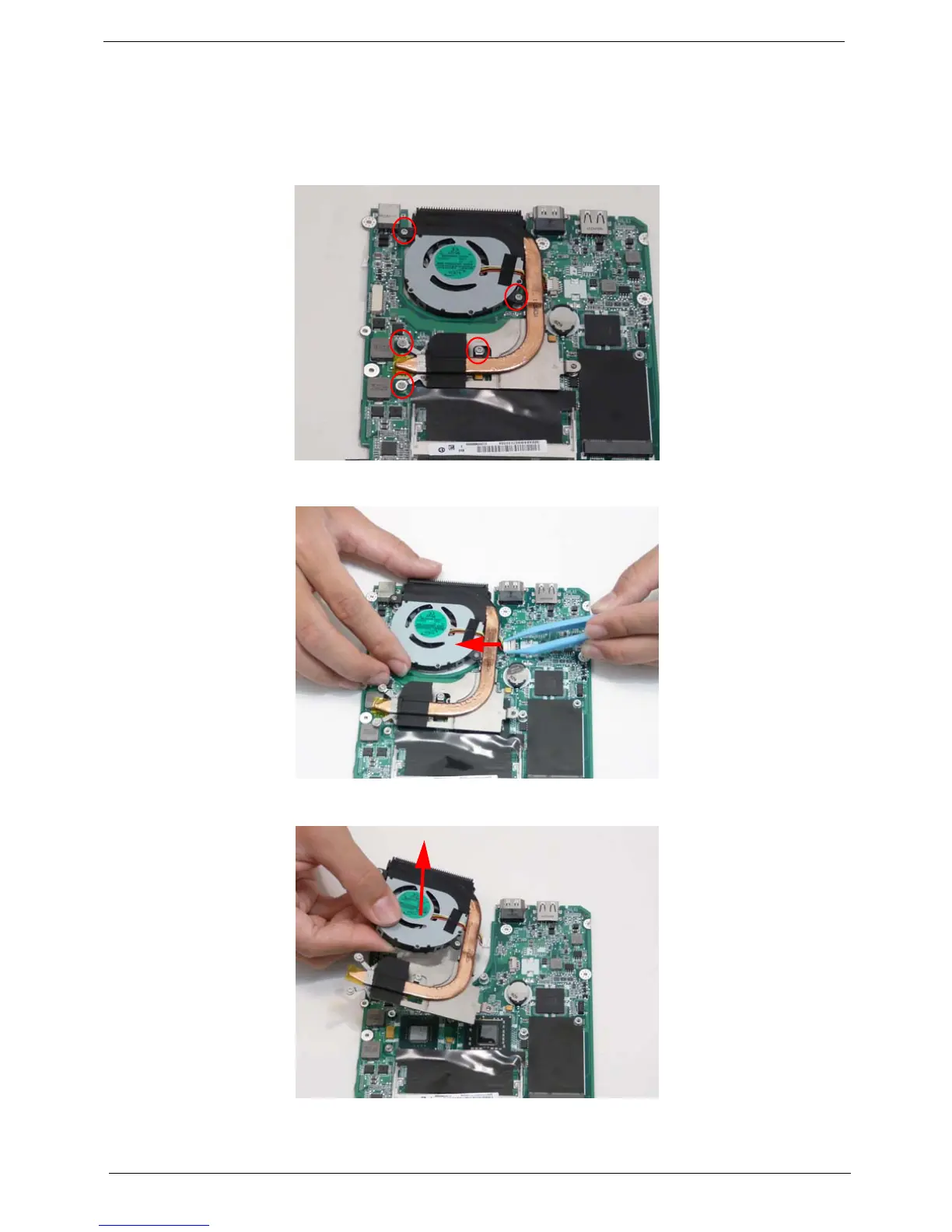
3. Remove the five captive screws of the thermal module.
4. Lift the thermal module up slightly and then disconnect the thermal module cable from the main board.
5. Lift the thermal module away from the main board.


 To Next Page
 Loading...








