Instructions for DKC500ACL/DKC800ACL
www.gatexpertstore.com
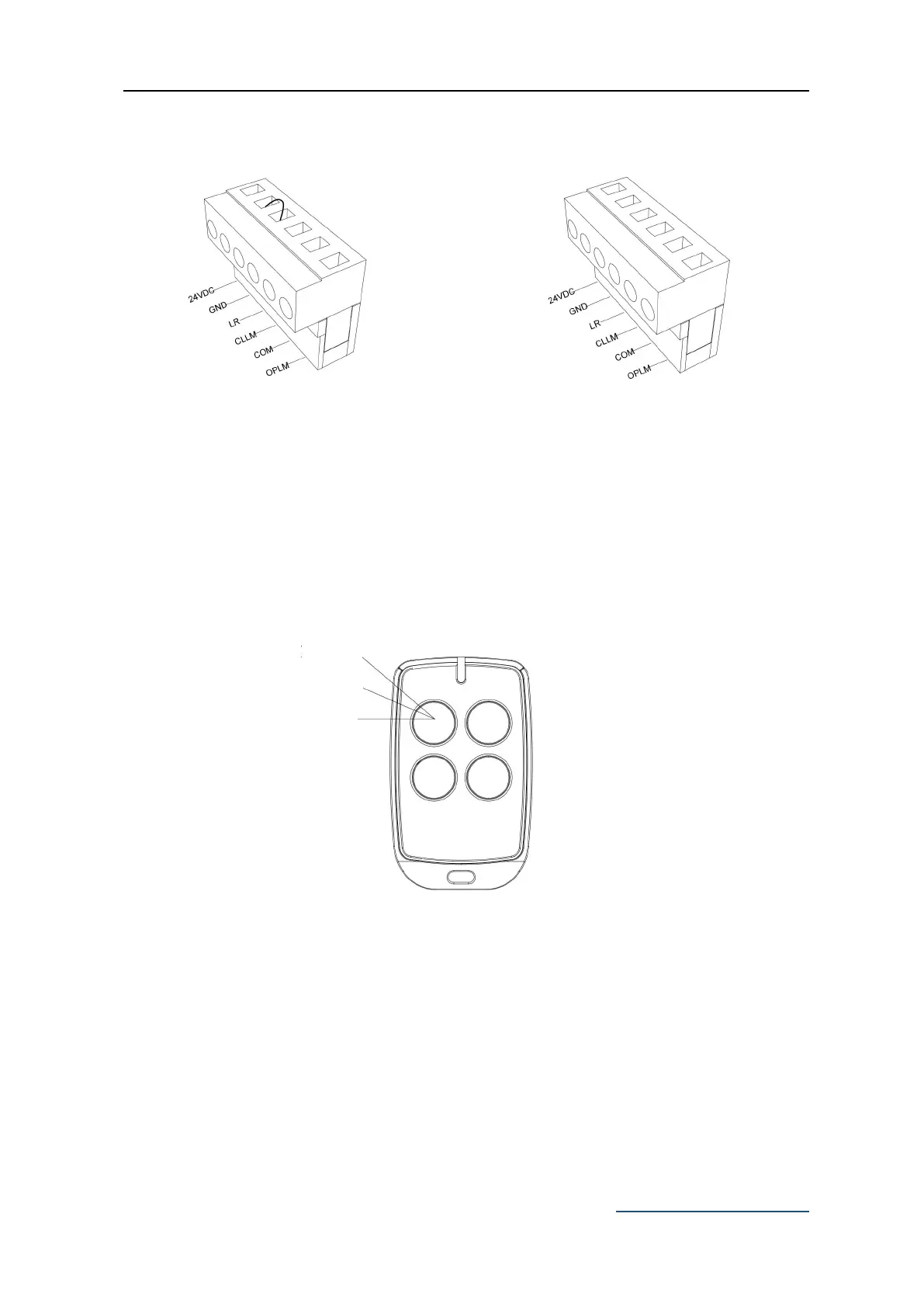
Loosen LR and GND on X5
Terminal with a screwdriver. Make
sure the power is disconnected
before doing so.
Remove the jumper wire
between LR & GND on X5
Terminal.
Remote Control Operation
Single button mode remote control: OPEN/CLOSE/STOP of motor are controlled by one
button circularly on the remote control
Single Button Mode Remote Control
Figure 26
Remote Control Learning
Remove the motor outer cover and continue to remove the transparent PCB cover, press
the button ‘AN1’ on the control board, until the ‘LED2’ indicator light turns on, then release
the button. While the light is on, press the button intended to be paired on the remote
control twice, the ‘LED2’ indicator light will flash repeatedly and then turn off when remote
control is paired. A maximum 20 remote controls can be paired to one gate opener.



 To Next Page