Wall Mounting the Phone
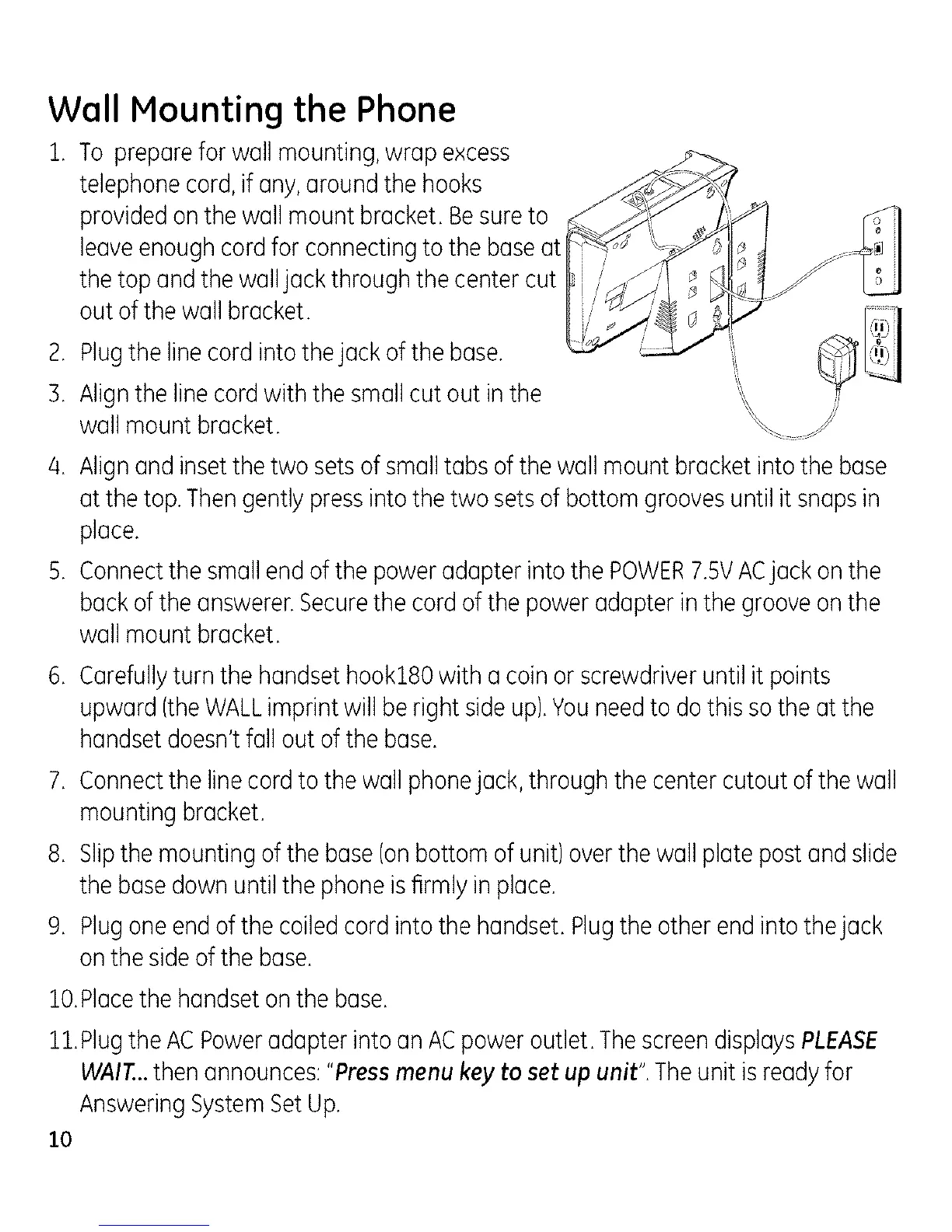
1. To preparefor wall mounting,wrap excess
telephonecord,if any,aroundthe hooks
providedon the wall mount bracket.Besureto
leaveenoughcord for connectingto the baseat
thetop andthe walljack throughthe center cut
outof the wall bracket.
2. Plugthe linecordinto thejack of the base.
3. Alignthe linecordwith thesmallcut out inthe
wallmount bracket.
4. Alignand insetthe two setsof smalltabs of the wall mount bracket intothe base
atthe top.Thengently pressintothe two setsof bottom groovesuntil it snapsin
place.
5. Connectthe smallend of the poweradapter intothe POWER7.5VACjack on the
backof theanswerer.Securethe cordof the power adapter inthe grooveon the
wallmount bracket.
6. Carefullyturn thehandset hook180with a coinor screwdriveruntil it points
upward(theWALLimprint will be right side up).Youneedto do thissothe at the
handsetdoesn'tfall out of the base.
7. Connectthe linecord to the wallphonejack, through thecenter cutout of thewall
mounting bracket.
8. Slipthe mountingof the base(onbottom of unit) overthe wallplate postand slide
thebase downuntil the phoneis firmly inplace.
9. Plugone endofthe coiled cord into the handset. Plugthe other end intothe jack
onthe sideof the base.
lO.Pk]ce the hc]ndset on the boise.
11.Plug the AC Power (]dc]pter into (In ACpower outlet. The screen dispk]ys PLEASE
WAIT...then announces: "Press menu key to set up unit". The unit is rec]dyfor
Answering System Set Up.
10



 To Next Page