ActionStep
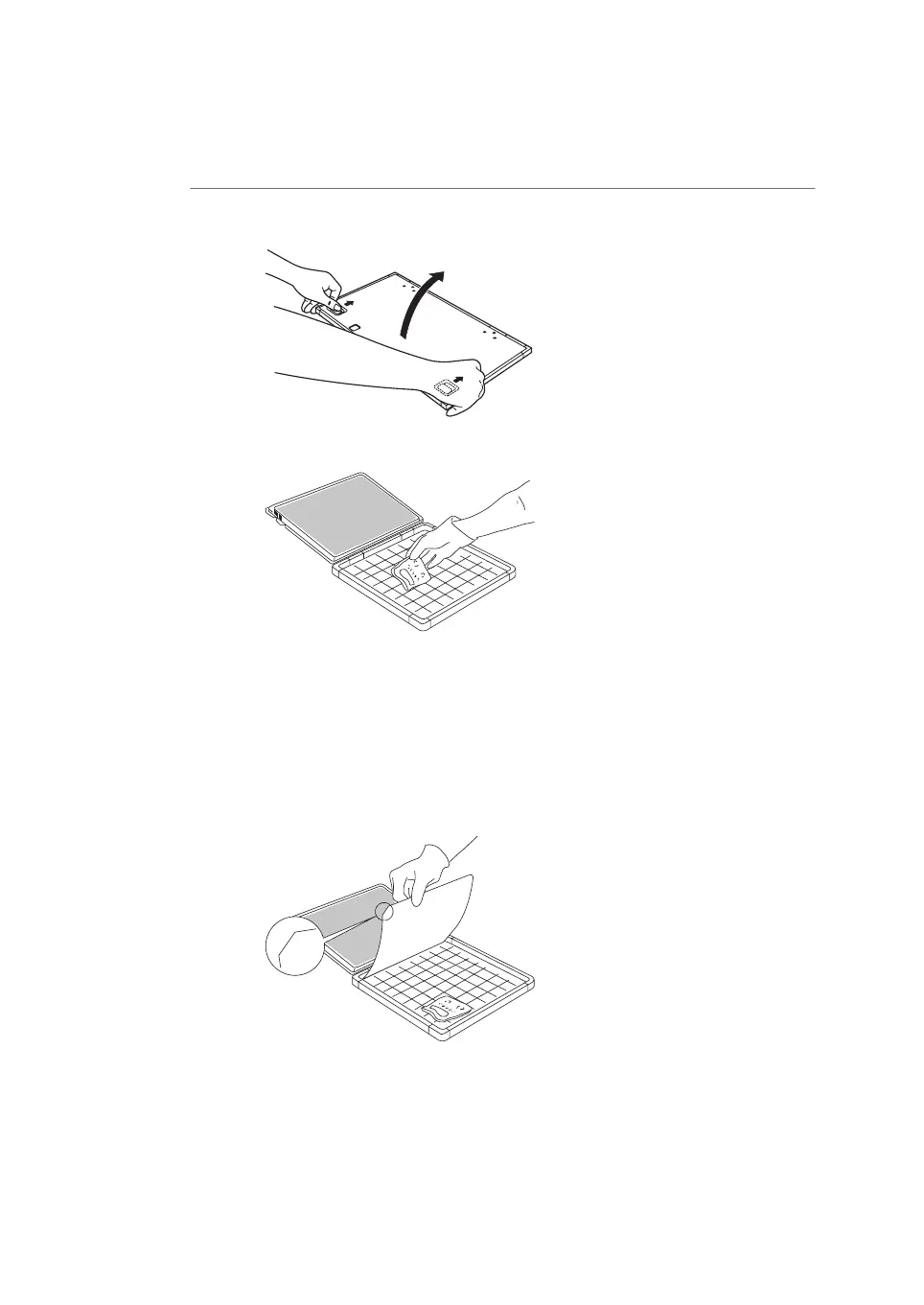
Unlock the cassette by sliding both buttons on the top cover. Open the cas-
sette.
4
Place the sample on the cassette, with the surface of the sample facing up.5
Note:
Keep the sample away from the edge of the cassette. Otherwise, the recorded
data may be unreliable.
Place the storage phosphor screen in the cassette, with the exposure surface
of the storage phosphor screen facing the sample. Make sure that the notch
of the storage phosphor screen is placed at the corner of the gauge with
the A1 coordinates.
6
Close the cassette. Press on the cover of the cassette until the cover clicks
into place.
7
112 Amersham Typhoon Operating Instructions 29193226 AC
6 Operation
6.2 Preparing the sample
6.2.2 Preparing a sample for phosphor imaging



 To Next Page