MA-003 – MULTITRANS User Guide – Rev 3.0 18-Jan-16 Page 10 of 30
5 POWER
5.1 Introduction
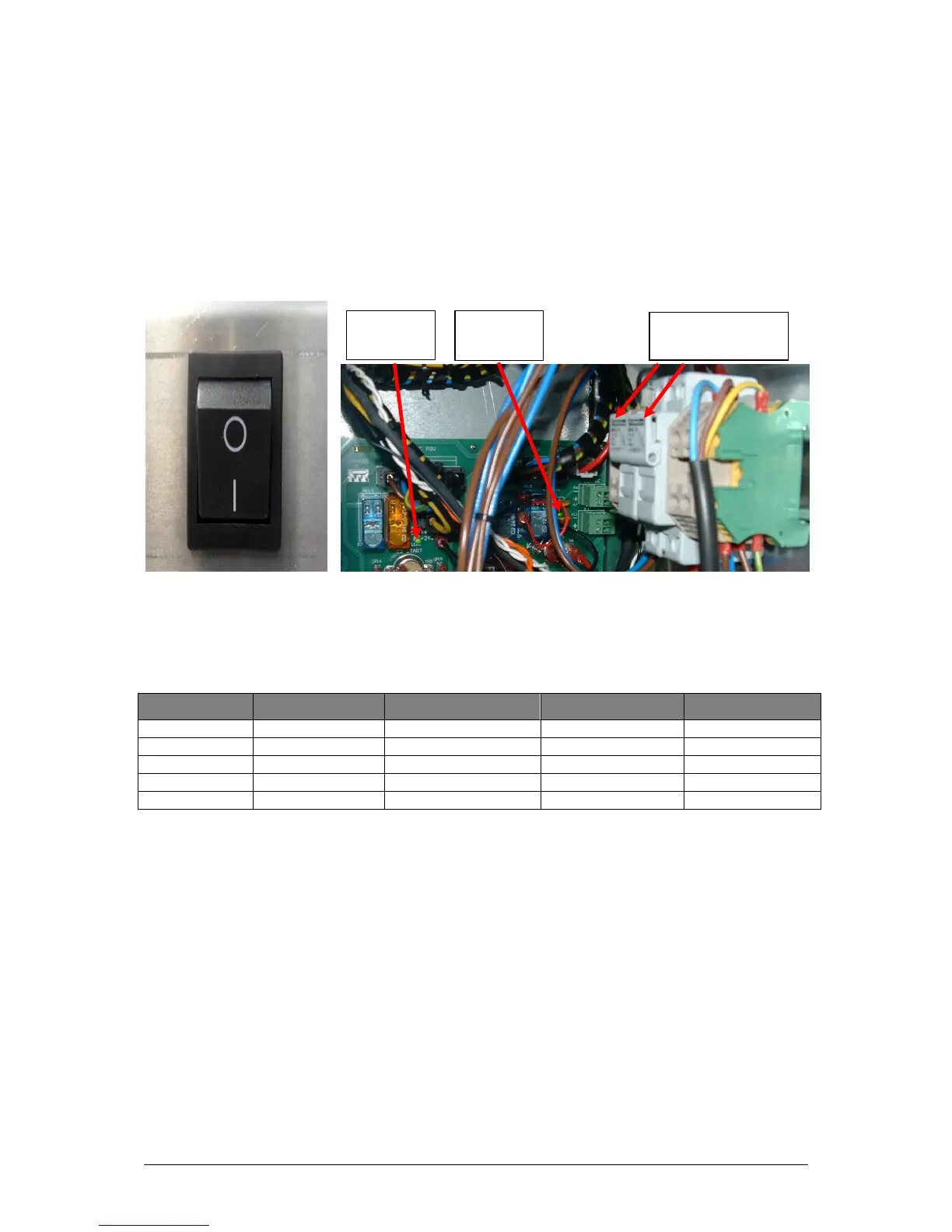
The product is powered up by pressing the Power switch located inside the product
towards the bottom right-hand side (see Figure 5—1). The mains fuse holder for the
product is shown in Figure 5—2.
The product uses four external sunlight-visible LEDs on the front door. Each LED has two
states – ‘Off’ (-) or ‘On’ as outlined in Table 5—1.
Table 5—1: External LED status indicators
5.2 Cold Start
If the product is powered up in cold conditions (less than −10 °C), the product initiates the
following cold-start sequence before a measurement can commence. The internal heater
in zone 1 automatically switches on to increase the internal temperature to within the
PGA operational temperature range. The system does not fully power up until the
working temperature in zone 1 reaches −10 °C, after which the system becomes
operational. Lights for the system power supplies are situated on the circuit board at the
rear as shown in Figure 5—2.
Note: Once the DC power supply resumes, the internal temperature of the product may take several
hours to reach working temperature before a measurement cycle commences.




 To Next Page