Chapter 3: Configuration and commissioning
26 Kilsen KFP-CF Series Installation Manual
Operating mode
Use this read-only menu to view the operating mode of the control panel.
To view the operating mode:
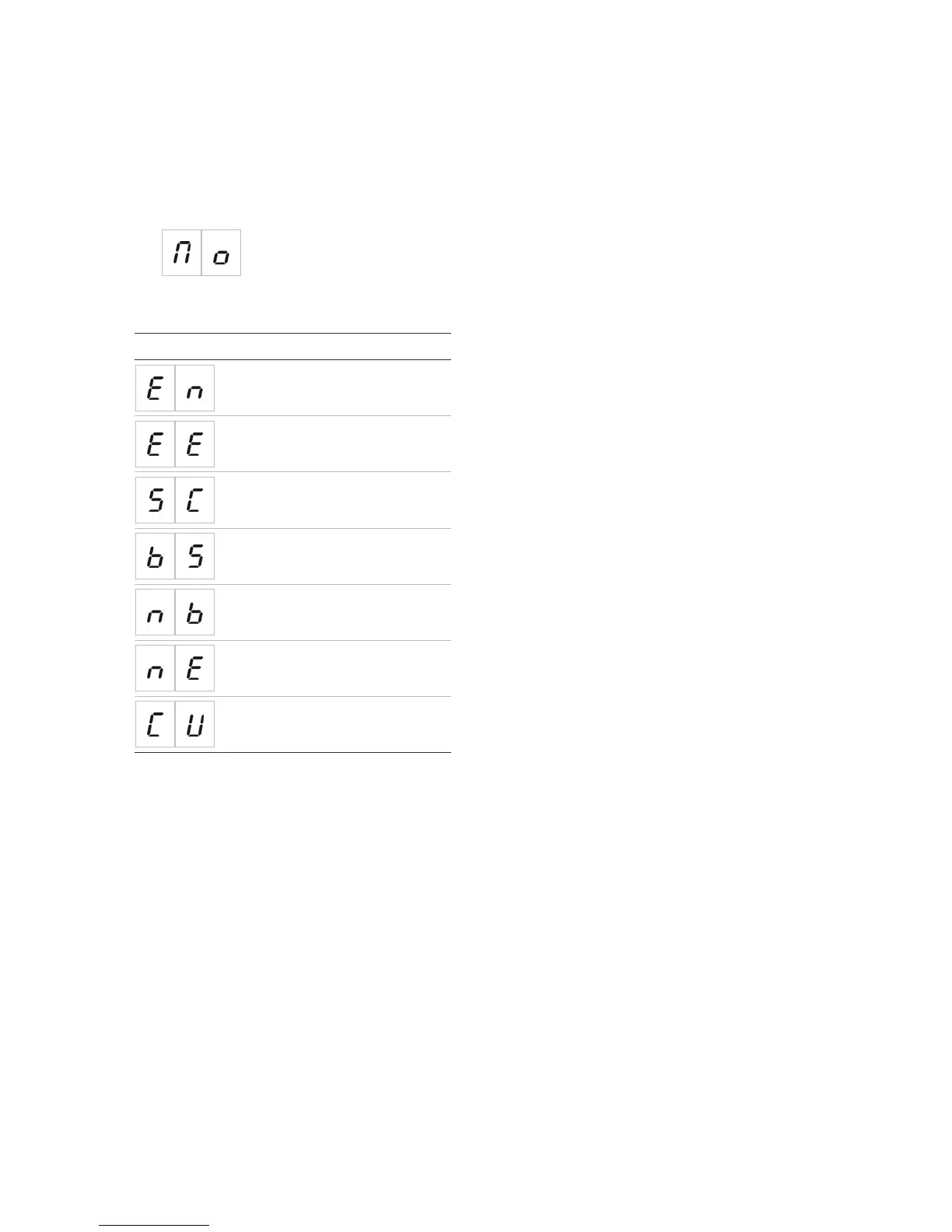
1. Set the display as shown below, and then press Enter.
Display indications for each operating mode are shown below.
Display Operating mode
EN 54-2
EN 54-2 Evacuation
EN 54-2 Scandinavia
BS 5839-1
NBN S21-100
NEN 2535
Custom
Custom operating mode
A custom operating mode will be indicated if any of the following zone configuration
settings are changed from the operating mode preset values:
• Zone delay
• Zone configuration
• Zone type


 To Next Page
 Loading...