Chapter 3: Configuration and commissioning
Kilsen KFP-CF Series Installation Manual 37
Changing access level passwords
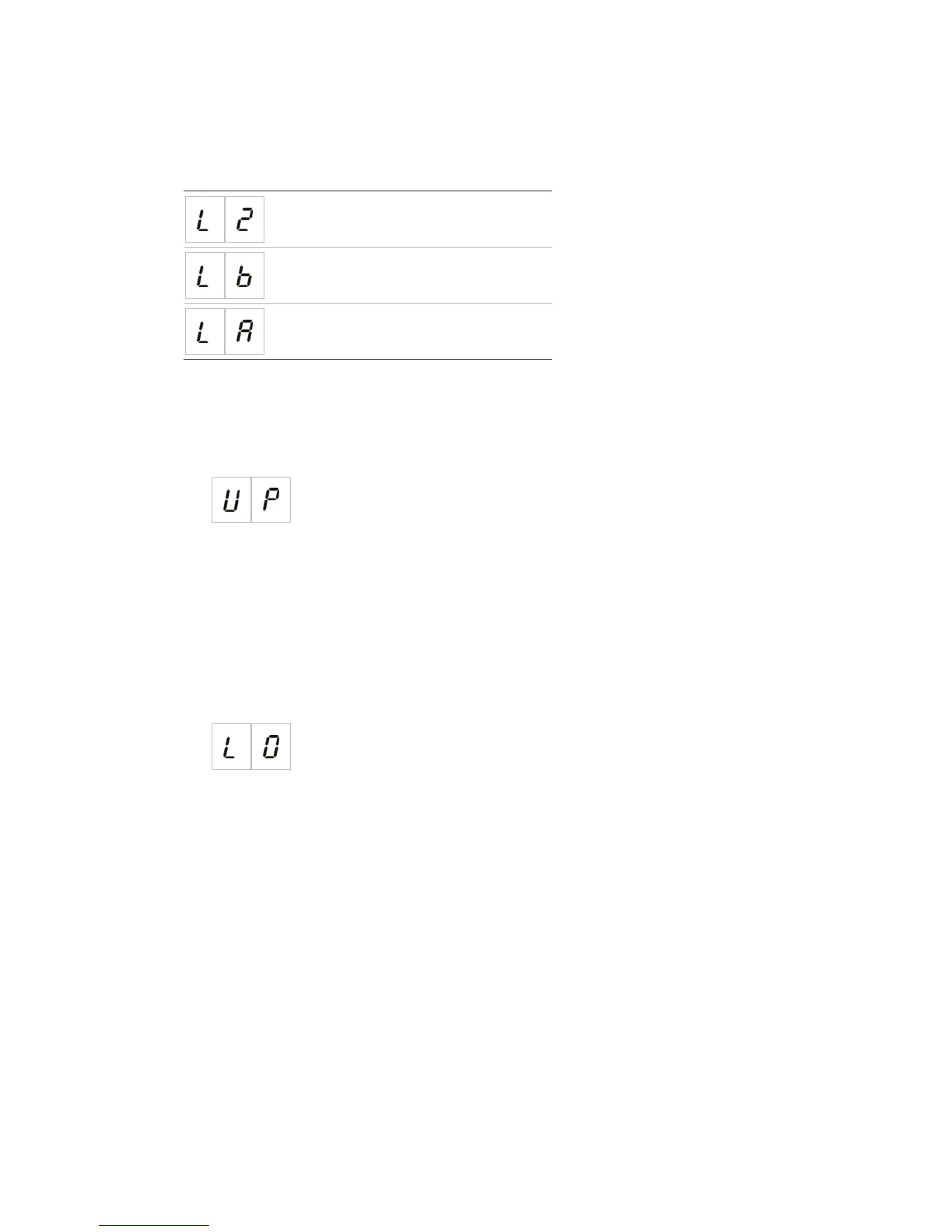
Use the corresponding menu option (shown below) to change the default access level
passwords.
Access level 2 password
Access level 3 basic password
Access level 3 advanced password
To change the first two digits of an access level password:
1. Set the display for the desired access level password, and then press Enter.
2. Set the display as shown below, and then press Enter.
3. Select a value using the value selection buttons (2 and 4).
4. Press Enter.
5. Save your changes.
To change the last two digits of an access level password:
1. Set the display for the desired access level password, and then press Enter.
2. Set the display as shown below, and then press Enter.
3. Select a value using the value selection buttons (2 and 4).
4. Press Enter.
5. Save your changes.


 To Next Page
 Loading...