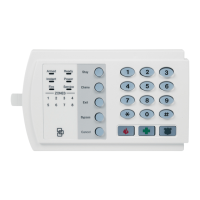
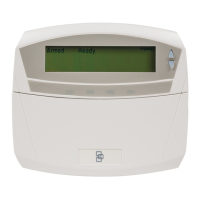
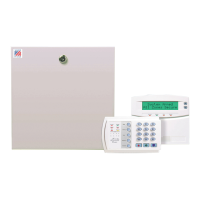
NX-8E CONTROL
37
LOCATION 160 - ZONE TYPE 26 ALARM EVENT CODE (1 segment, numerical data)
Location 160 contains the event code sent for a Contact ID or SIA report. The desired event code should be chosen
from the list on page 70. The zone ID will be that zone that is in alarm. If 4+2 format is being used, refer to Location
110 on page 33 for details.
LOCATION 161 - ZONE TYPE 26 CHARACTERISTIC SELECT (5 segments, feature selection data)
Use "Zone Type Characteristic Selections" described in Location 111, page 33.
LOCATION 162 - ZONE TYPE 27 ALARM EVENT CODE (1 segment, numerical data)
Location 162 contains the event code sent for a Contact ID or SIA report. The desired event code should be chosen
from the list on page 70. The zone ID will be that zone that is in alarm. If 4+2 format is being used, refer to Location
110 on page 33 for details.
LOCATION 163 - ZONE TYPE 27 CHARACTERISTIC SELECT (5 segments, feature selection data)
Use "Zone Type Characteristic Selections" described in Location 111, page 33.
LOCATION 164 - ZONE TYPE 28 ALARM EVENT CODE (1 segment, numerical data)
Location 164 contains the event code sent for a Contact ID or SIA report. The desired event code should be chosen
from the list on page 70. The zone ID will be that zone that is in alarm. If 4+2 format is being used, refer to Location
110 on page 33 for details.
LOCATION 165 - ZONE TYPE 28 CHARACTERISTIC SELECT (5 segments, feature selection data)
Use "Zone Type Characteristic Selections" described in Location 111, page 33.
LOCATION 166 - ZONE TYPE 29 ALARM EVENT CODE (1 segment, numerical data)
Location 166 contains the event code sent for a Contact ID or SIA report. The desired event code should be chosen
from the list on page 70. The zone ID will be that zone that is in alarm. If 4+2 format is being used, refer to Location
110 on page 33 for details.
LOCATION 167 - ZONE TYPE 29 CHARACTERISTIC SELECT (5 segments, feature selection data)
Use "Zone Type Characteristic Selections" described in Location 111, page 33.
LOCATION 168 - ZONE TYPE 30 ALARM EVENT CODE (1 segment, numerical data)
Location 168 contains the event code sent for a Contact ID or SIA report. The desired event code should be chosen
from the list on page 70. The zone ID will be that zone that is in alarm. If 4+2 format is being used, refer to Location
110 on page 33 for details.
LOCATION 169 - ZONE TYPE 30 CHARACTERISTIC SELECT (5 segments, feature selection data)
Use "Zone Type Characteristic Selections" described in Location 111, page 33.
L LOCATION 170 - ZONES 49-56 ZONE TYPE (8 segments, numerical data)
Location 170 contains the Zone Type for zones 49 - 56. Segment 1 is for zone 49; Segment 8 is for zone 56. Default
Zone Types are found in the table on page 19. To customize a Zone Type, see page 33.
LOCATION 171 - PARTITION SELECT, ZONES 49-56 (8 segments of feature selection data)
Location 171 is used to select the partition(s) that zones 49-56 reside in. A zone may reside in any combination of the
8 partitions. If a burglary zone resides in more than 1 partition, it will only be active when all partitions are
armed. A zone that resides in more than 1 partition will be reported to its lowest partition. Segment 1
corresponds to zone 49 and Segment 8 corresponds to zone 56.
Segments 1 - 8:
1 = Partition #1 3 = Partition #3 5 = Partition #5 7 = Partition #7
2 = Partition #2 4 = Partition #4 6 = Partition #6 8 = Partition #8
L
LOCATION 172 - ZONES 57-64 ZONE TYPE (8 segments, numerical data)
Location 172 contains the Zone Type for zones 57-64. Segment 1 is for zone 57; Segment 8 is for zone 64. Default
Zone Types are found in the table on page 19. To customize a Zone Type, see page 33.


 To Next Page
 Loading...