– 35 –
Power Board Assembly
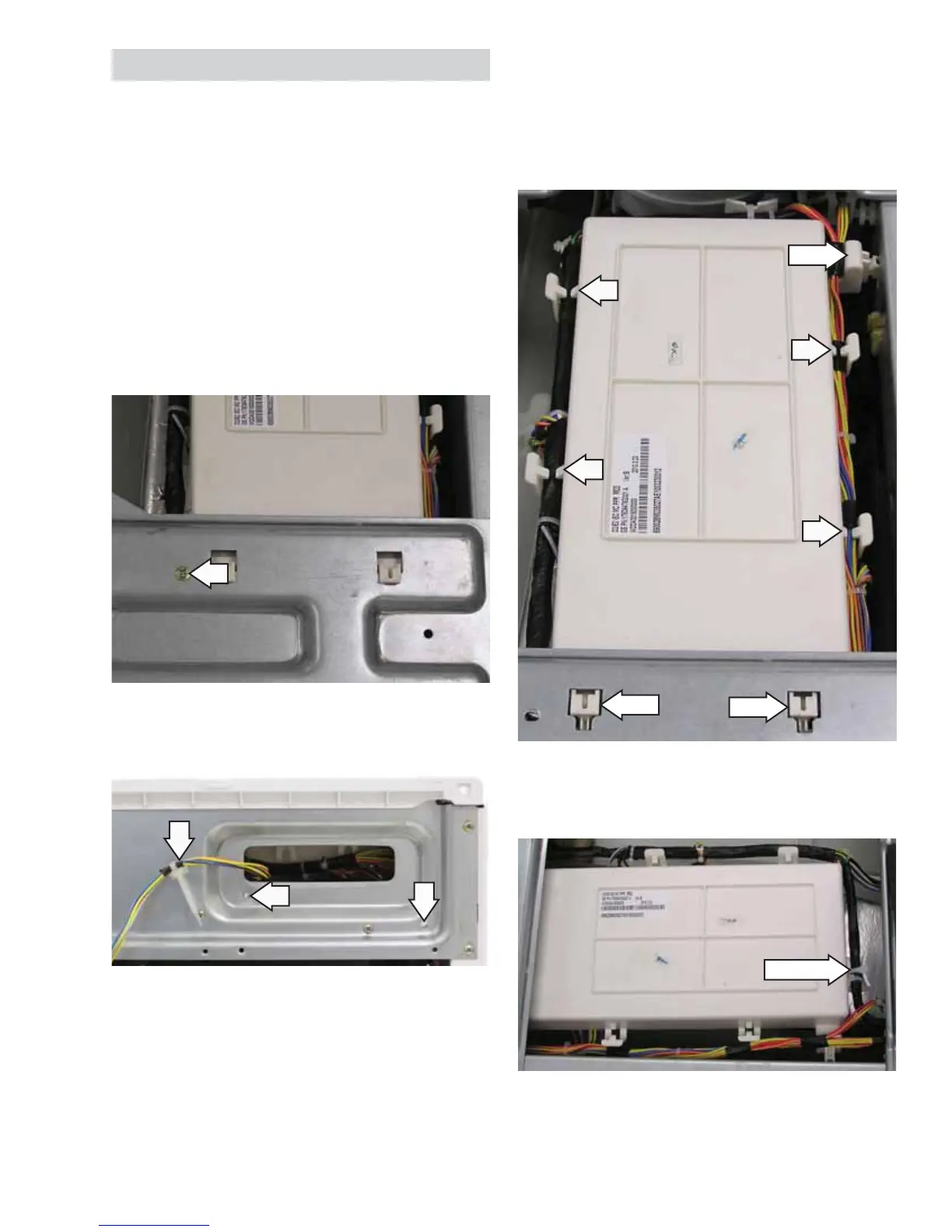
To remove the power board assembly:
The power board and its cover are replaced as an
assembly.
1. Remove the top panel. (See
Top Panel.)
Note: The power board assembly is attached to the
control bracket with a 6-mm hex-head screw and 2
tabs and to the right-side top brace with 1 locking
tab.
2. Remove the 6-mm hex-head screw that
attaches the power board assembly to the
control bracket.
4. Pull the power board toward the rear of the
washer to disengage the 2 front tabs and pull
toward the left side to disengage the right tab.
5. Remove the wires from the 6 power board wire
retainers (2 not shown).
6. Remove the wire tie from the back end of the
power board housing.
Wire Tie
Tab
Tab
Tab
3. Remove the 3 compression tabs from the front
brace.
(Continued Next Page)


 To Next Page