– 58 –
Service Test Mode
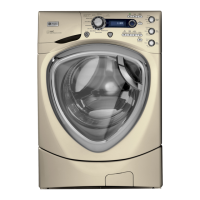
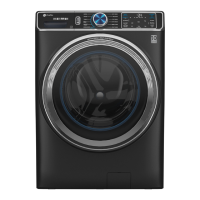
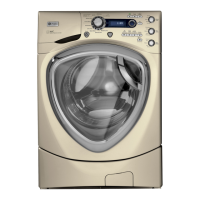
The washer control has a service test mode that can be utilized by the service technician in order to test
critical components and to access error codes. This test mode will help the service technician to quickly
identify failed or improper operation of washer components.
Caution: Testing is accomplished thru built-in test procedures. Unplugging components for testing can
damage component connections.
The washer must be in idle mode (blue screen is blank) before entering the test mode. Idle mode occurs when
the washer has completed a cycle. If the cycle is interrupted, the washer will drain water when the power
is reapplied. The water level switch must reset before the test mode can be entered. If water remains in the
washer, manually drain the washer to reset the water level switch. A failed water level switch can cause an
inability to enter the test mode.
Test Mode Selection Description
1. Error Codes
Checks for any error codes reported by the controls.
2. Version Information Checks the software version.
3. Vibration Test Tests the washer vibration by spinning to the extra
high spin speed as fast as possible. Note: No out-
of-balance detection will be performed here, so the
washer will spin up regardless of the out of balance
that is placed in the drum.
4. EEPROM Test Checks the memory on the user interface control
board, then the memory on the Power Board.
5. UI Test Verifi es all LEDs operate correctly.
6. Key Continuity Verifi es that each key operates correctly.
7. Pump Test Test drain pump.
8. Water Level Sensor Fills to all 3 levels, then pumps out water.
9. Temp & Heater Verifi es that both the Thermistor and Heater work.
10. Hot Water Test Verifi es hot water valve turns on/off.
11. Cold Water Test Verifi es cold water valve turns on/off.
12. Tumble Test Verifi es washer tumbles (i.e., Wash Cycle).
13. Spin Test Verifi es washer spins. Note: No out-of-balance
detection will be performed here, so the washer will
spin up regardless of any out-of-balance condition
in the drum.
(Continued Next Page)
To enter the test mode: To exit the test mode:
1. Press Power button to clear any current cycles.
Note: The display must be blank to proceed.
2. Press Extra Rinse-Delay Start-Extra Rinse-Delay Start.
A washer left in the test mode will exit the test mode
and unlock the door after approximately 30 minutes.
Press
(while the unit is idle - the Blue Screen is
blank): Extra Rinse-Delay Start-Extra Rinse-Delay
Start.


 To Next Page