– 36 –
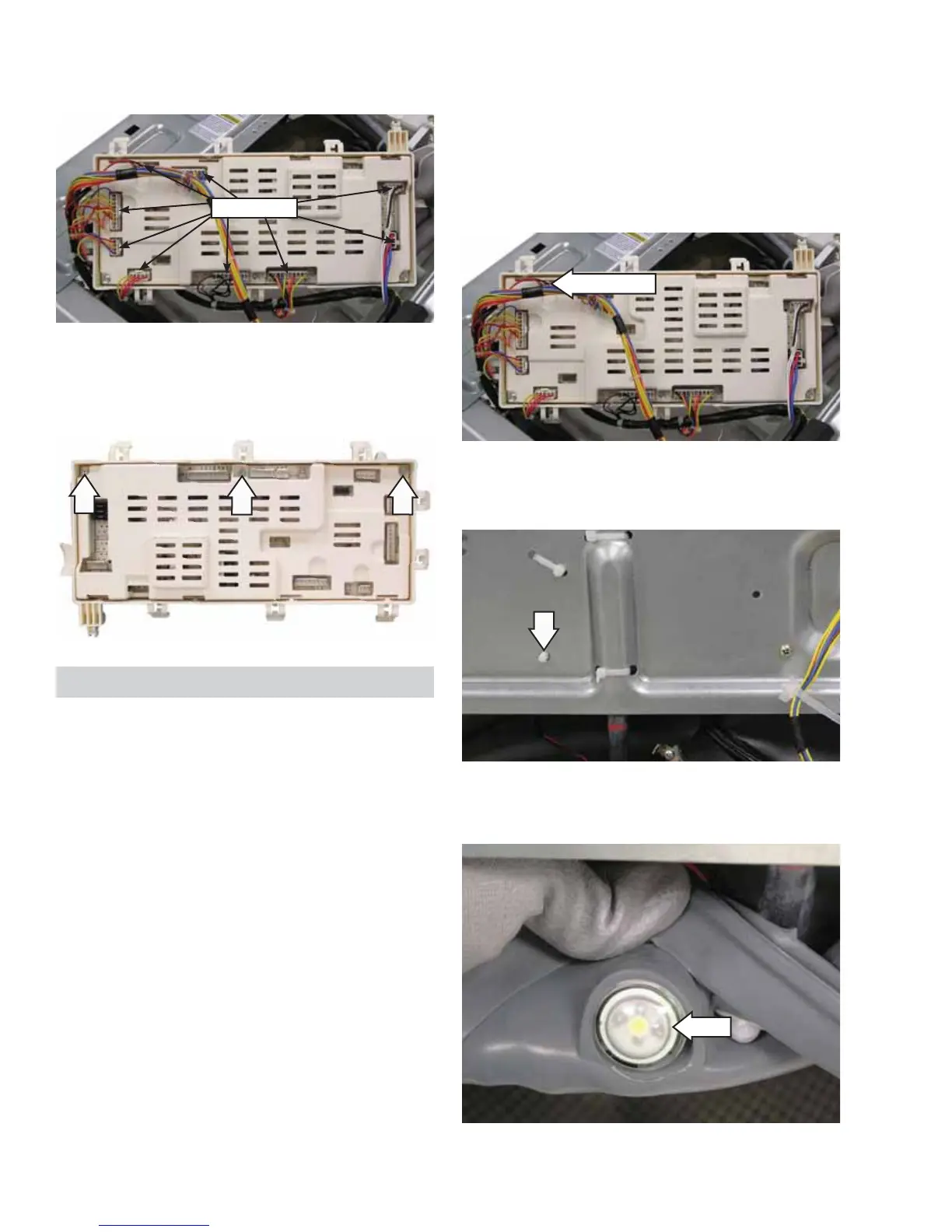
Disconnect
7. Turn the power board over and disconnect 9
wire harnesses.
8. Remove the 3 Phillips-head screws from the
power board housing cover and remove the
cover.
Basket Light
The basket light will illuminate for 5 minutes when
the door is opened, the Start/Pause button is pressed,
or the Basket Light button is held for 3 seconds. The
light can be turned off when the Basket Light button
is held for 3 seconds, except when the unit is in idle.
The basket light uses a 3.3 VDC LED lamp.
Disconnect
Light
5. Push the light thru the gasket to remove it from
the washer.
4. Depress the tab to remove the wire retainer that
attaches the light wiring to the front bracket.
To remove the basket light:
1. Remove the front panel. (See Front Panel.)
2. Follow steps 1-6 of the power board removal
procedure. (See Power Board Assembly.)
3. Turn the power board over and disconnect the
basket light wiring harness.


 To Next Page