14
PRICE TEMPERATURE OFFSET
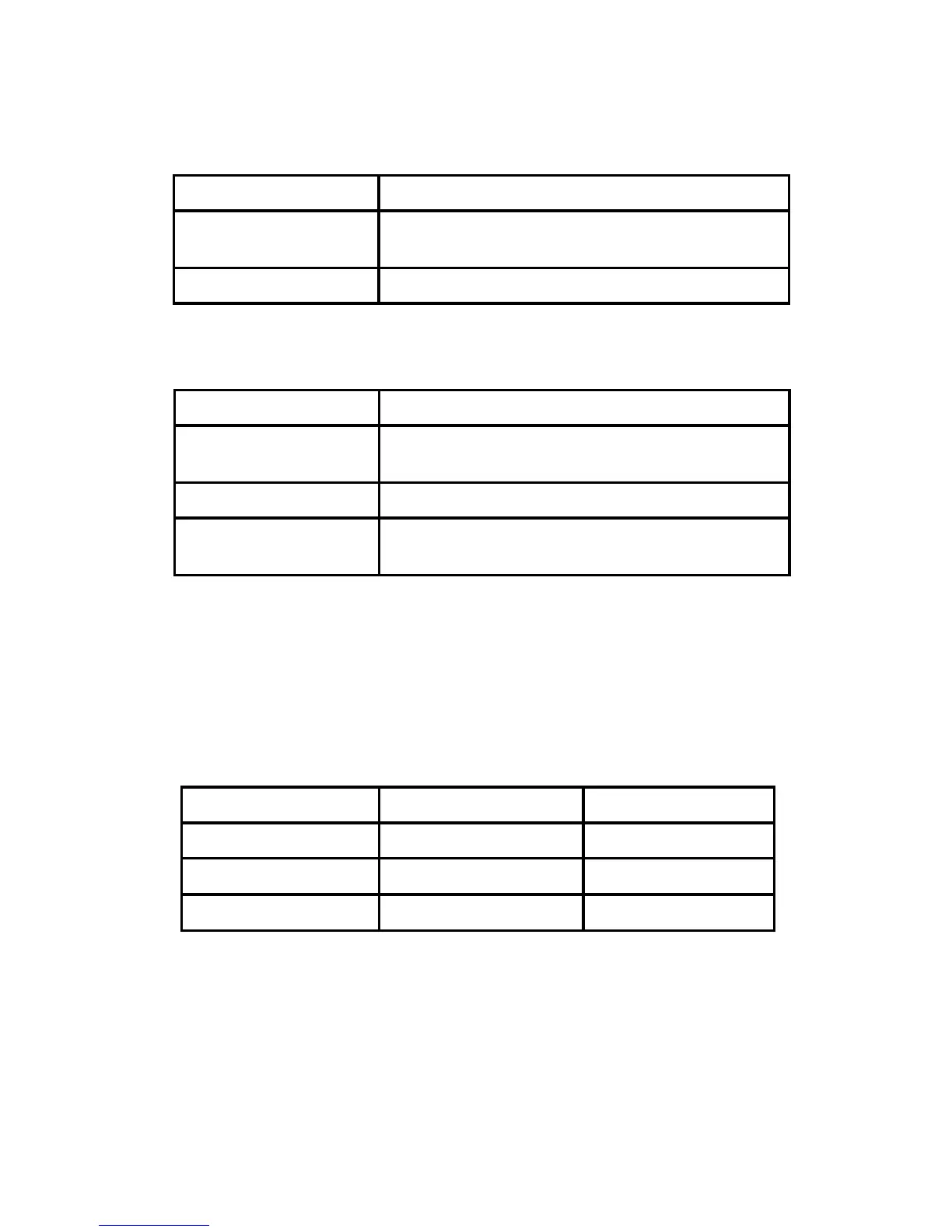
There are two LEDs located in the top left corner of the front of the
thermostat. See the table below for a description of what the lights mean:
Energy Level
LED Indicator
Offset (in °F)
Medium
Green 2
High
Orange
3
Critical
Red
4
For example, if the current programmed temperature is 75°F and the
current price level from the utility company is High (orange), the actual
setpoint for the home will be 79°F.
RESET
To reset the unit, insert a thin, blunt instrument into the RESET hole on
the side of the unit. Please note that resetting the unit will return it to the
factory default settings.
INDICATORS
There are two LEDs located in the top left corner of the front of the
thermostat. See the table below for a description of what the lights mean:
Yellow LED indicates the status of the HVAC system
Tri-color (red, green and orange) LED indicates the status of the
information from your utility company.
Off
HVAC system is working normally
Flashing
HVAC system is working normally and is com-
municating to the server or utility company.
On
HVAC system error/warning
Green LED on
Current energy price is at a Low level.
Orange LED on
Current energy price is at a Medium or High
level.
Red LED on
Current energy price is at a Critical level.
Flashing
If the current LED color is ashing it means
the thermostat has received a new message.



 To Next Page